
ShadowShare PC
Cross Ltd.
Download ShadowShare on PC With GameLoop Emulator
ShadowShare sa PC
Ang ShadowShare, na nagmumula sa developer na Cross Ltd., ay tumatakbo sa Android systerm sa nakaraan.
Ngayon, maaari mong laruin ang ShadowShare sa PC gamit ang GameLoop nang maayos.
I-download ito sa GameLoop library o mga resulta ng paghahanap. Hindi na tumitingin sa baterya o nakakadismaya na mga tawag sa maling oras.
I-enjoy lang ang ShadowShare PC sa malaking screen nang libre!
ShadowShare Panimula
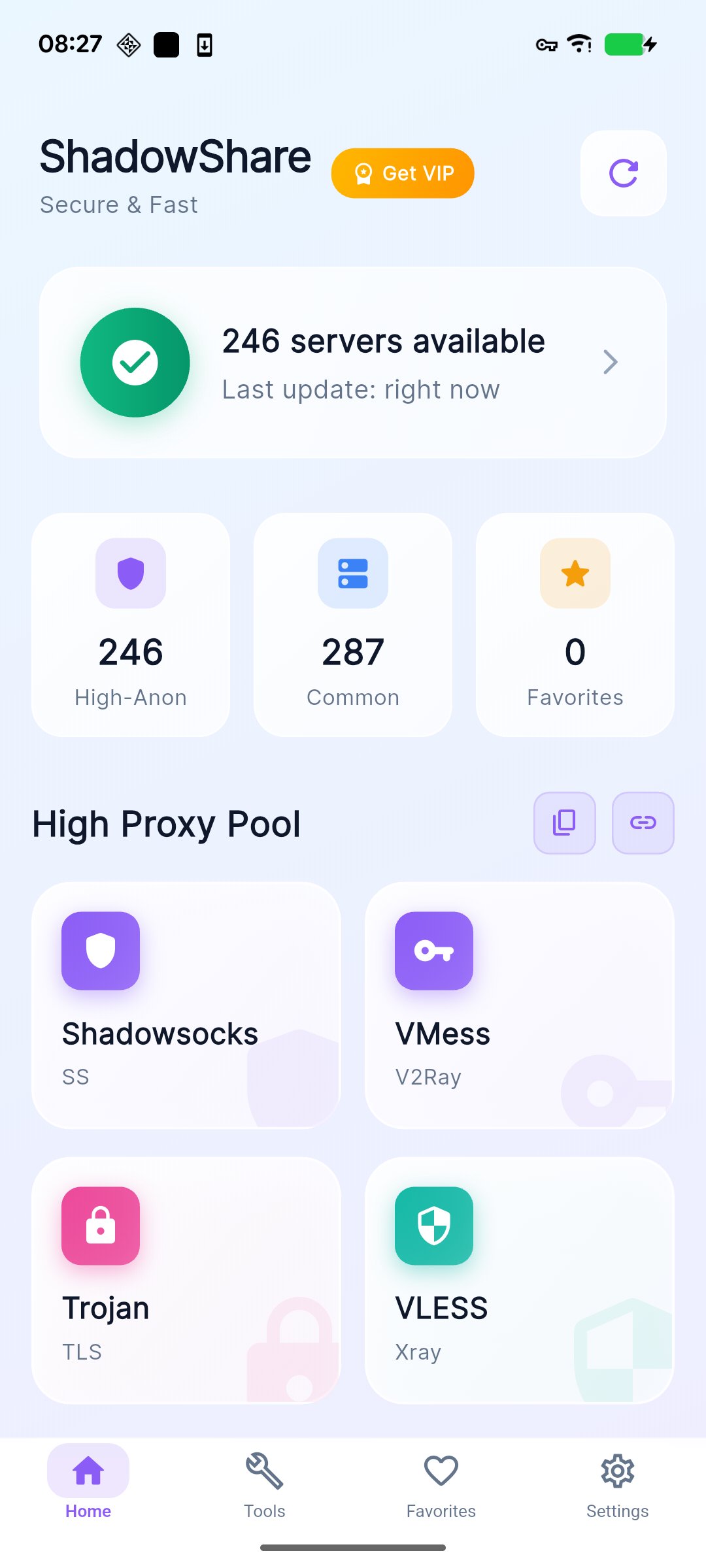
ShadowShare is a refined toolkit for people who collect, organize, test, convert, and share proxy nodes.
Instead of scattering subscription links, QR codes, node notes, and test results across different tools, ShadowShare brings the workflow into one polished workspace: browse proxy pools, convert subscriptions, test latency, save favorites, export nodes, detect links from the clipboard, and protect sensitive nodes in Private Space.
Included for everyone
• Browse high-anonymity and common proxy pools
• Copy proxy links, create QR codes, and share nodes
• Convert subscription links for popular clients such as Clash, V2Ray, Surge, Quantumult X, Loon, Surfboard, Shadowsocks, HTTP, and SOCKS
• Import proxy links from subscriptions, Base64 content, or plain text
• Save favorites and keep recent history
• Use a multilingual interface with light and dark themes
Power tools
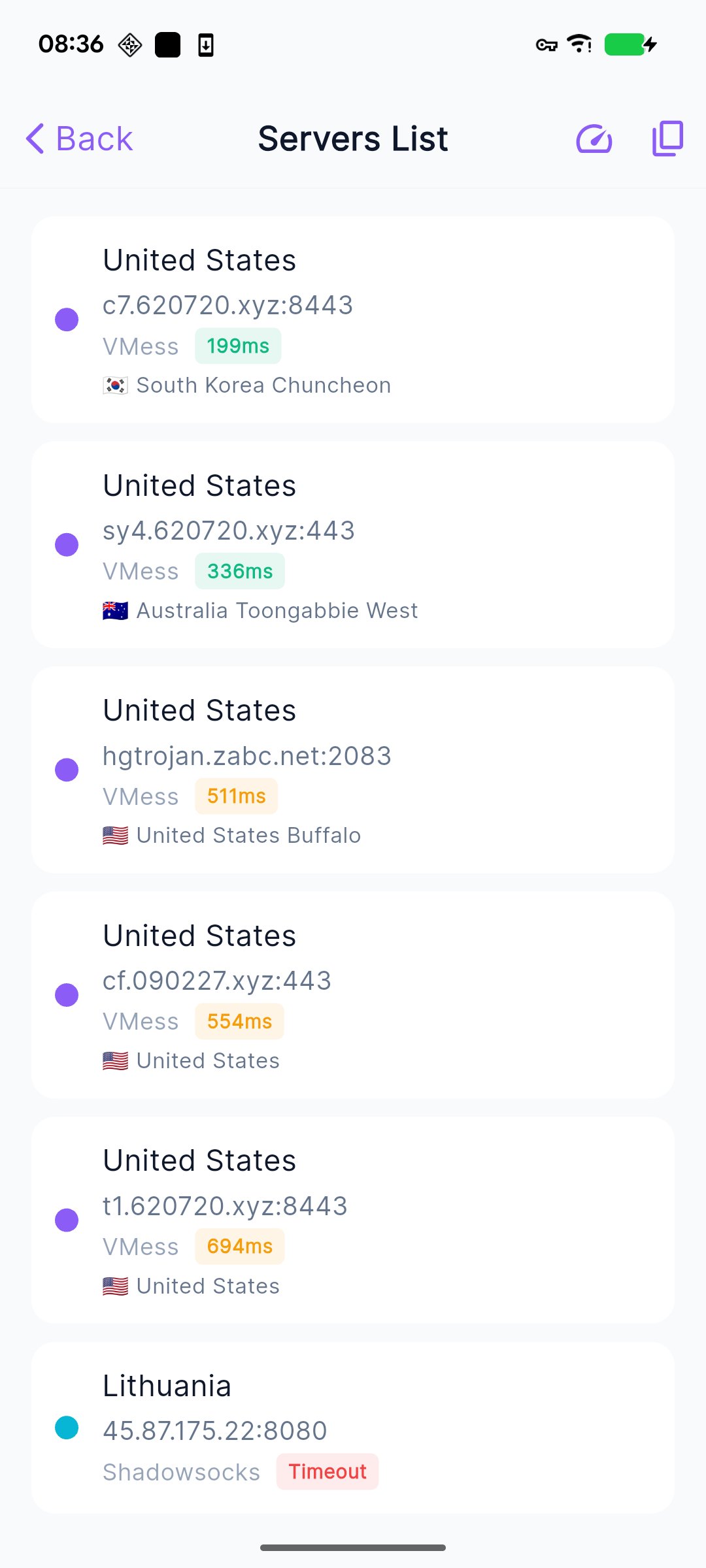
• Batch speed test for subscriptions, Base64 content, and individual links
• Latency sorting and availability filtering
• Batch export as raw links, Base64, Clash, or Surge format
• Subscription merge with deduplication options
• Clipboard detection for quick proxy import
• Node tags, custom names, notes, ratings, and pinned nodes
• Health monitor and smart recommendations for favorite nodes
• Private Space with PIN or biometric unlock for sensitive nodes
Membership experience
• Remove ads for a cleaner workspace
• Unlock higher favorites and history limits
• Use enhanced export, subscription merge, clipboard detection, node tags, and Private Space
• Access exclusive themes
• Support continued development
Why choose ShadowShare?
• Built for node management: collect, test, tag, export, and reuse nodes with less friction
• Built for subscription workflows: convert and merge sources without jumping between tools
• Built for clarity: results, details, QR codes, and export actions stay easy to find
• Built with restraint: practical proxy utilities without exaggerated promises
ShadowShare does not provide or guarantee third-party network service quality. Node availability, latency, and conversion results may vary by source, region, network conditions, and the remote services you choose to use.
Preview
Tags
ToolsInformation
Developer
Cross Ltd.
Latest Version
8.2.14
Last Updated
2026-08-22
Category
Tools
Available on
Google Play
Show More
How to play ShadowShare with GameLoop on PC
1. Download GameLoop from the official website, then run the exe file to install GameLoop
2. Open GameLoop and search for “ShadowShare” , find ShadowShare in the search results and click “Install”
3. Enjoy playing ShadowShare on GameLoop
Minimum requirements
OS
Windows 8.1 64-bit or Windows 10 64-bit
GPU
GTX 1050
CPU
i3-8300
Memory
8GB RAM
Storage
1GB available space
Recommended requirements
OS
Windows 8.1 64-bit or Windows 10 64-bit
GPU
GTX 1050
CPU
i3-9320
Memory
16GB RAM
Storage
1GB available space