Battery Charge-Health Checker PC
Communication Support
Download Battery Charge-Health Checker on PC With GameLoop Emulator
Battery Charge-Health Checker sa PC
Ang Battery Charge-Health Checker, na nagmumula sa developer na Communication Support, ay tumatakbo sa Android systerm sa nakaraan.
Ngayon, maaari mong laruin ang Battery Charge-Health Checker sa PC gamit ang GameLoop nang maayos.
I-download ito sa GameLoop library o mga resulta ng paghahanap. Hindi na tumitingin sa baterya o nakakadismaya na mga tawag sa maling oras.
I-enjoy lang ang Battery Charge-Health Checker PC sa malaking screen nang libre!
Battery Charge-Health Checker Panimula
Is your battery draining too fast? Want to know how to extend its lifespan? Battery Charge-Health Checker is the essential tool for monitoring and understanding your battery's health. Get real-time insights into your battery's performance and optimize its usage with our comprehensive battery health checker.
Key Features:
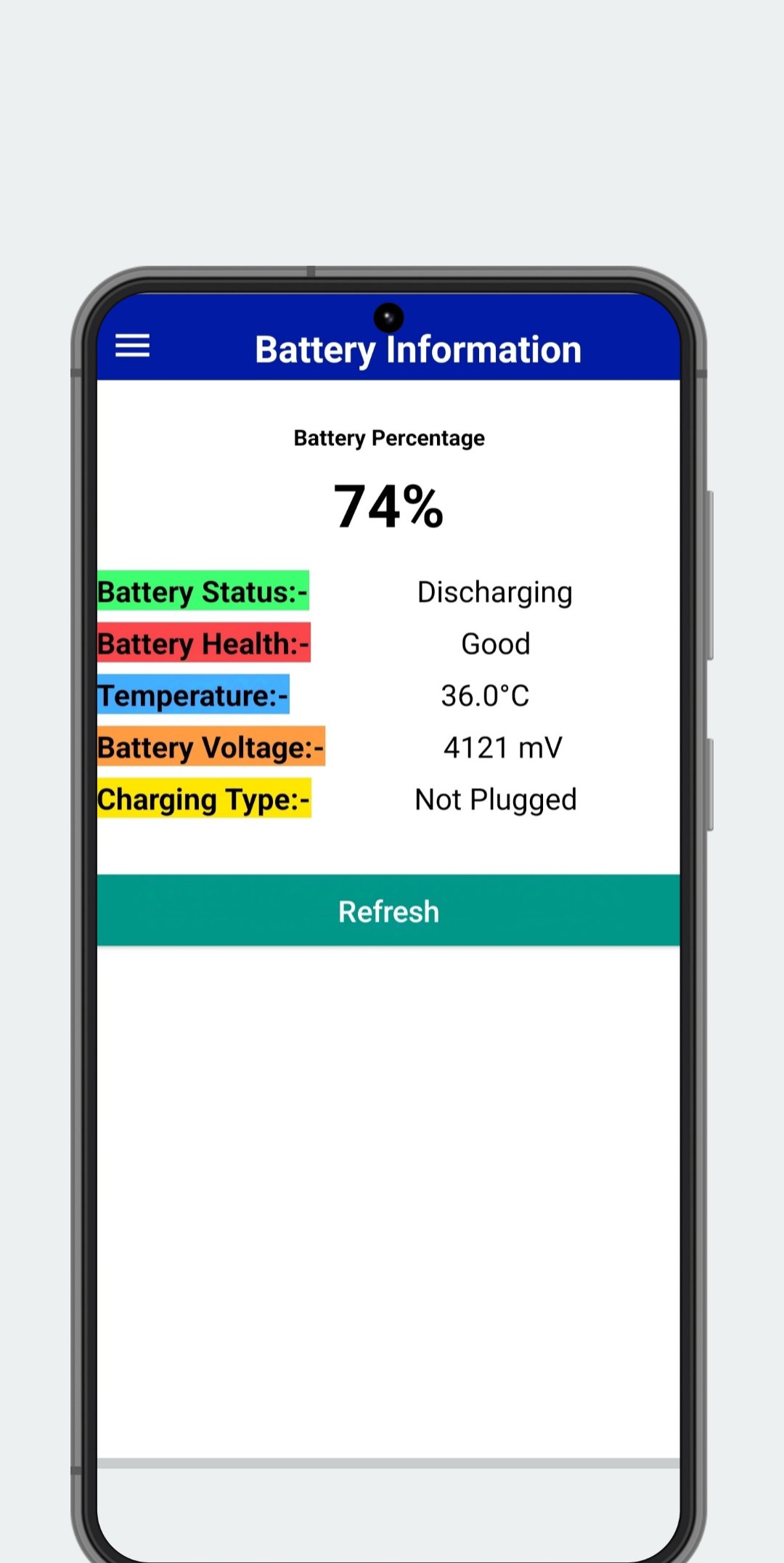
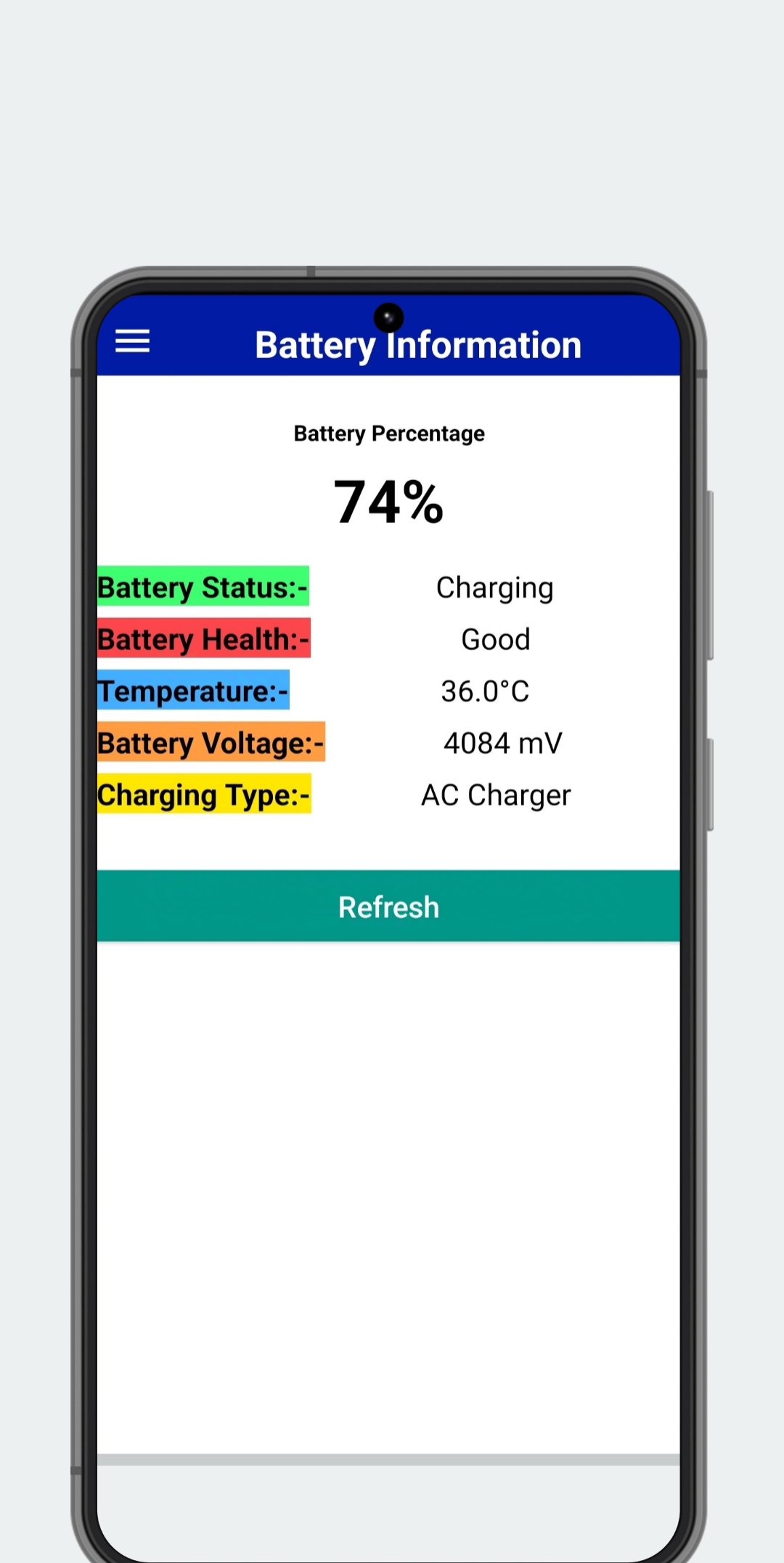
* Battery Health Analysis: Get a clear picture of your battery's overall condition and identify potential issues impacting its performance.
* Precise Charge Level Monitoring: Track your battery percentage with accuracy, so you're never caught off guard.
* Real-time Charging Status: See exactly how fast your battery is charging and estimate remaining charging time.
* Detailed Voltage Information: Monitor your battery's voltage for advanced insights into its health.
* Temperature Monitoring: Keep your battery operating within optimal temperature ranges for improved longevity.
* Charging Type Identification: Know whether you're using fast charging, standard charging, or USB charging.
* Device Information at a Glance: Access your device's brand, model, and Android version quickly and easily.
Battery Charge-Health Checker empowers you to take control of your battery's health. Download now and start maximizing your battery life! Contact us at instantapphelp@gmail.com with any questions.
Preview
Tags
ToolsInformation
Developer
Communication Support
Latest Version
2.6.2
Last Updated
2026-08-22
Category
Tools
Available on
Google Play
Show More
How to play Battery Charge-Health Checker with GameLoop on PC
1. Download GameLoop from the official website, then run the exe file to install GameLoop
2. Open GameLoop and search for “Battery Charge-Health Checker” , find Battery Charge-Health Checker in the search results and click “Install”
3. Enjoy playing Battery Charge-Health Checker on GameLoop
Minimum requirements
OS
Windows 8.1 64-bit or Windows 10 64-bit
GPU
GTX 1050
CPU
i3-8300
Memory
8GB RAM
Storage
1GB available space
Recommended requirements
OS
Windows 8.1 64-bit or Windows 10 64-bit
GPU
GTX 1050
CPU
i3-9320
Memory
16GB RAM
Storage
1GB available space