
Private App Vault - Hide Private Photos and Videos PC
Ogmatix
Download Private App Vault - Hide Private Photos and Videos on PC With GameLoop Emulator
Private App Vault - Hide Private Photos and Videos sa PC
Ang Private App Vault - Hide Private Photos and Videos, na nagmumula sa developer na Ogmatix, ay tumatakbo sa Android systerm sa nakaraan.
Ngayon, maaari mong laruin ang Private App Vault - Hide Private Photos and Videos sa PC gamit ang GameLoop nang maayos.
I-download ito sa GameLoop library o mga resulta ng paghahanap. Hindi na tumitingin sa baterya o nakakadismaya na mga tawag sa maling oras.
I-enjoy lang ang Private App Vault - Hide Private Photos and Videos PC sa malaking screen nang libre!
Private App Vault - Hide Private Photos and Videos Panimula
Private App Vault is a free app lock and privacy guard to keep safe from intruders & snoopers who invade your private apps, photos, videos and documents.
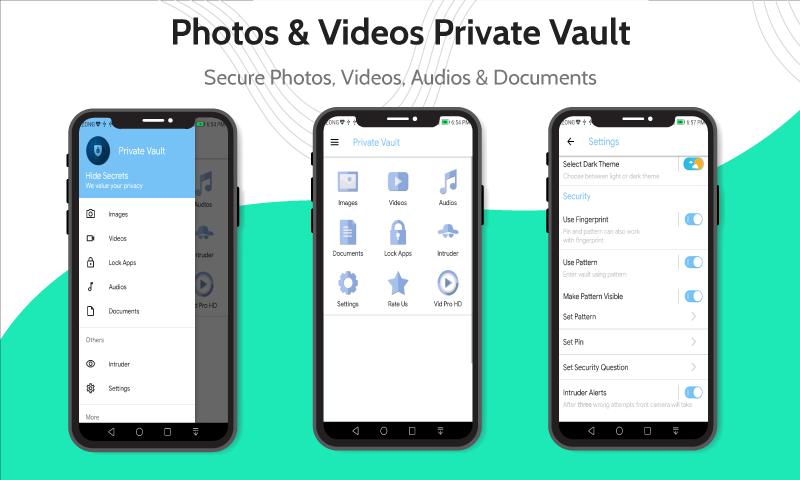
Private Vault is a tool to safe personal photos, videos, audios & important documents by locking them down with PIN, Pattern or Fingerprint authentication protection. With Private Vault, you can protect your privacy.
Find your phone’s photo gallery and tap photos or videos to import into your Private Vault Photo Vault. Once imported, you can choose to easily delete those photos from your phone’s photo gallery while still view them in your Private Vault Photo Vault.
Private Vault’s Features:
• Password Lock
• Pattern Lock
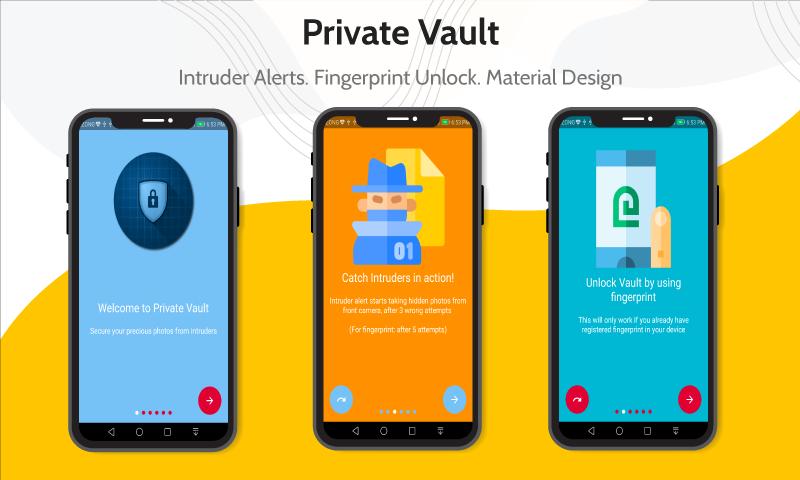
• Fingerprint Lock
• Night mode
• Day mode
• Intruders Capture
• Intruder Alerts: Takes photos of intruders and tracks break-in attempts
• Customize app lock settings as you want, more secure and smart to lock all privacy in one small Private vault.
• Keeps intruders or snoopers away from invading your private photos & videos.
• Encrypts your private and personal photos and videos.
• Completely protect your privacy Private App Vault App Locker can lock all android apps, including:
- Private App Vault can lock all Social Applications including Facebook, Twitter, Messenger, WhatsApp, Instagram, Snapchat and all other social media applications. No one can look into your personal chats now.
- Private App Vault can lock all System Applications Contacts, SMS, Gallery, Videos, Email and all other system applications. No one can mess up your settings for system apps.
- Private App Vault can lock all other third-party applications too, including YouTube, Mail, Games or any other applications in that regard.
Enjoy Private Vault App Locker for Free!
Preview
Information
Developer
Ogmatix
Latest Version
1.1.8
Last Updated
2021-09-21
Category
Tools
Available on
Google Play
Show More
How to play Private App Vault - Hide Private Photos and Videos with GameLoop on PC
1. Download GameLoop from the official website, then run the exe file to install GameLoop
2. Open GameLoop and search for “Private App Vault - Hide Private Photos and Videos” , find Private App Vault - Hide Private Photos and Videos in the search results and click “Install”
3. Enjoy playing Private App Vault - Hide Private Photos and Videos on GameLoop
Minimum requirements
OS
Windows 8.1 64-bit or Windows 10 64-bit
GPU
GTX 1050
CPU
i3-8300
Memory
8GB RAM
Storage
1GB available space
Recommended requirements
OS
Windows 8.1 64-bit or Windows 10 64-bit
GPU
GTX 1050
CPU
i3-9320
Memory
16GB RAM
Storage
1GB available space