
Periodically: Event Logger PC
TimeTune Studio
Download Periodically: Event Logger on PC With GameLoop Emulator
Periodically: Event Logger sa PC
Ang Periodically: Event Logger, na nagmumula sa developer na TimeTune Studio, ay tumatakbo sa Android systerm sa nakaraan.
Ngayon, maaari mong laruin ang Periodically: Event Logger sa PC gamit ang GameLoop nang maayos.
I-download ito sa GameLoop library o mga resulta ng paghahanap. Hindi na tumitingin sa baterya o nakakadismaya na mga tawag sa maling oras.
I-enjoy lang ang Periodically: Event Logger PC sa malaking screen nang libre!
Periodically: Event Logger Panimula
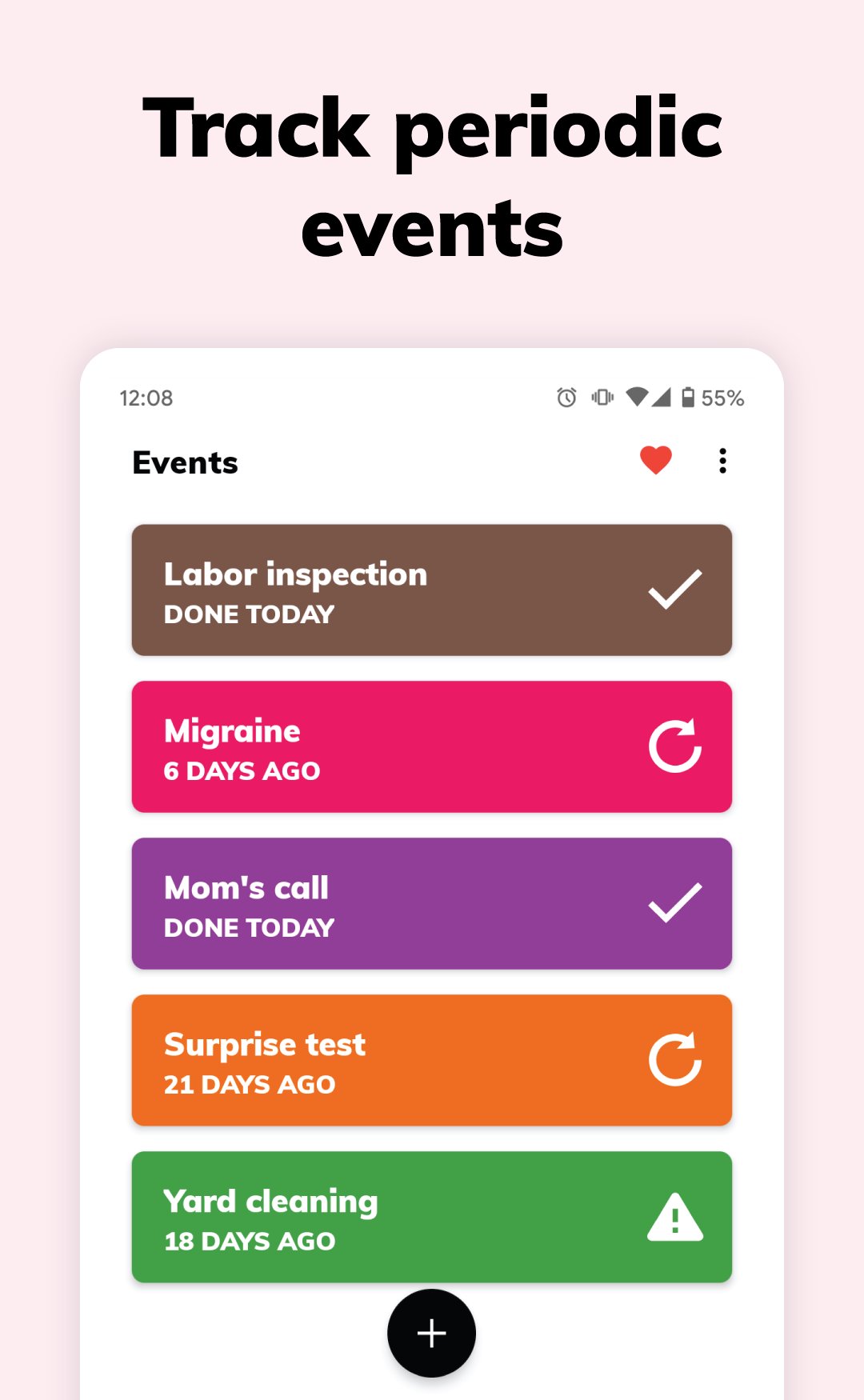
'Periodically' allows you to log and predict life events that repeat from time to time, like:
- Chores you do regularly
- Events that happen periodically
- Medical symptoms that occur randomly
💪 APPLICATIONS
‘Periodically’ logger uses a clever implementation that allows many applications.
You can use ‘Periodically’ to:
- Log any event that happens in your life and discover patterns
- Predict events that seem irregular
- Track chores and get warned when they should be done again
- Count days since an event (day counter)
- Log medical symptoms and discover correlations with other events
- Count event occurrences
- And much more...
⚙️ HOW DOES IT WORK?
It’s super easy!
After creating an event, you just need one click to log every time the event happens again.
And that’s it! Based on the occurrences you log, ‘Periodically’ takes care of the rest.
The app uses clever math algorithms to calculate statistics, predictions, urgency, warnings, correlations, evolutions, etc.
🔎 PREDICTIONS
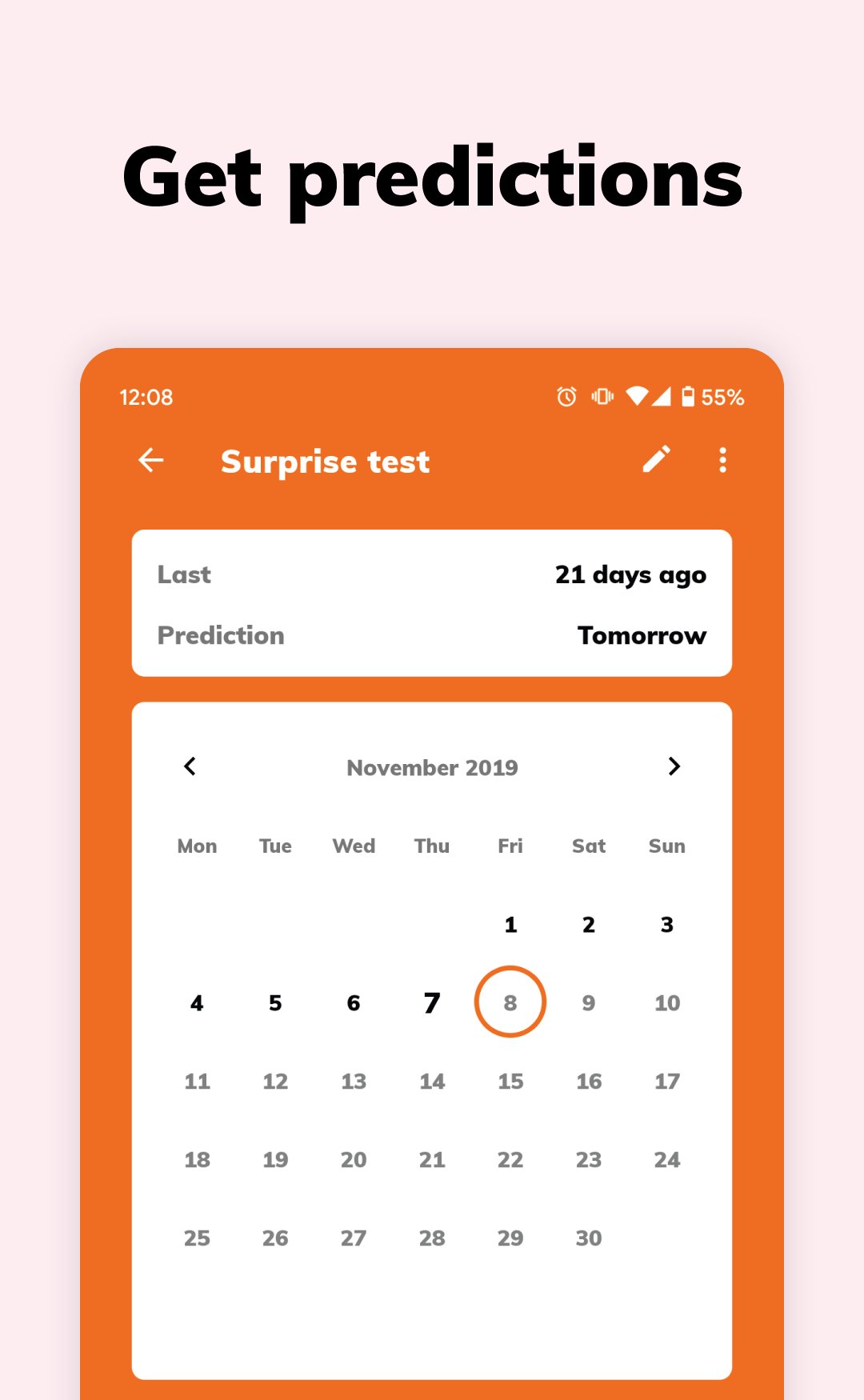
The app predicts the dates when your events will happen again (or when to do your chores again).
The more occurrences you log, the more accurate the predictions will be.
🌈 ORGANIZATION
Color plays an important role in ‘Periodically’. Organize your events by color for a quick visualization.
For example, you can use a blue color to log your cleaning chores. Or you can use a red color for important phone calls you should make regularly.
For a better organization, you can sort events by name, color or urgency.
🚨 URGENCY
When you sort events by urgency, the app uses a smart algorithm to calculate the urgency level.
For example, an event that happens about once a week and is one day delayed is more urgent than an event that happens about once a year and is two days delayed.
That will help you see which events are more urgent than others.
🔔 REMINDERS
‘Periodically’ logger provides you with several types of reminders:
- Prediction reminders to warn you when your events are about to happen again (or when to do your chores again)
- Lateness reminders to warn you when the events are late or chores are overdue
- Interval reminders to warn you a fixed number of days since an event happened
These reminders are optional and you can combine them as you like. So for each event you can enable all, some or none of them.
📈 STATISTICS
The app shows you detailed statistics about your chores and events.
Those statistics will allow you to:
- See how each event is affecting your life
- Detect behavior patterns
- Find correlations between events
- Discover new facts about yourself
- Make changes and improve your life
✨ EXAMPLES
You can use ‘Periodically’ logger to:
- Track house chores and keep your house clean
- Log all kinds of chores in general (shopping, watering plants, changing the pet litter, getting a haircut...)
- Remember when you last did something
- Track headaches and migraines and predict when they will happen again
- Log medical symptoms in general (and find correlations with other events)
- Count the days since an event happened
- Log all kinds of life events
- And much more...
❤️ YOU ARE IMPORTANT
Your support is essential to help 'Periodically' grow.
If you like the app please give us a nice review and share the app with your friends. It doesn't cost you anything and it helps us tremendously.
Thank you very much!
Preview
Tags
ToolsInformation
Developer
TimeTune Studio
Latest Version
1.17
Last Updated
2025-11-17
Category
Tools
Available on
Google Play
Show More
How to play Periodically: Event Logger with GameLoop on PC
1. Download GameLoop from the official website, then run the exe file to install GameLoop
2. Open GameLoop and search for “Periodically: Event Logger” , find Periodically: Event Logger in the search results and click “Install”
3. Enjoy playing Periodically: Event Logger on GameLoop
Minimum requirements
OS
Windows 8.1 64-bit or Windows 10 64-bit
GPU
GTX 1050
CPU
i3-8300
Memory
8GB RAM
Storage
1GB available space
Recommended requirements
OS
Windows 8.1 64-bit or Windows 10 64-bit
GPU
GTX 1050
CPU
i3-9320
Memory
16GB RAM
Storage
1GB available space