Micro Guard Microphone Blocker PC
Protectstar Inc.
Download Micro Guard Microphone Blocker on PC With GameLoop Emulator
Micro Guard Microphone Blocker sa PC
Ang Micro Guard Microphone Blocker, na nagmumula sa developer na Protectstar Inc., ay tumatakbo sa Android systerm sa nakaraan.
Ngayon, maaari mong laruin ang Micro Guard Microphone Blocker sa PC gamit ang GameLoop nang maayos.
I-download ito sa GameLoop library o mga resulta ng paghahanap. Hindi na tumitingin sa baterya o nakakadismaya na mga tawag sa maling oras.
I-enjoy lang ang Micro Guard Microphone Blocker PC sa malaking screen nang libre!
Micro Guard Microphone Blocker Panimula
Micro Guard™ is a microphone blocker & anti-spy app that helps prevent apps and spyware from listening through your Android device’s microphone.
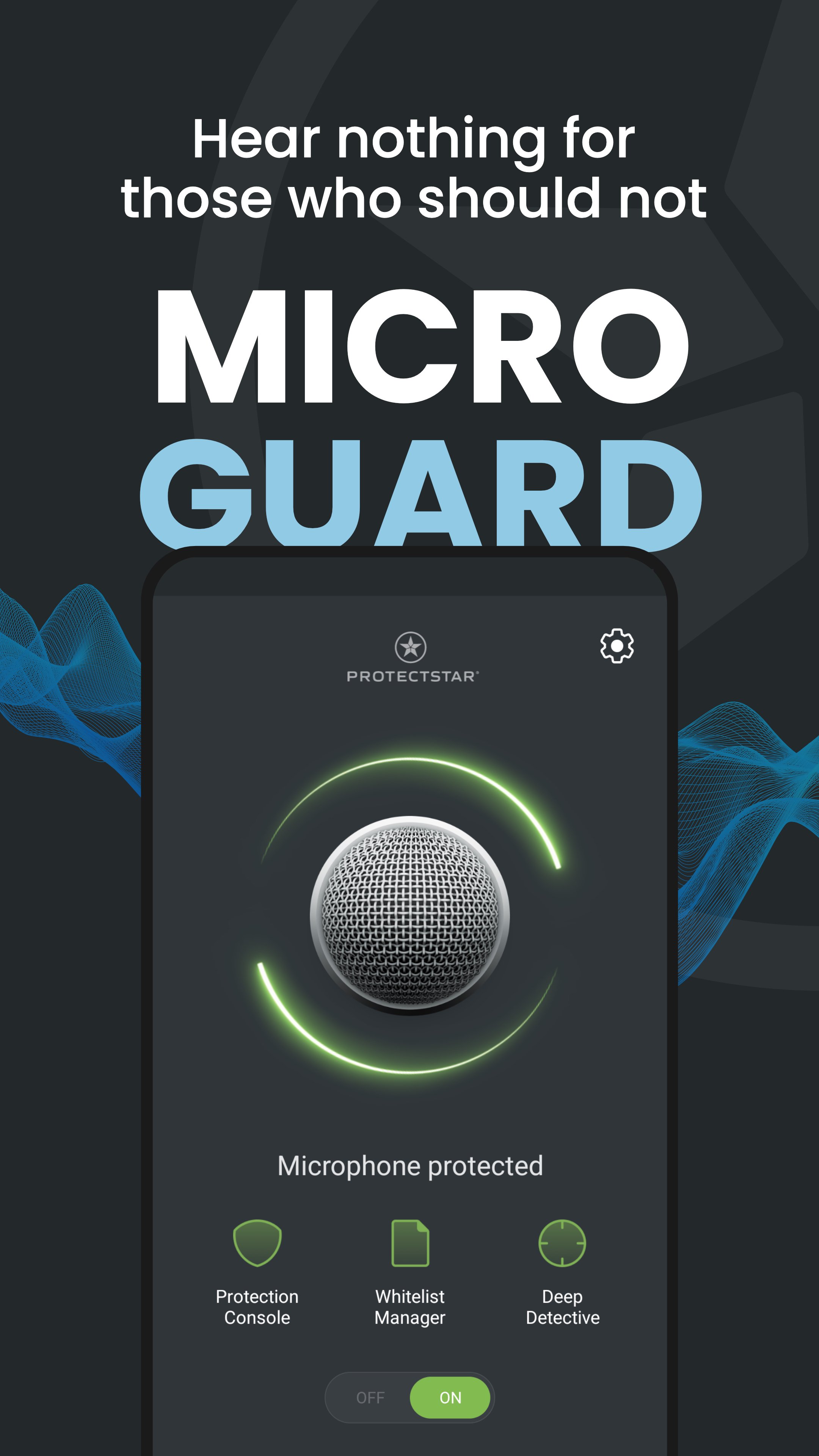
Turn on microphone protection with one tap and decide exactly which apps are allowed to use your mic. When you don’t need the microphone, use Micro Guard to switch to Mic Off mode and reduce unwanted background access.
When protection is active, Micro Guard helps block microphone access on your device, records each access attempt in a logbook and alerts you to suspicious behavior — so you stay in control of your privacy.
Core microphone protection
• 24/7 microphone blocker / mic lock: keep the microphone locked when you are not using it
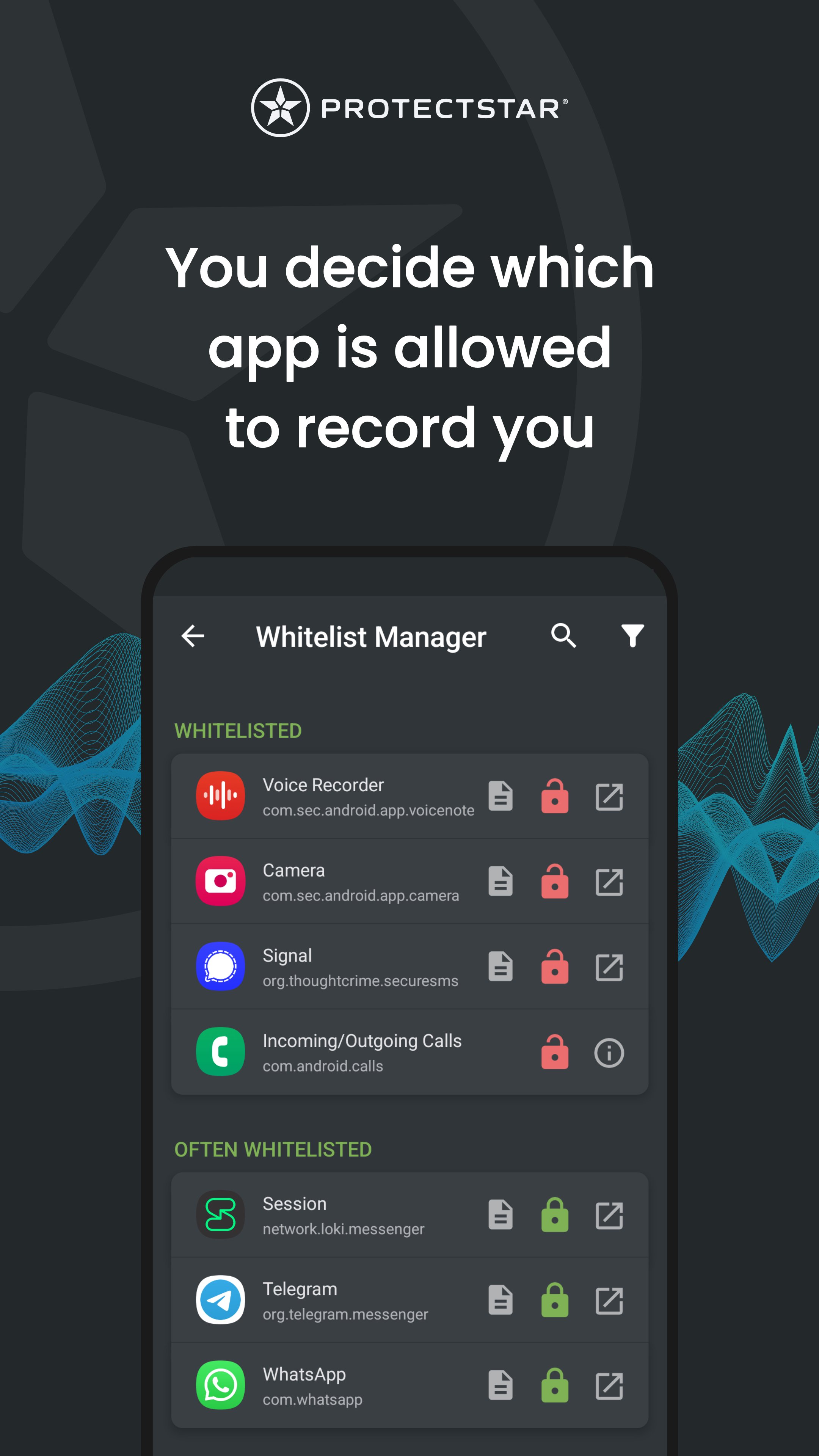
• Whitelist & access control: allow trusted apps and block unknown apps
• One-tap Mic Off: quickly disable microphone access and re-enable it when needed (microphone disabler)
• Deep Detective™ Lite: smart engine that monitors microphone access and helps detect unusual behavior
• Logbook & alerts: detailed log of microphone access attempts plus notifications if something tries to listen in the background
• Microphone permission list: quickly review which installed apps can use the mic
• Passcode protection: secure the app so nobody can change your protection settings
• Home screen widget & quick toggle: enable or disable microphone blocking with one tap
• Modern UI with dark mode
Deep Detective™ anti-spyware scanner (PRO + subscription)
Upgrade to Micro Guard PRO and subscribe to unlock Deep Detective™ Live — a real-time anti-spyware scanner designed to help detect stalkerware, spyware and other threats that try to access your microphone.
The live spyware scanner uses advanced heuristics and a large signature database to help identify both known and emerging threats.
Subscriptions are optional and can be managed in your Google Play account. The core microphone blocker remains available in the base version.
How Micro Guard works
• With microphone protection enabled, apps and system processes that are not on your whitelist can’t access the microphone
• Temporarily allow access for calls, voice messages or recordings, then block the mic again afterwards
• Every access attempt is recorded in the log so you can review what happened on your device
• Designed to work alongside your existing antivirus, firewall or anti-spyware apps
Who Micro Guard is for
• Online meetings & video calls: reduce background recording risk
• Journalists, lawyers, doctors, creators and business users who handle sensitive conversations
• Travelers and people who use public Wi‑Fi or untrusted networks
• Anyone who wants an extra layer of microphone privacy on top of Google Play Protect and their antivirus
Privacy, trust & permissions
Micro Guard is not a voice recorder. It focuses on on-device microphone access control and security logging.
To help enforce microphone blocking across your device, Micro Guard uses Android permissions such as Device Administrator and Accessibility services. These permissions are used only for security features like blocking, logging and detection, and you can revoke them at any time in Android settings.
Micro Guard is developed by Protectstar™, the company behind apps like iShredder™ and Antivirus AI.
You can find more details in the in-app privacy policy and in the Data safety section on Google Play.
Important limitations
Micro Guard blocks access to the microphone on your device. It can’t control what happens once audio leaves your phone — for example, calls that may be recorded by your carrier or by the person you are talking to.
For sensitive calls, we recommend using secure, end-to-end encrypted communication apps in addition to Micro Guard.
Take back control of your microphone and protect your conversations from unwanted listening with Micro Guard.
Preview
Tags
ToolsInformation
Developer
Protectstar Inc.
Latest Version
6.5.1
Last Updated
2026-06-17
Category
Tools
Available on
Google Play
Show More
How to play Micro Guard Microphone Blocker with GameLoop on PC
1. Download GameLoop from the official website, then run the exe file to install GameLoop
2. Open GameLoop and search for “Micro Guard Microphone Blocker” , find Micro Guard Microphone Blocker in the search results and click “Install”
3. Enjoy playing Micro Guard Microphone Blocker on GameLoop
Minimum requirements
OS
Windows 8.1 64-bit or Windows 10 64-bit
GPU
GTX 1050
CPU
i3-8300
Memory
8GB RAM
Storage
1GB available space
Recommended requirements
OS
Windows 8.1 64-bit or Windows 10 64-bit
GPU
GTX 1050
CPU
i3-9320
Memory
16GB RAM
Storage
1GB available space