
Masters Pro: Scheduling App PC
LLC JamSoft
Download Masters Pro: Scheduling App on PC With GameLoop Emulator
Masters Pro: Scheduling App sa PC
Ang Masters Pro: Scheduling App, na nagmumula sa developer na LLC JamSoft, ay tumatakbo sa Android systerm sa nakaraan.
Ngayon, maaari mong laruin ang Masters Pro: Scheduling App sa PC gamit ang GameLoop nang maayos.
I-download ito sa GameLoop library o mga resulta ng paghahanap. Hindi na tumitingin sa baterya o nakakadismaya na mga tawag sa maling oras.
I-enjoy lang ang Masters Pro: Scheduling App PC sa malaking screen nang libre!
Masters Pro: Scheduling App Panimula
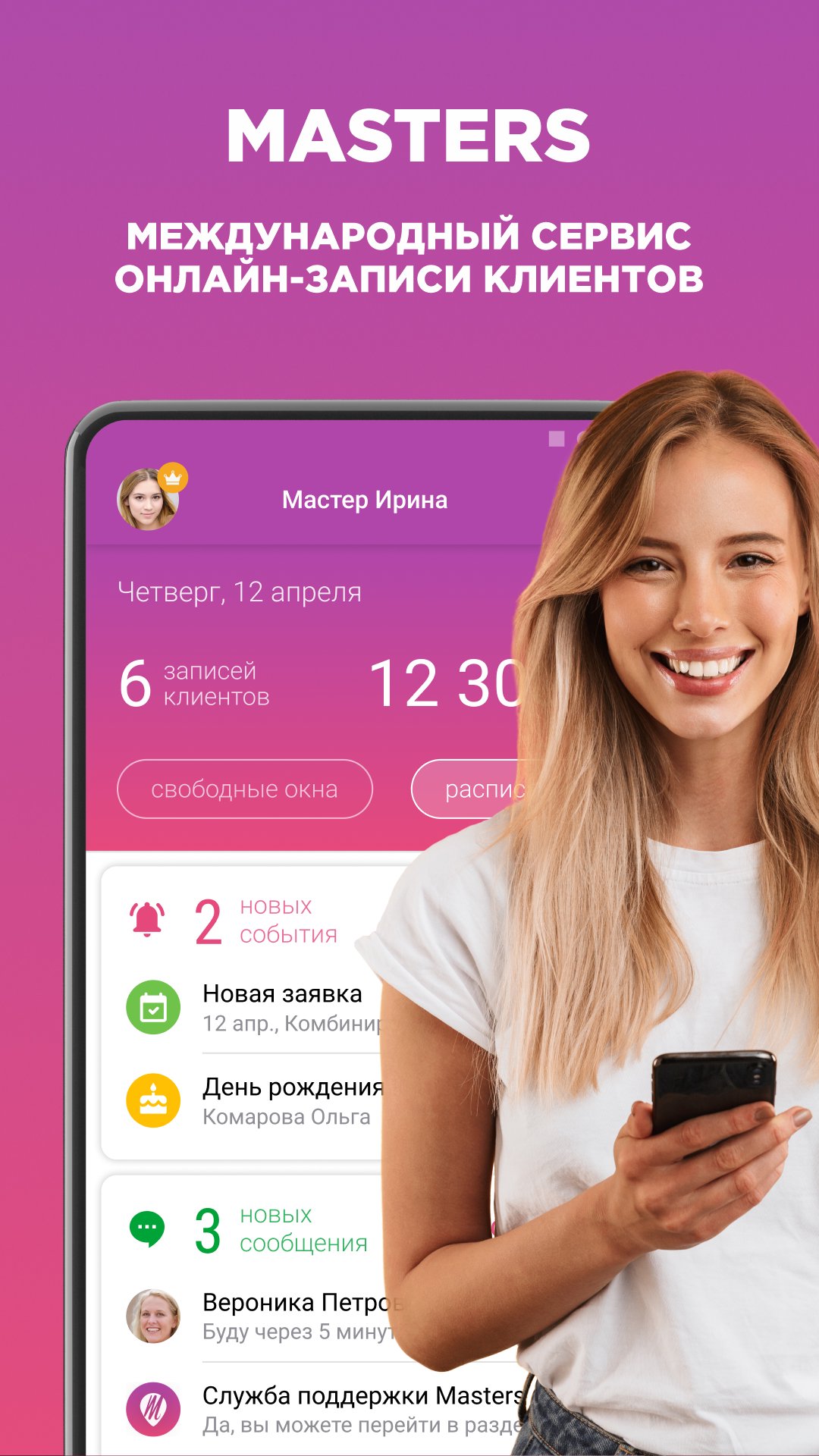
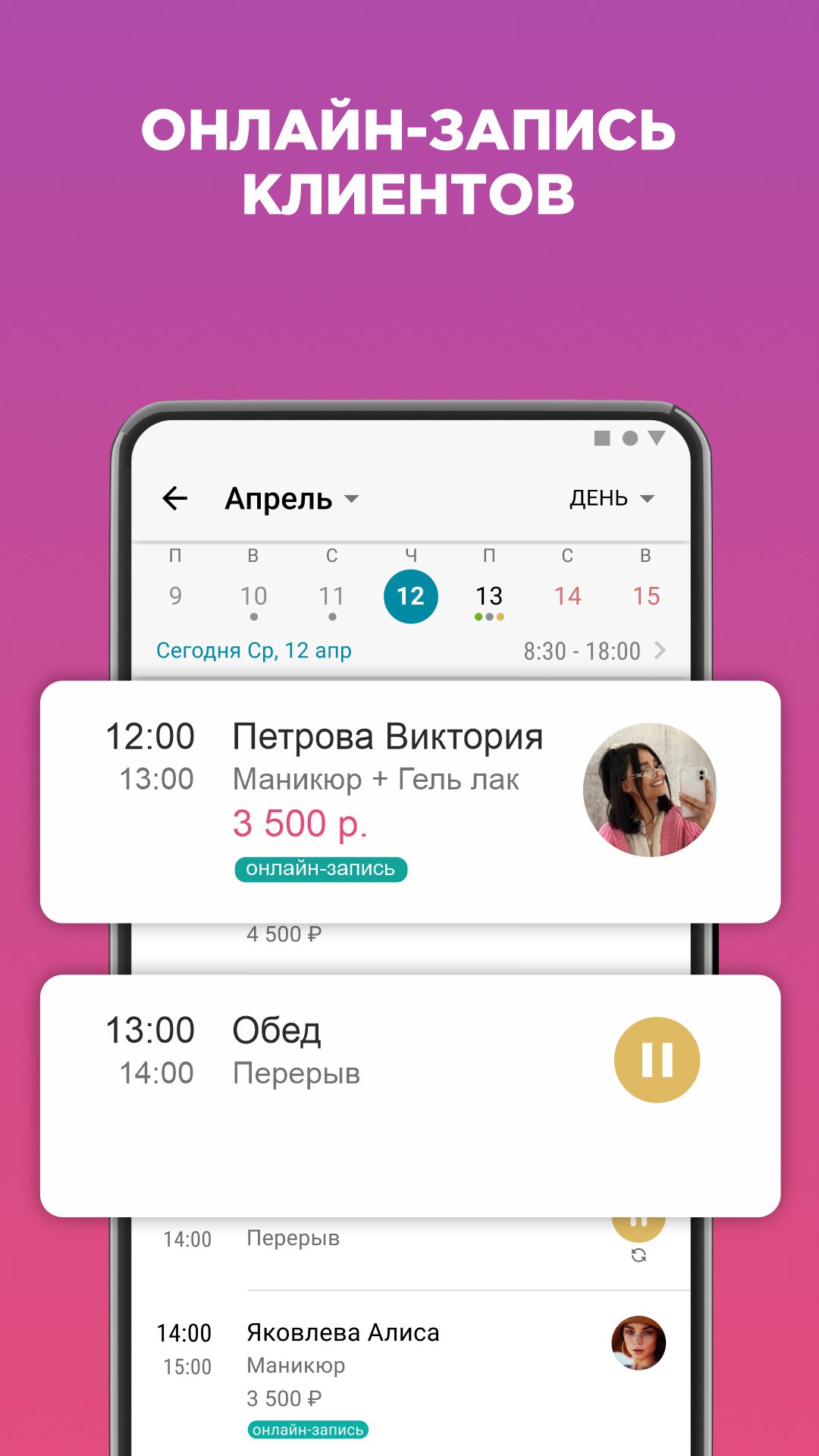
Masters is a smart scheduling app and a dependable appointment scheduler for beauty professionals who want to streamline client management and scheduling. It combines an intuitive calendar planner, flexible organizer, and reliable crm in a clear, structured workflow, serving as a complete appointment booking app. With a powerful reminder app, Masters keeps daily work simple and organized.
Whether you run a hair salon, manage a nail salon, or work independently, Masters adapts to your routine while also serving as a practical daily planner. The built-in appointment scheduler enables seamless appointments, while the crm keeps client details clear and easy to manage. Use the scheduling app as your organizer with a smart calendar planner to stay on top of bookings and reduce missed appointments.
🔹 Why Masters is the best solution for beauty professionals and small businesses
- Smart scheduling tools — manage bookings clearly in one business calendar within a powerful scheduling app.
- Flexible planning — organize services and shifts using a clear work schedule calendar.
- Built-in crm — store client history in a clean, structured format.
- Reliable reminder app — automatic alerts act as an appointment reminder to reduce no-shows.
- Advanced planning — use an intuitive daily planner and appointment scheduler.
- Simple organizer — replace spreadsheets with a daily schedule planner.
🔹 Perfect for every beauty professional
Masters is designed for professionals using a flexible calendar planner within a modern scheduling app with integrated crm. As a practical daily planner, it keeps work clear and organized. Manage appointments through a clear business calendar, while a visual appointment scheduler and simple to do list keep tasks on track. Ideal for teams in a hair salon or nail salon.
🔹 Boost productivity with smarter planning
Masters is more than a scheduling app — it’s a complete organizer and appointment scheduler. The crm works alongside the calendar planner to keep your day structured, while the reminder app keeps clients informed. With tools like a schedule planner and to do list, your workflow stays clean and predictable.
🔹 Say goodbye to manual planning. Masters helps you:
- Automate appointments with a reliable appointment scheduler
- Manage shifts in a clear business calendar
- Track clients with crm
- Stay on track with an appointment reminder in the reminder app
- Plan flexibly with a modern scheduling app
🔹 Designed for real workdays
Masters works as an agenda planner and work schedule planner, while the organizer and crm keep everything in one place within a powerful scheduling app. As an effective appointment scheduler, it helps professionals in hair salon, nail salon, and beauty businesses stay organized and grow.
🔹 Join thousands of professionals who rely on Masters
With a powerful appointment scheduler, intuitive crm, and reliable reminder app, Masters becomes a trusted organizer. From managing appointments with a flexible calendar planner to handling daily tasks, this scheduling app helps you stay focused and work more efficiently.
Preview
Tags
ToolsBusinessInformation
Developer
LLC JamSoft
Latest Version
3.74
Last Updated
2026-08-18
Category
Tools
Available on
Google Play
Show More
How to play Masters Pro: Scheduling App with GameLoop on PC
1. Download GameLoop from the official website, then run the exe file to install GameLoop
2. Open GameLoop and search for “Masters Pro: Scheduling App” , find Masters Pro: Scheduling App in the search results and click “Install”
3. Enjoy playing Masters Pro: Scheduling App on GameLoop
Minimum requirements
OS
Windows 8.1 64-bit or Windows 10 64-bit
GPU
GTX 1050
CPU
i3-8300
Memory
8GB RAM
Storage
1GB available space
Recommended requirements
OS
Windows 8.1 64-bit or Windows 10 64-bit
GPU
GTX 1050
CPU
i3-9320
Memory
16GB RAM
Storage
1GB available space