Local ADB Platform Tool Debug PC
CaTech Idea Limited (HK)
Download Local ADB Platform Tool Debug on PC With GameLoop Emulator
Local ADB Platform Tool Debug sa PC
Ang Local ADB Platform Tool Debug, na nagmumula sa developer na CaTech Idea Limited (HK), ay tumatakbo sa Android systerm sa nakaraan.
Ngayon, maaari mong laruin ang Local ADB Platform Tool Debug sa PC gamit ang GameLoop nang maayos.
I-download ito sa GameLoop library o mga resulta ng paghahanap. Hindi na tumitingin sa baterya o nakakadismaya na mga tawag sa maling oras.
I-enjoy lang ang Local ADB Platform Tool Debug PC sa malaking screen nang libre!
Local ADB Platform Tool Debug Panimula
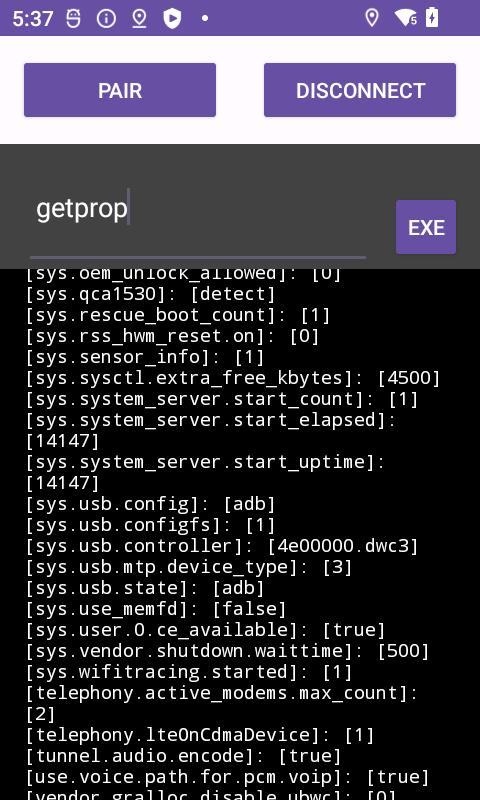
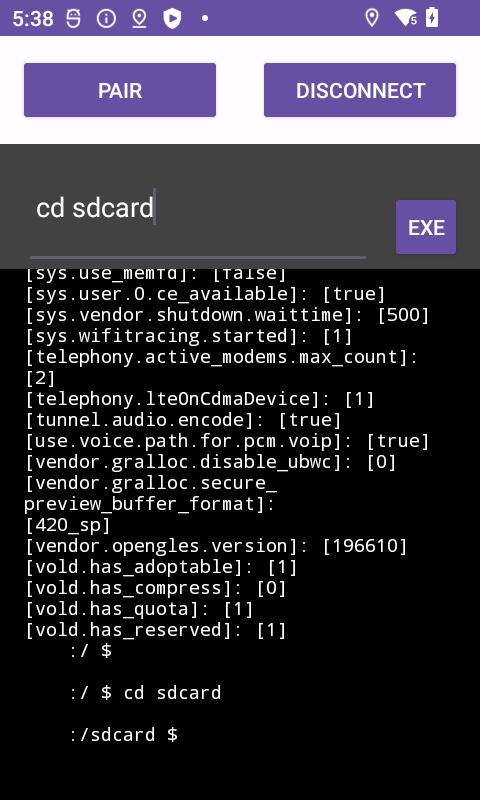
Local ADB Android brings the power of Android Debug Bridge (ADB) directly to your device. Execute ADB commands effortlessly, manage files, install/uninstall apps, capture screenshots, record screen activity, access system logs, debug apps, and more – all without a computer or external connection.
Unlock your device's potential, no matter if you're an Android enthusiast, developer, or tech-savvy user. Embrace the convenience and versatility of ADB operations right on your Android device with Local ADB Android.
Latest Version Added:
Export/Import/Save Output. Edit your own script, copy it to your device, and run it with ease.
📱 For Xiaomi Phone Users:
https://youtube.com/shorts/WzRy9C-pPlY
🎥 Watch this video for Xiaomi phone users: How to Make it Work on Xiaomi. If the app faces issues, don't rush to give a one-star rating. Reach out for assistance.
Note: Android OEMs may tweak firmware, occasionally causing compatibility hiccups with specific brands. However, rest assured, the app runs smoothly on both my high-end Samsung and Xiaomi devices.
✨ New in Version 1.0.6:
Added commonly used ADB commands for your convenience.
📱 If you are affluent and own two Android phones, you can also give this a try. Use one as the host and the other as the slave.
🔗 Remote ADB Shell Debug:
Get it here.
https://play.google.com/store/apps/details?id=com.catech.adbshellconnectpro
🤖 For Android 11 or Above:
1. Enable WiFi Debugging.
2. Open WiFi Debugging screen with the "RECENT" button.
3. Pair your device and enter the pairing code.
4. Connect using the port displayed under "IP address & Port."
OR watch video please:
https://www.youtube.com/watch?v=tL-7ip3iVCI
🤖 For Android 10 or Below:
If your device supports WiFi debugging, it works instantly without pairing. Otherwise, follow these steps:
Set ADB shell with
setprop service.adb.tcp.port 5555.
Disable USB debugging.
Enable USB debugging.
You're all set! For detailed steps, visit here.
https://catechandroidshare.blogspot.com/2024/01/step-1-enable-wireless-debugging-step-2.html
Preview
Tags
ToolsInformation
Developer
CaTech Idea Limited (HK)
Latest Version
2.6.0
Last Updated
2025-10-04
Category
Tools
Available on
Google Play
Show More
How to play Local ADB Platform Tool Debug with GameLoop on PC
1. Download GameLoop from the official website, then run the exe file to install GameLoop
2. Open GameLoop and search for “Local ADB Platform Tool Debug” , find Local ADB Platform Tool Debug in the search results and click “Install”
3. Enjoy playing Local ADB Platform Tool Debug on GameLoop
Minimum requirements
OS
Windows 8.1 64-bit or Windows 10 64-bit
GPU
GTX 1050
CPU
i3-8300
Memory
8GB RAM
Storage
1GB available space
Recommended requirements
OS
Windows 8.1 64-bit or Windows 10 64-bit
GPU
GTX 1050
CPU
i3-9320
Memory
16GB RAM
Storage
1GB available space