
HydraGO PC
Stevens Water Monitoring Systems, Inc.
Download HydraGO on PC With GameLoop Emulator
HydraGO sa PC
Ang HydraGO, na nagmumula sa developer na Stevens Water Monitoring Systems, Inc., ay tumatakbo sa Android systerm sa nakaraan.
Ngayon, maaari mong laruin ang HydraGO sa PC gamit ang GameLoop nang maayos.
I-download ito sa GameLoop library o mga resulta ng paghahanap. Hindi na tumitingin sa baterya o nakakadismaya na mga tawag sa maling oras.
I-enjoy lang ang HydraGO PC sa malaking screen nang libre!
HydraGO Panimula
Take soil measurements anywhere for those applications not requiring a permanent soil monitoring system. Your Android device communicates wirelessly with the HydraGO using bluetooth.
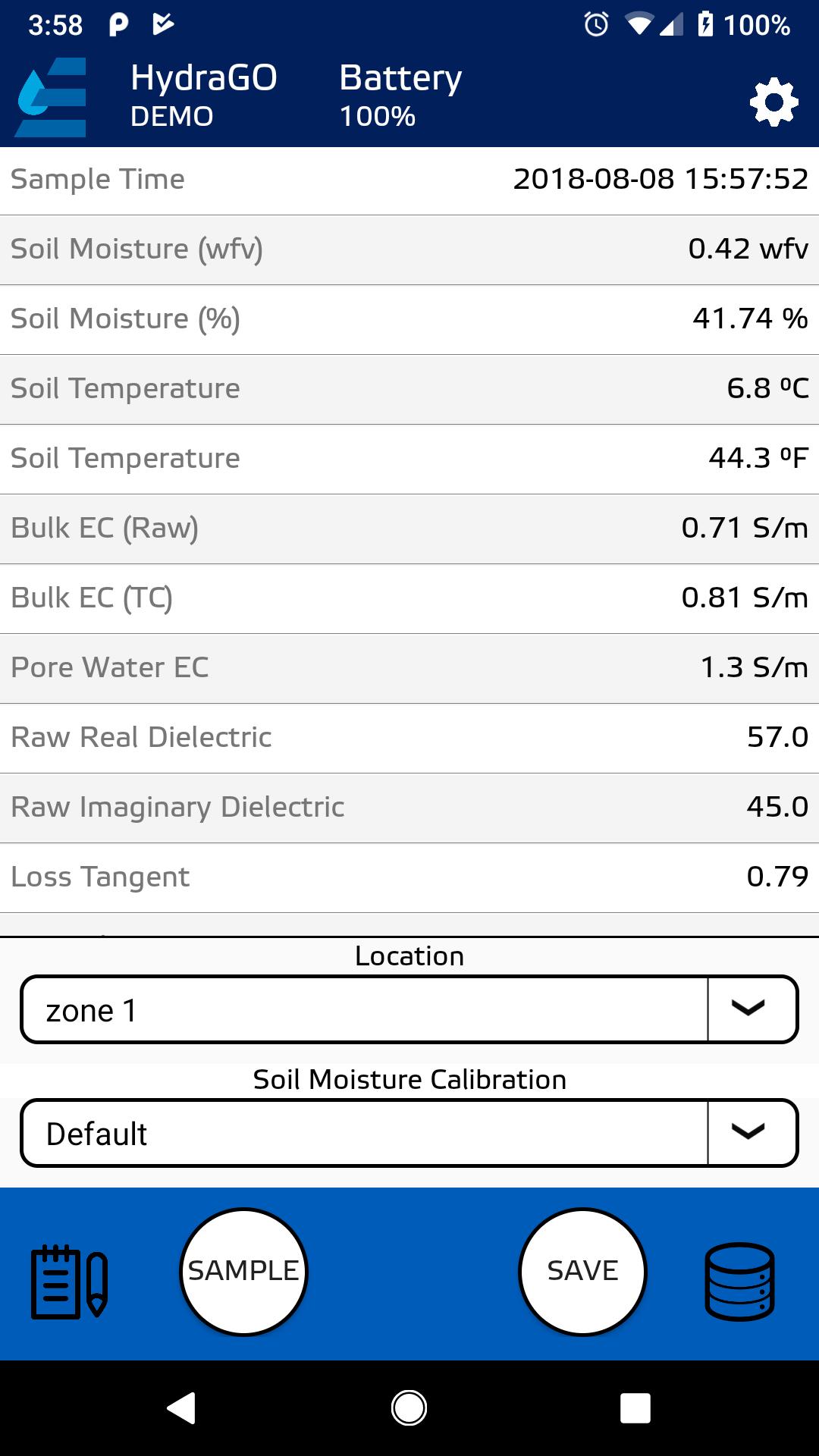
Simply insert the probe into the soil, and tap the “Sample” button in the HydraMon app. The app will display soil moisture content, temperature, conductivity, and dielectric permittivity on-screen for immediate viewing. The date and time of each measurement is recorded along with the soil measurement data and the GPS location measured by your smartphone’s GPS receiver.
All data can be saved and emailed as a .CSV file for analysis in Excel. Notes and location names can be added to the data records.
The HydraGO features a rugged, engineered resin housing that contains a rechargeable battery good for a full day’s heavy use. It comes with a detachable ergonomic pole so it can be inserted without bending over.
HydraGO uses the same patented soil sensor as the HydraProbe.
Preview

Tags
ToolsInformation
Developer
Stevens Water Monitoring Systems, Inc.
Latest Version
3.3
Last Updated
2025-04-03
Category
Tools
Available on
Google Play
Show More
How to play HydraGO with GameLoop on PC
1. Download GameLoop from the official website, then run the exe file to install GameLoop
2. Open GameLoop and search for “HydraGO” , find HydraGO in the search results and click “Install”
3. Enjoy playing HydraGO on GameLoop
Minimum requirements
OS
Windows 8.1 64-bit or Windows 10 64-bit
GPU
GTX 1050
CPU
i3-8300
Memory
8GB RAM
Storage
1GB available space
Recommended requirements
OS
Windows 8.1 64-bit or Windows 10 64-bit
GPU
GTX 1050
CPU
i3-9320
Memory
16GB RAM
Storage
1GB available space