GnssLogger App PC
Developed with Google
Download GnssLogger App on PC With GameLoop Emulator
GnssLogger App sa PC
Ang GnssLogger App, na nagmumula sa developer na Developed with Google, ay tumatakbo sa Android systerm sa nakaraan.
Ngayon, maaari mong laruin ang GnssLogger App sa PC gamit ang GameLoop nang maayos.
I-download ito sa GameLoop library o mga resulta ng paghahanap. Hindi na tumitingin sa baterya o nakakadismaya na mga tawag sa maling oras.
I-enjoy lang ang GnssLogger App PC sa malaking screen nang libre!
GnssLogger App Panimula
GnssLogger by Google enables in-depth analysis and logging of all types of location and sensor data such as GPS (Global Positioning System), network location and other sensor data. GnssLogger is available for phones and watches. It comes with the following features for phones:
HOME TAB:
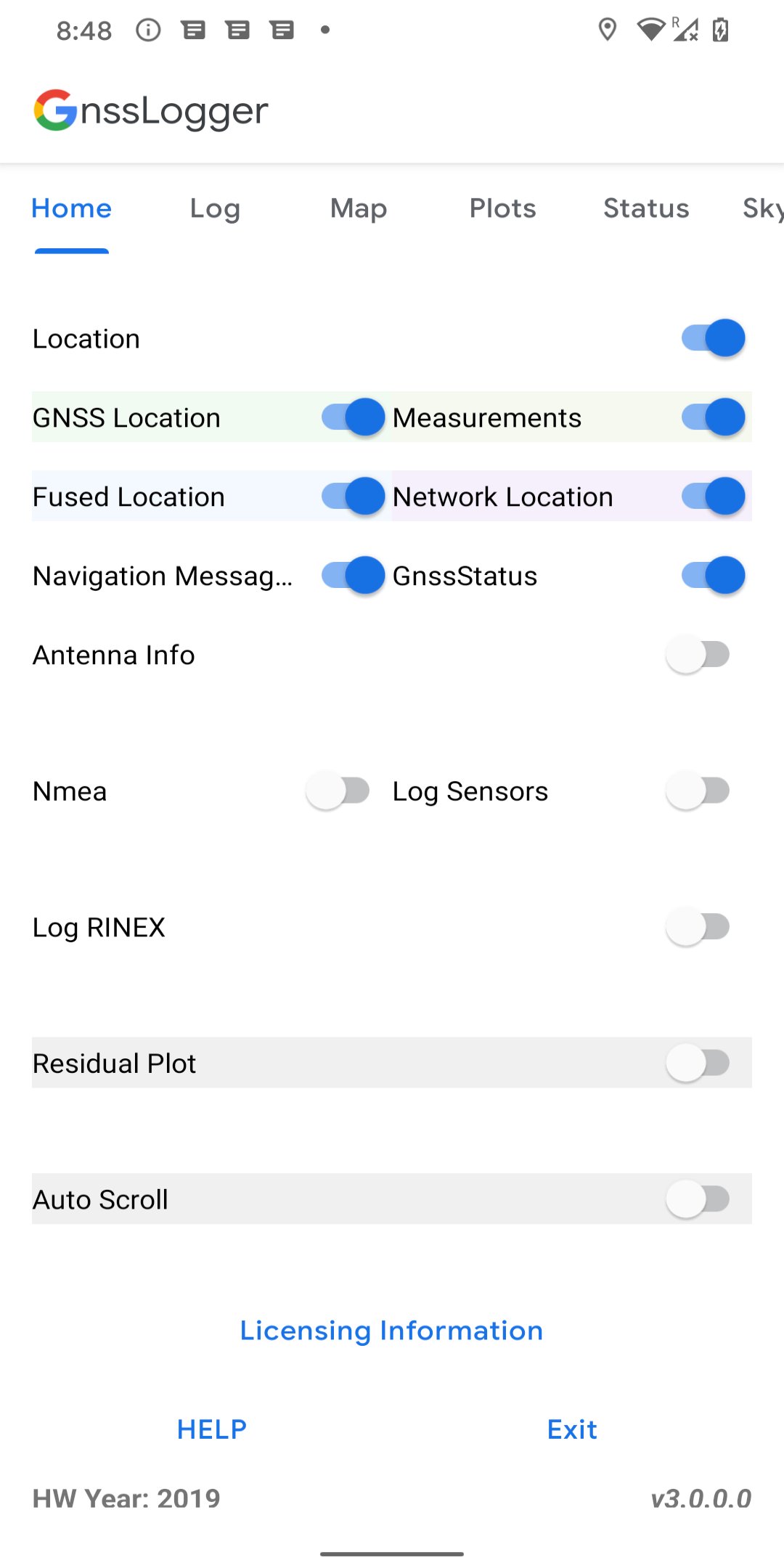
● Control various data logging such as raw GNSS measurements, GnssStatus, NMEA, navigation messages, sensor data and RINEX logs.
LOG TAB:
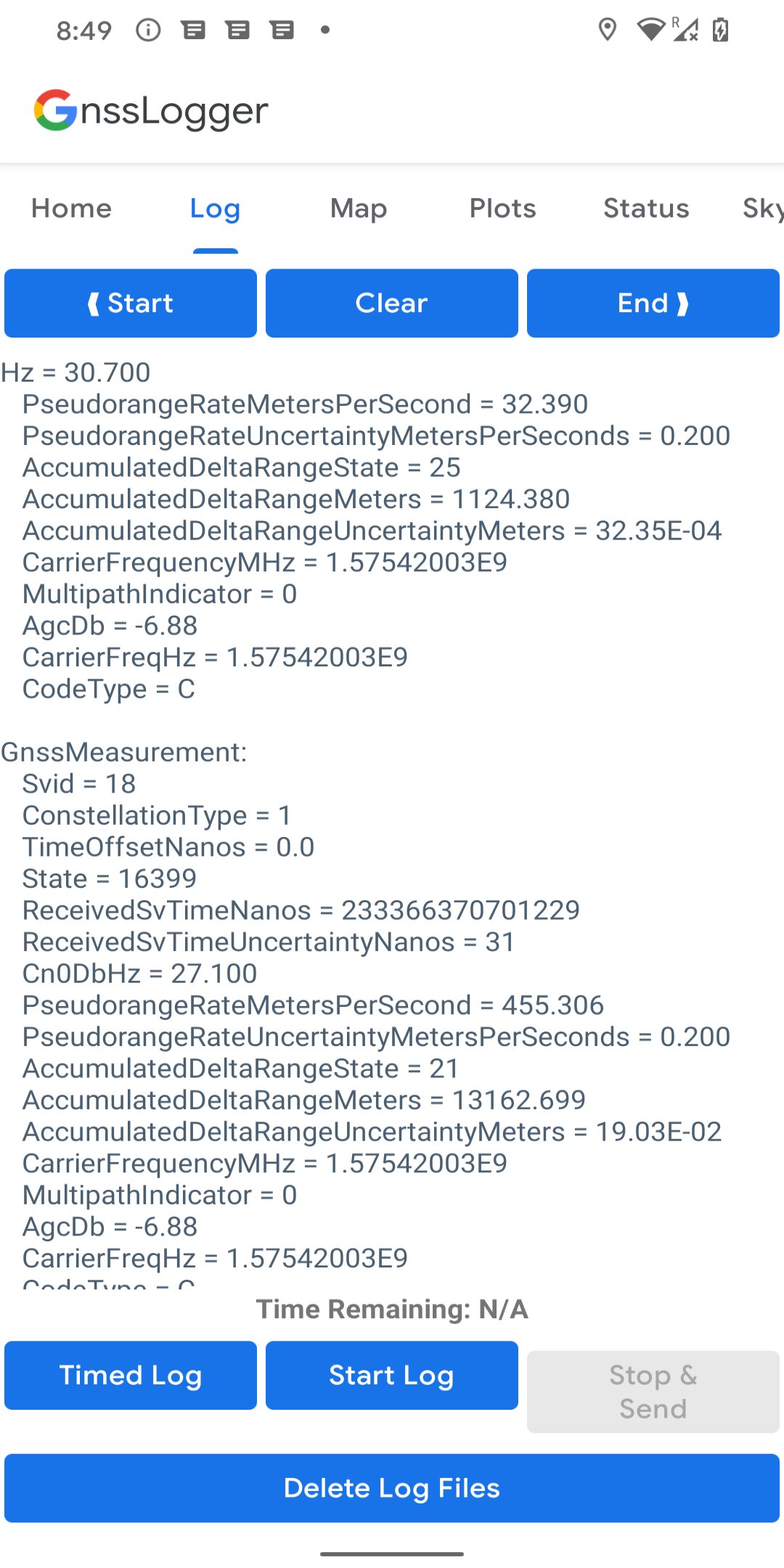
● View all location and raw measurement data.
● Control offline logging using 'Start Log', 'Stop & Send' and 'Timed Log'.
● Enable specific items to be logged using corresponding switches in Home Tab.
● Delete existing log files from disk.
MAP TAB:
● Visualize on GoogleMap, the location provided by GPS chipset, Network Location Provider (NLP), Fused Location Provider (FLP), and computed Weighted Least Square (WLS) position.
● Toggle between different map views and location types.
PLOTS TAB:
● Visualize CN0 (Signal Strength), PR (pseudorange) Residual and PRR (pseudorange rate) Residual vs time.
STATUS TAB:
● View detailed information of all visible GNSS (Global Navigation Satellite System) satellites such as GPS, Beidou (BDS), QZSS, GAL (Galileo), GLO (GLONASS) and IRNSS.
SKYPLOT TAB:
● Visualize the data of all visible GNSS satellites using a skyplot.
● View the average CN0 of all the satellites in view and the ones used in fix.
AGNSS TAB:
● Experiment with Assisted-GNSS functionalities.
WLS Analysis TAB:
● View the Weighted Least Square position, velocity and their uncertainties computed based on raw GNSS measurements.
● Compare the WLS results to the GNSS chipset reported values.
It comes with the following features for watches running Wear OS 3.0 and higher:
● View real-time GNSS chipset status information.
● Log various GNSS and sensor data to CSV and RINEX files.
Preview
Tags
ToolsInformation
Developer
Developed with Google
Latest Version
v3.1.1.1
Last Updated
2025-09-09
Category
Tools
Available on
Google Play
Show More
How to play GnssLogger App with GameLoop on PC
1. Download GameLoop from the official website, then run the exe file to install GameLoop
2. Open GameLoop and search for “GnssLogger App” , find GnssLogger App in the search results and click “Install”
3. Enjoy playing GnssLogger App on GameLoop
Minimum requirements
OS
Windows 8.1 64-bit or Windows 10 64-bit
GPU
GTX 1050
CPU
i3-8300
Memory
8GB RAM
Storage
1GB available space
Recommended requirements
OS
Windows 8.1 64-bit or Windows 10 64-bit
GPU
GTX 1050
CPU
i3-9320
Memory
16GB RAM
Storage
1GB available space