Filter Your Screen PC
KP Funny Apps
Download Filter Your Screen on PC With GameLoop Emulator
Filter Your Screen sa PC
Ang Filter Your Screen, na nagmumula sa developer na KP Funny Apps, ay tumatakbo sa Android systerm sa nakaraan.
Ngayon, maaari mong laruin ang Filter Your Screen sa PC gamit ang GameLoop nang maayos.
I-download ito sa GameLoop library o mga resulta ng paghahanap. Hindi na tumitingin sa baterya o nakakadismaya na mga tawag sa maling oras.
I-enjoy lang ang Filter Your Screen PC sa malaking screen nang libre!
Filter Your Screen Panimula
### Note : 2022-03-28 ###
For those who found that the filter disappeared right after exiting the app, this happened because your device not allowed "Draw Over Other Apps" feature. To fix this issue, look for the "Drawing over other apps" (may be different on some devices) option in your device settings and grant permission for this app.
####################
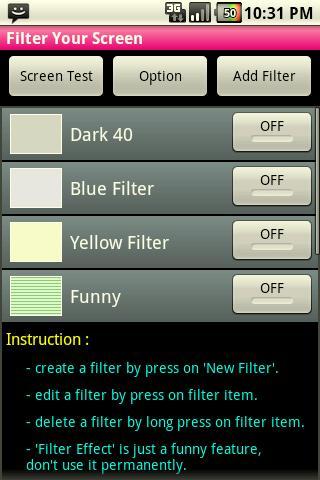
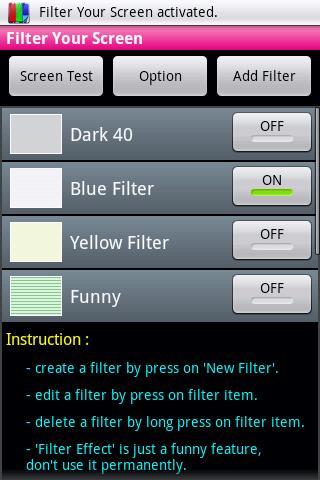
For those who have color tint screen on your device. This app will create a filter to reduce color tint on the screen, or use this app to change your screen temperature. You can also use this app to dim your screen for night if it is too bright.
You can see result of filter by using 'Screen Test' which is included in this app, you can also use this feature to find dead pixels on your screen.
Furthermore, this app includes a funny feature "Filter Effect" which you can use 'Scanline Effect' to display Scan Lines on your screen to make it looks like CRT monitor.
***NOTE***
Please read 'Term of Use' and 'Instruction' in this app carefully before using it.
***OLED screen owner please read***
(AMOLED screen of Samsung Galaxy S, Super AMOLED Plus screen of Samsung Galaxy S II, etc.)
- you should use only white, gray or black filter only.
- using color filter (not white, gray or black) for a long time may cause your screen more color tint. (it's about OLED screen property, not my fault)
- using any color filter other than black will cause black pixel being not 'true black' pixel anymore. (that means some power is required for black pixel)
- if the filter does not cover full screen, please uninstall this app because this may cause irregular color burn to your screen.
Please support us by rate/review this app if you like it. Thank you very much.
=============================================
******** Known Issue *********
The filter disappear randomly.
- This is because Android system kills some services due to low memory condition. Sadly, This cannot be fixed. However, the system will start killed services again in a few seconds. So, you don't have to start service by yourself.
============================================
Recent Changes:
v.1.01
- fixed bugs
- removed vibration when filter on
v.1.02
- changed default color of new filter
v.1.03:
- no update, just add link to my game :)
v.1.04:
- added another link to my app :)
v 1.05
- added an option to AutoStart the filter service on boot
- added an option to make a notification icon to be removable
v 1.06
- added warning message
- fixed bugs
v 1.07
- fixed AutoStart for Android 4.0+
v 1.08
- add permission READ PHONE STATE
v 1.11
- removed permission READ PHONE STATE
Preview
Tags
ToolsInformation
Developer
KP Funny Apps
Latest Version
1.17
Last Updated
2015-12-06
Category
Tools
Available on
Google Play
Show More
How to play Filter Your Screen with GameLoop on PC
1. Download GameLoop from the official website, then run the exe file to install GameLoop
2. Open GameLoop and search for “Filter Your Screen” , find Filter Your Screen in the search results and click “Install”
3. Enjoy playing Filter Your Screen on GameLoop
Minimum requirements
OS
Windows 8.1 64-bit or Windows 10 64-bit
GPU
GTX 1050
CPU
i3-8300
Memory
8GB RAM
Storage
1GB available space
Recommended requirements
OS
Windows 8.1 64-bit or Windows 10 64-bit
GPU
GTX 1050
CPU
i3-9320
Memory
16GB RAM
Storage
1GB available space