Fast Scanner PDF PC
MorgenDEX
Download Fast Scanner PDF on PC With GameLoop Emulator
Fast Scanner PDF sa PC
Ang Fast Scanner PDF, na nagmumula sa developer na MorgenDEX, ay tumatakbo sa Android systerm sa nakaraan.
Ngayon, maaari mong laruin ang Fast Scanner PDF sa PC gamit ang GameLoop nang maayos.
I-download ito sa GameLoop library o mga resulta ng paghahanap. Hindi na tumitingin sa baterya o nakakadismaya na mga tawag sa maling oras.
I-enjoy lang ang Fast Scanner PDF PC sa malaking screen nang libre!
Fast Scanner PDF Panimula
Fast Scanner PDF:
Free and Fast Scanner HD document PDF is a PDF creator from documents and photo clips. The document scanning application is an original paper scanner for saving descriptive data in a formal PDF file. The practical scanner is clear scanning and border detection of documents. Every document can be scanned and Free Document Scanner HD is the great camera for reading receipts, business cards and other valuable documents.
takes an additional step to convert the image to PDF.
The public is concerned about saving documents and storing paper data through a digital scanning process to create real files in electronic form.
Cam scan replaced the heavy table scanner and the scanner coded as the attributes of an Android phone using the fixed mobile camera.
Free Document Scanner HD develops PDF and PNG outputs with camera inputs.
The best documents not available are scanned for inclusion in the cloud of fast scanning documents.
PDF maker is a virtual scanner for converting high quality PDF documents, paper and images.
It also automatically detects the border of the document. PDF キ ャ ナ contains numerous image filters for optimal results and perfect data quality.
The best documents not available are scanned for inclusion in the cloud of fast scanning documents.
PDF maker is a virtual scanner for converting high quality PDF documents, paper and images.
It also automatically detects the border of the document. PDF キ ャ ナ contains numerous image filters for optimal results and perfect data quality.
The best documents not available are scanned for inclusion in the cloud of fast scanning documents.
PDF maker is a virtual scanner for converting high quality PDF documents, paper and images. It also automatically detects the border of the document. PDF キ ャ ナ contains numerous image filters for optimal results and perfect data quality.
Fast scanning: Free HD document scanner, PDF scanning is an OCR technology owner who is able to take footage, images and images to keep them and compose an original scanned document.
The PDF document scanner and composer is meant for a clear copy of the paper file as an electronic copy. Select an option for all content pages, usable maps, and JPEG output. Create an observable image to scan the camera and get an authentic PDF file and document. The photophone scanner quickly takes letters, written applications, images or academic documents and finally renews them in the mobile application.
Free Document Scanner HD is flexible and varies in range from maximum to minimum size without affecting print quality or scanning perfection.
Second, the best way to scan documents to the cloud is through backup and synchronization.
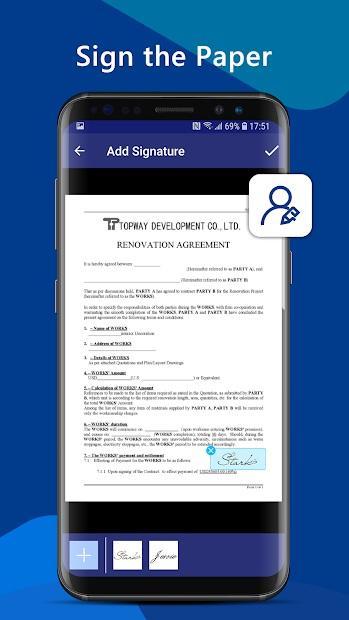
E-signature addition to newel document accessories.
Functions for fast scanning
• The scanning application for scanning documents, receipts, images and business cards
• Automatic cropping to adjust borders and page size
• Numerous photo filters to obtain perfection and excellent scanned view
• High quality PDF or JPEG output • PDF image
converter, PDF OCR generator
• Save and synchronize documents in the cloud training
• Allow live text output
• Folders and subfolders to then organize all documents
• Edit and cut… after saving a file, deleting or adding data , extracting text for pdf
• transferring images to text and document
• Converting and transferring images by optical character recognition
• entering electronic signatures
How to scan and edit
• Scan the document as camera input and save it in format PDF or JPEG.
• Editing the file allows you to add and delete targeted data.
• OCR (Optical Character Recognition) extract the data to integrate the image into the PDF output
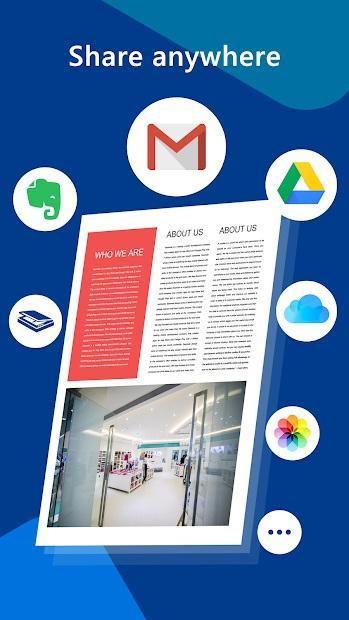
• The scanned text is ready to be shared via a scanning camera on different platforms.
Preview
Tags
ToolsInformation
Developer
MorgenDEX
Latest Version
1.0
Last Updated
2020-05-02
Category
Tools
Available on
Google Play
Show More
How to play Fast Scanner PDF with GameLoop on PC
1. Download GameLoop from the official website, then run the exe file to install GameLoop
2. Open GameLoop and search for “Fast Scanner PDF” , find Fast Scanner PDF in the search results and click “Install”
3. Enjoy playing Fast Scanner PDF on GameLoop
Minimum requirements
OS
Windows 8.1 64-bit or Windows 10 64-bit
GPU
GTX 1050
CPU
i3-8300
Memory
8GB RAM
Storage
1GB available space
Recommended requirements
OS
Windows 8.1 64-bit or Windows 10 64-bit
GPU
GTX 1050
CPU
i3-9320
Memory
16GB RAM
Storage
1GB available space