
EVA Facial Mouse PC
Fundación Vodafone España
Download EVA Facial Mouse on PC With GameLoop Emulator
EVA Facial Mouse sa PC
Ang EVA Facial Mouse, na nagmumula sa developer na Fundación Vodafone España, ay tumatakbo sa Android systerm sa nakaraan.
Ngayon, maaari mong laruin ang EVA Facial Mouse sa PC gamit ang GameLoop nang maayos.
I-download ito sa GameLoop library o mga resulta ng paghahanap. Hindi na tumitingin sa baterya o nakakadismaya na mga tawag sa maling oras.
I-enjoy lang ang EVA Facial Mouse PC sa malaking screen nang libre!
EVA Facial Mouse Panimula
EVA FACIAL MOUSE is an application developed and promoted by CREA with the support of Fundación Vodafone España.
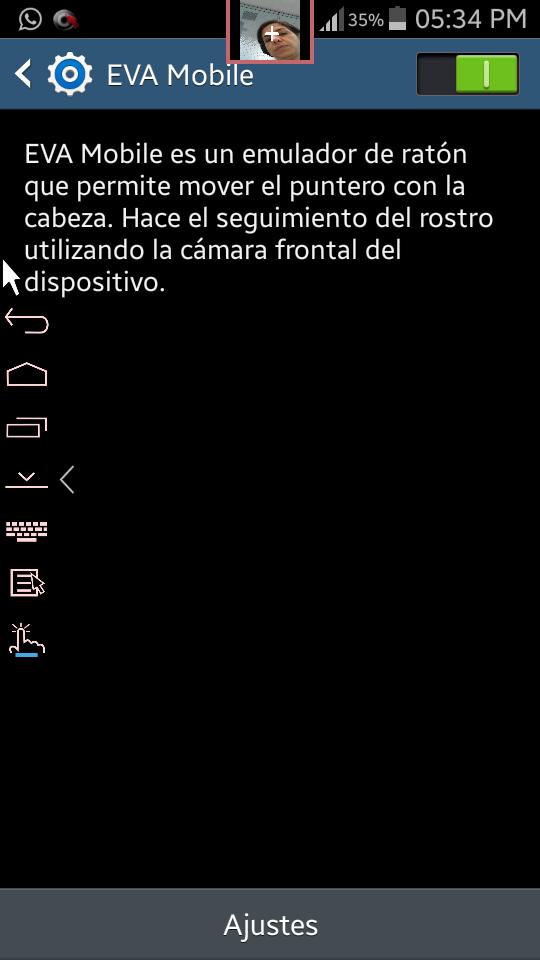
EVA FACIAL MOUSE is a free and open source application that allows the access to functions of a mobile device by means of tracking the user face captured through the frontal camera. Based on the movement of the face, the app allows the user to control a pointer on the screen (i.e., like a mouse),which provides direct access to most elements of the user interface.
People with amputations, cerebral palsy, spinal cord injury, muscular dystrophy, multiple sclerosis, amyotrophic lateral sclerosis (ALS) or other disabilities may be beneficiaries of this app.
Due to restrictions of the Android platform, there are currently some LIMITATIONS:
• Most standard keyboards do not work with EVA, so a basic keyboard is provided. Such a keyboard needs to be manually activated after the installation.
• Does not work with most games.
• Browsers do not handle properly some actions (we recommend using Google Chrome).
• Applications such as Maps, Earth and Gallery work with restrictions.
• It cannot be used simultaneously with other applications that make use of the camera.
• For obvious reasons, it has not been tested with all devices available on the market. If you find any issues with your device, please, let us know.
In this link, you can find a list of devices (tablet and mobile) that have been evaluated according to their compatibility with the EVA Facial Mouse application: https://docs.google.com/spreadsheets/d/1gxuIKbw92d9USPT_SvM0iCdWjtnVcx7owJAgwM6Za6w/edit#gid=0
EVA has been developed in collaboration with experts and users from organizations of ASPACE Confederation (Spain). In particular, ASPACE Asturias, ASPACE Barcelona, ASPACE Gipuzkoa, ASPACE Granada, APPC Tarragona and AVAPACE. Furthermore, it has been tested by CEAPAT, CRE (León) and ASPAYM Castilla y León.
This app uses Accessibility services.
CREA is a company devoted to the research and the development of innovative software solutions.
www.crea-si.com
The Fundación Vodafone España is a private, nonprofit institution that aims to improve the quality od life of vulnerable groups through the Information Technology and Communications. FVE collaborates with various entities, both public and private, in technological innovation projects and applications for autonomy, independence and social and labour integration of all people.
www.fundacionvodafone.es
Preview
Tags
ToolsInformation
Developer
Fundación Vodafone España
Latest Version
v3.1.1
Last Updated
2019-07-26
Category
Tools
Available on
Google Play
Show More
How to play EVA Facial Mouse with GameLoop on PC
1. Download GameLoop from the official website, then run the exe file to install GameLoop
2. Open GameLoop and search for “EVA Facial Mouse” , find EVA Facial Mouse in the search results and click “Install”
3. Enjoy playing EVA Facial Mouse on GameLoop
Minimum requirements
OS
Windows 8.1 64-bit or Windows 10 64-bit
GPU
GTX 1050
CPU
i3-8300
Memory
8GB RAM
Storage
1GB available space
Recommended requirements
OS
Windows 8.1 64-bit or Windows 10 64-bit
GPU
GTX 1050
CPU
i3-9320
Memory
16GB RAM
Storage
1GB available space