App Installer PC
Eugen C.
Download App Installer on PC With GameLoop Emulator
App Installer sa PC
Ang App Installer, na nagmumula sa developer na Eugen C., ay tumatakbo sa Android systerm sa nakaraan.
Ngayon, maaari mong laruin ang App Installer sa PC gamit ang GameLoop nang maayos.
I-download ito sa GameLoop library o mga resulta ng paghahanap. Hindi na tumitingin sa baterya o nakakadismaya na mga tawag sa maling oras.
I-enjoy lang ang App Installer PC sa malaking screen nang libre!
App Installer Panimula
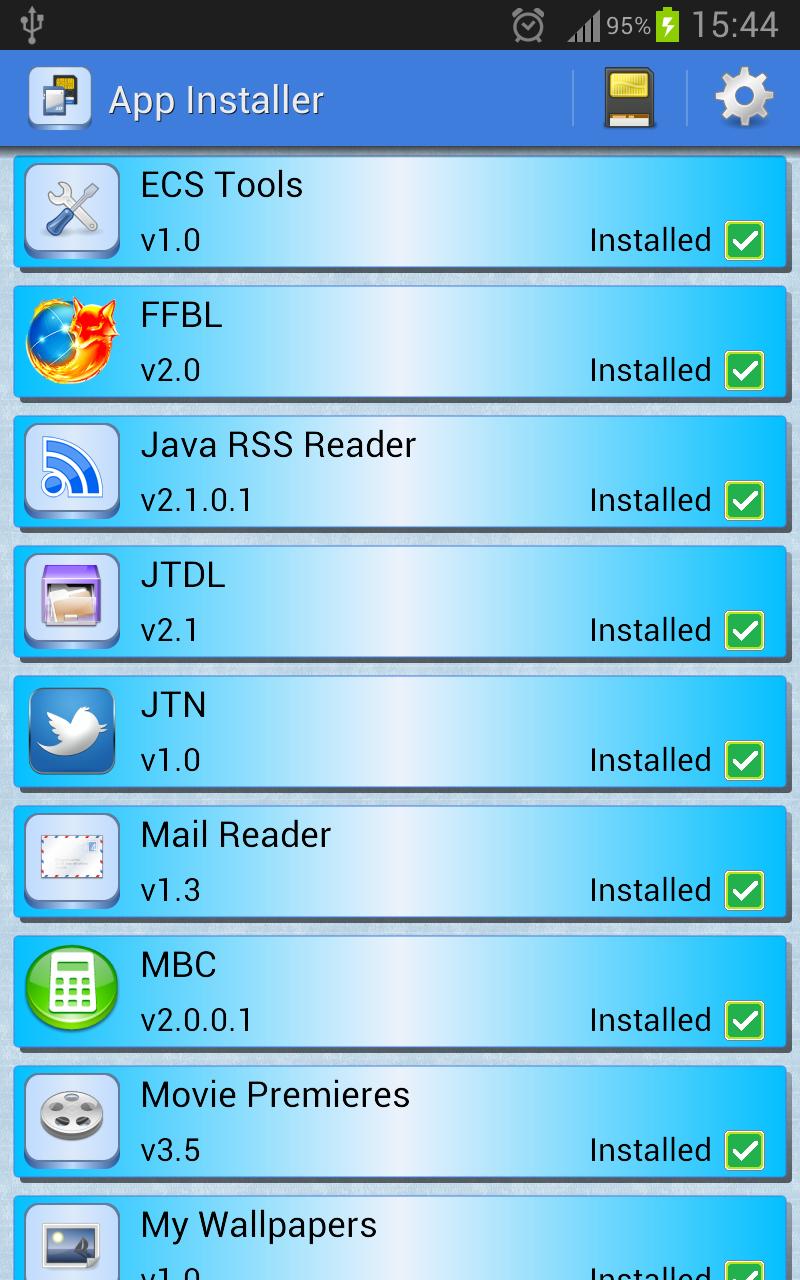
App Installer will scan your internal storage or SD card(s) for apk files and show you a single unified list of all the apps you can install.
Then, it will only take one touch of the finger to either install the app, or delete the apk file.
IMPORTANT NOTICE: if your device is running Android 11 or newer, in order for the app to be able to scan your device for the APK files you have copied/downloaded from other sources, you will have to allow for the "All Files Access Permission" when prompted, otherwise the scan will fail and the app will be useless.
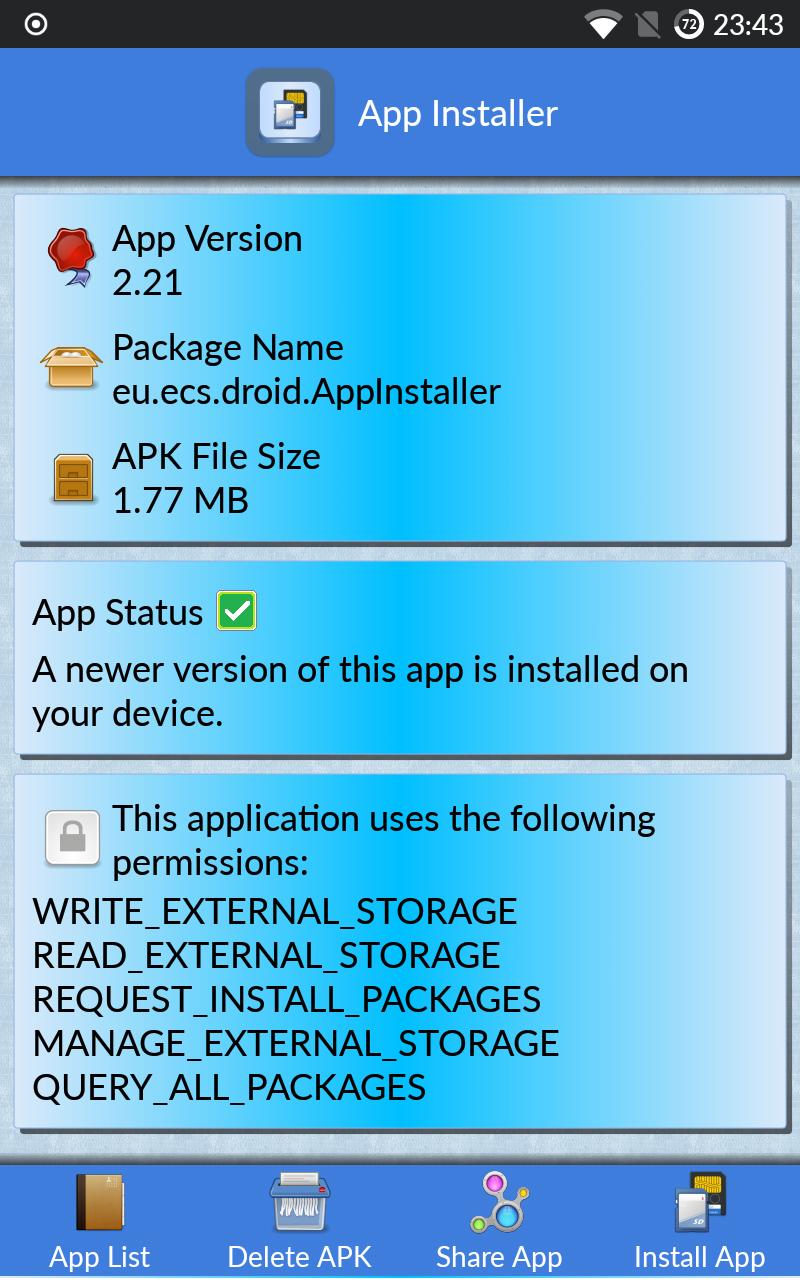
You'll get the following information for each apk:
- app name
- app icon
- app version
- apk file size
- app package
- list of permissions required by the app
You will also see the installation status for each app, as follows:
- green icon - the app is already installed, and the installed version is the same or newer than the apk version
- yellow icon - the app is already installed, but the installed version is older than the apk version
- red icon - the app is not installed at all
- warning icon - the app requires a minimum Android version higher than the one on your device
Note that after installing or uninstalling apps, a rescan is needed for the statuses to be refreshed.
You can also share your favorite apps with your friends via the share app button.
Known issues:
- app installations may fail if your Android device does not have Play Services installed and enabled.
Permissions used and why:
READ_EXTERNAL_STORAGE - required for accessing the internal storage or SD Card. No longer used on Android 13 and newer.
WRITE_EXTERNAL_STORAGE - required for deleting the apk files from the internal storage or SD Card. No longer used on Android 13 and newer.
REQUEST_INSTALL_PACKAGES - required on Android 8.0 and newer for calling the Package Installer
MANAGE_EXTERNAL_STORAGE - required on Android 11 and newer for storage access
QUERY_ALL_PACKAGES - required on Android 11 and newer for reading the version of the installed apps
Preview
Tags
ToolsInformation
Developer
Eugen C.
Latest Version
2.25
Last Updated
2025-07-22
Category
Tools
Available on
Google Play
Show More
How to play App Installer with GameLoop on PC
1. Download GameLoop from the official website, then run the exe file to install GameLoop
2. Open GameLoop and search for “App Installer” , find App Installer in the search results and click “Install”
3. Enjoy playing App Installer on GameLoop
Minimum requirements
OS
Windows 8.1 64-bit or Windows 10 64-bit
GPU
GTX 1050
CPU
i3-8300
Memory
8GB RAM
Storage
1GB available space
Recommended requirements
OS
Windows 8.1 64-bit or Windows 10 64-bit
GPU
GTX 1050
CPU
i3-9320
Memory
16GB RAM
Storage
1GB available space