Es File Manager -File Explorer PC
File explorers
Download Es File Manager -File Explorer on PC With GameLoop Emulator
Es File Manager -File Explorer sa PC
Ang Es File Manager -File Explorer, na nagmumula sa developer na File explorers, ay tumatakbo sa Android systerm sa nakaraan.
Ngayon, maaari mong laruin ang Es File Manager -File Explorer sa PC gamit ang GameLoop nang maayos.
I-download ito sa GameLoop library o mga resulta ng paghahanap. Hindi na tumitingin sa baterya o nakakadismaya na mga tawag sa maling oras.
I-enjoy lang ang Es File Manager -File Explorer PC sa malaking screen nang libre!
Es File Manager -File Explorer Panimula
File Manager - File Explorer for Android, Clean is a full-featured file (Images, Music, Movies, Documents, app) manager for both local and networked use.
File Manager - File Explorer for Android
• Wi-Fi File transfer: Use your PC to wirelessly edit your mobile files using FTP
Free, Safe, Simple, Manage your files efficiently and easily with File Explorer EX. File Explore EX - File Manager is easy and powerful file explorer for Android devices. It's free, fast and full-featured.
• Root Explorer: For advanced users to explore, edit, copy, paste and delete files in the root partition of phone storage for development purposes.
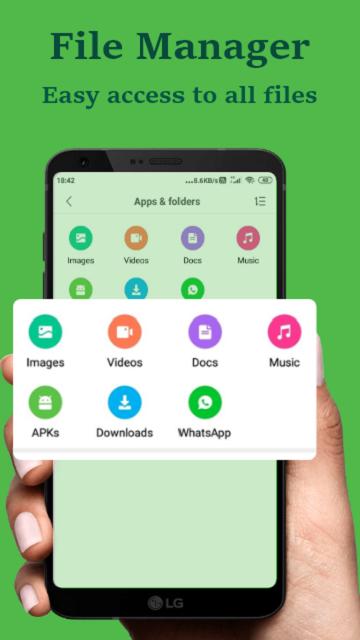
• Apps : You can see and manage all applications installed on your local device.
Explore root folders of the system like data, cache.
File Manager and Folder Manager – Powerful tools to operate your files
• Sender: Transfer apps, images, files, folders, photos, videos, music, movies without using data.
• File Manager: Manage your files with cut, copy, paste, rename operations.
Clean Master - Speed up your device, optimize your storage
• ES File Explorer scan & remove trash files
• Suggest to uninstall scam apps, useless apps
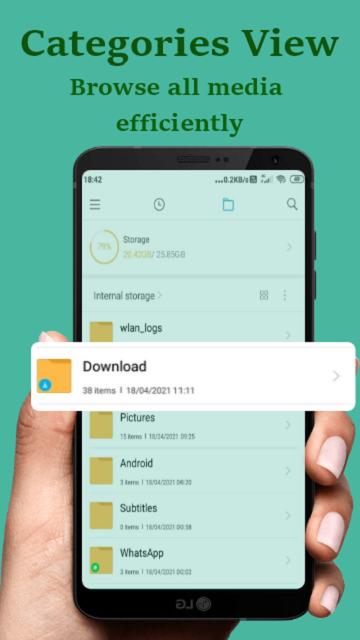
• Built-in viewers and players for different file types: play music/videos, check images and documents easily.
• Storage analysis : You can analyze local storages to clean up useless files. You can find out which files take up the most space.
• USB OTG File Manager: Easy to access your OTG USB devices. Help you to copy and manage files from any USB mass storage device using the USB OTG port of your device.
Preview
Tags
ToolsInformation
Developer
File explorers
Latest Version
1.2
Last Updated
2021-11-19
Category
Tools
Available on
Google Play
Show More
How to play Es File Manager -File Explorer with GameLoop on PC
1. Download GameLoop from the official website, then run the exe file to install GameLoop
2. Open GameLoop and search for “Es File Manager -File Explorer” , find Es File Manager -File Explorer in the search results and click “Install”
3. Enjoy playing Es File Manager -File Explorer on GameLoop
Minimum requirements
OS
Windows 8.1 64-bit or Windows 10 64-bit
GPU
GTX 1050
CPU
i3-8300
Memory
8GB RAM
Storage
1GB available space
Recommended requirements
OS
Windows 8.1 64-bit or Windows 10 64-bit
GPU
GTX 1050
CPU
i3-9320
Memory
16GB RAM
Storage
1GB available space