
Delete Old Files PC
A.T. Online Services, LLC
Download Delete Old Files on PC With GameLoop Emulator
Delete Old Files sa PC
Ang Delete Old Files, na nagmumula sa developer na A.T. Online Services, LLC, ay tumatakbo sa Android systerm sa nakaraan.
Ngayon, maaari mong laruin ang Delete Old Files sa PC gamit ang GameLoop nang maayos.
I-download ito sa GameLoop library o mga resulta ng paghahanap. Hindi na tumitingin sa baterya o nakakadismaya na mga tawag sa maling oras.
I-enjoy lang ang Delete Old Files PC sa malaking screen nang libre!
Delete Old Files Panimula
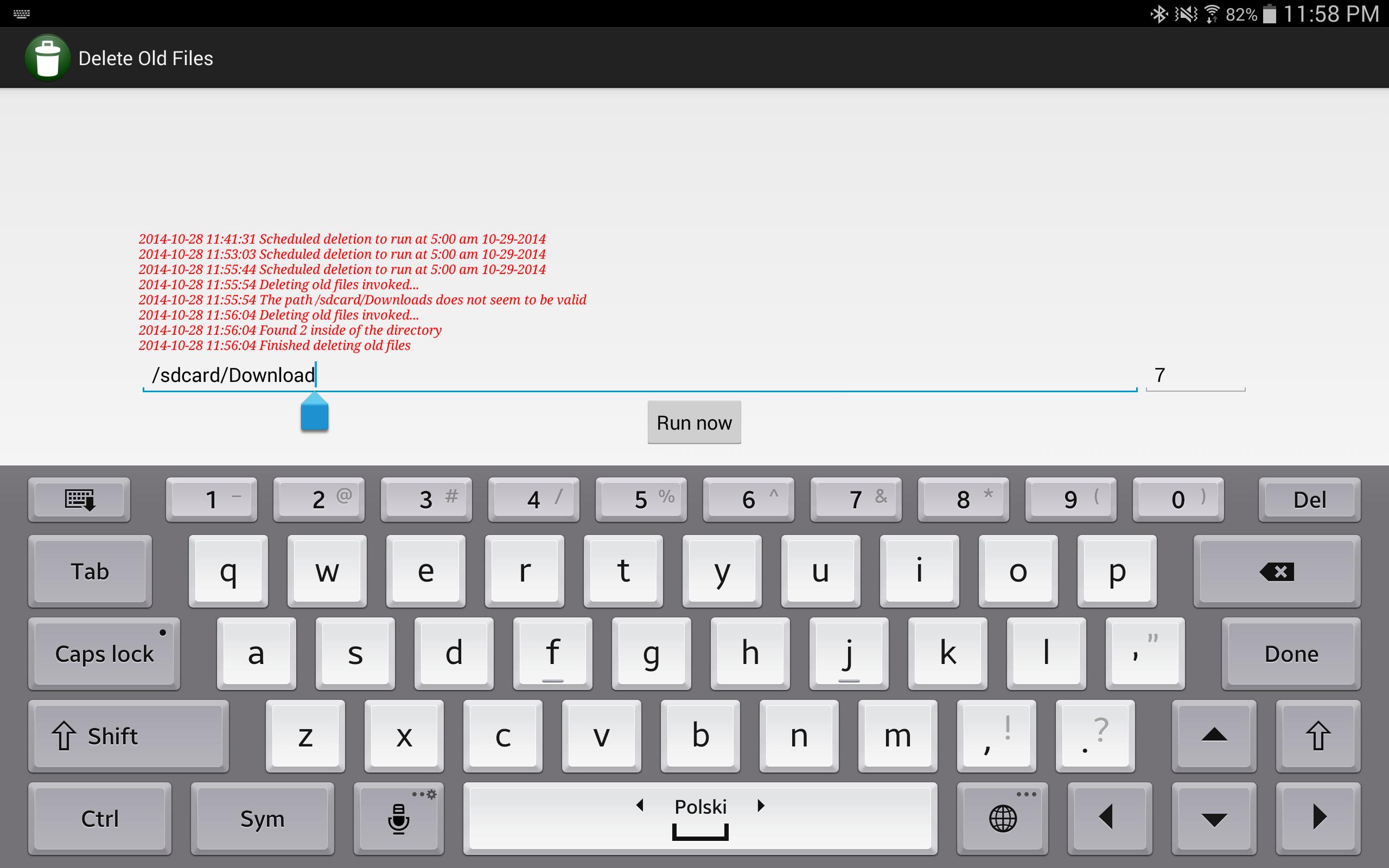
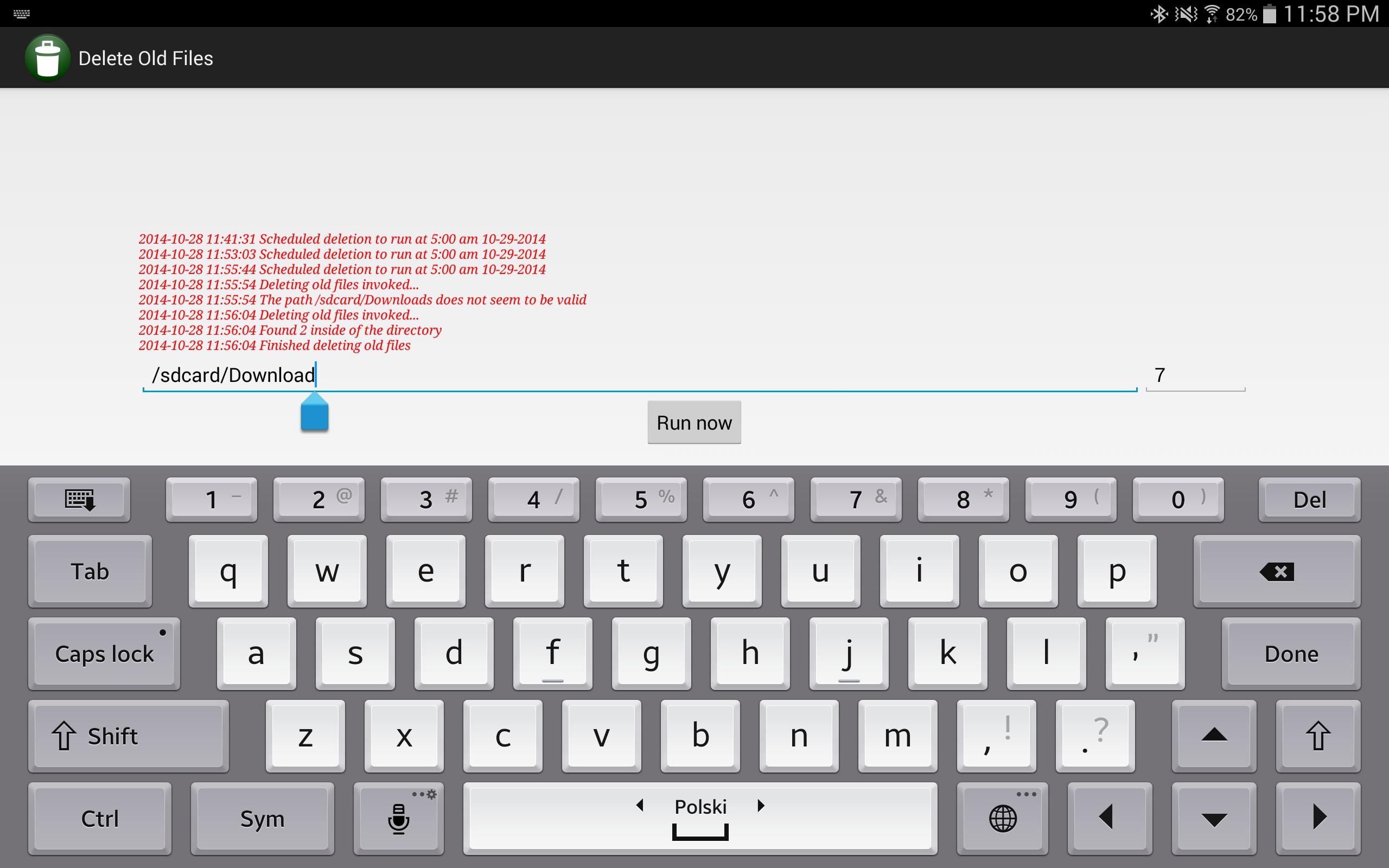
Use this very simple app to specify the path of a folder to keep clean, specify for how many days to keep the files and this simple app will run at 5:00 am every day and clean up this folder from old files. It does not traverse into sub folders and it does not delete folders. Make sure you provide a correct folder path so that you accidentally don't delete important files.
Files are checked using the "Last modified" metadata so if a file is constantly being updated, it won't be deleted. The app shows a log of recent activity which includes files that were recently deleted.
Potential uses for this app:
- Downloads folder - you probably already forgot what you have downloaded 2 weeks ago so why to keep these files around?
- Folder with log or temp files generated by some other app - you might want to keep only recent logs but logs from a week ago might be irrelevant
- A folder in which you store surveillance photos/videos generated by a surveillance app or uploaded using FTP server by an IP camera that would quickly fill up your device storage capacity otherwise
- If you found use of this app for any other type of folder content trimming, share it with us in the comments
Preview
Tags
ToolsInformation
Developer
A.T. Online Services, LLC
Latest Version
1.0
Last Updated
2014-10-28
Category
Tools
Available on
Google Play
Show More
How to play Delete Old Files with GameLoop on PC
1. Download GameLoop from the official website, then run the exe file to install GameLoop
2. Open GameLoop and search for “Delete Old Files” , find Delete Old Files in the search results and click “Install”
3. Enjoy playing Delete Old Files on GameLoop
Minimum requirements
OS
Windows 8.1 64-bit or Windows 10 64-bit
GPU
GTX 1050
CPU
i3-8300
Memory
8GB RAM
Storage
1GB available space
Recommended requirements
OS
Windows 8.1 64-bit or Windows 10 64-bit
GPU
GTX 1050
CPU
i3-9320
Memory
16GB RAM
Storage
1GB available space