
Data Usage Monitor PC
Lufesu Inc.
Download Data Usage Monitor on PC With GameLoop Emulator
Data Usage Monitor sa PC
Ang Data Usage Monitor, na nagmumula sa developer na Lufesu Inc., ay tumatakbo sa Android systerm sa nakaraan.
Ngayon, maaari mong laruin ang Data Usage Monitor sa PC gamit ang GameLoop nang maayos.
I-download ito sa GameLoop library o mga resulta ng paghahanap. Hindi na tumitingin sa baterya o nakakadismaya na mga tawag sa maling oras.
I-enjoy lang ang Data Usage Monitor PC sa malaking screen nang libre!
Data Usage Monitor Panimula
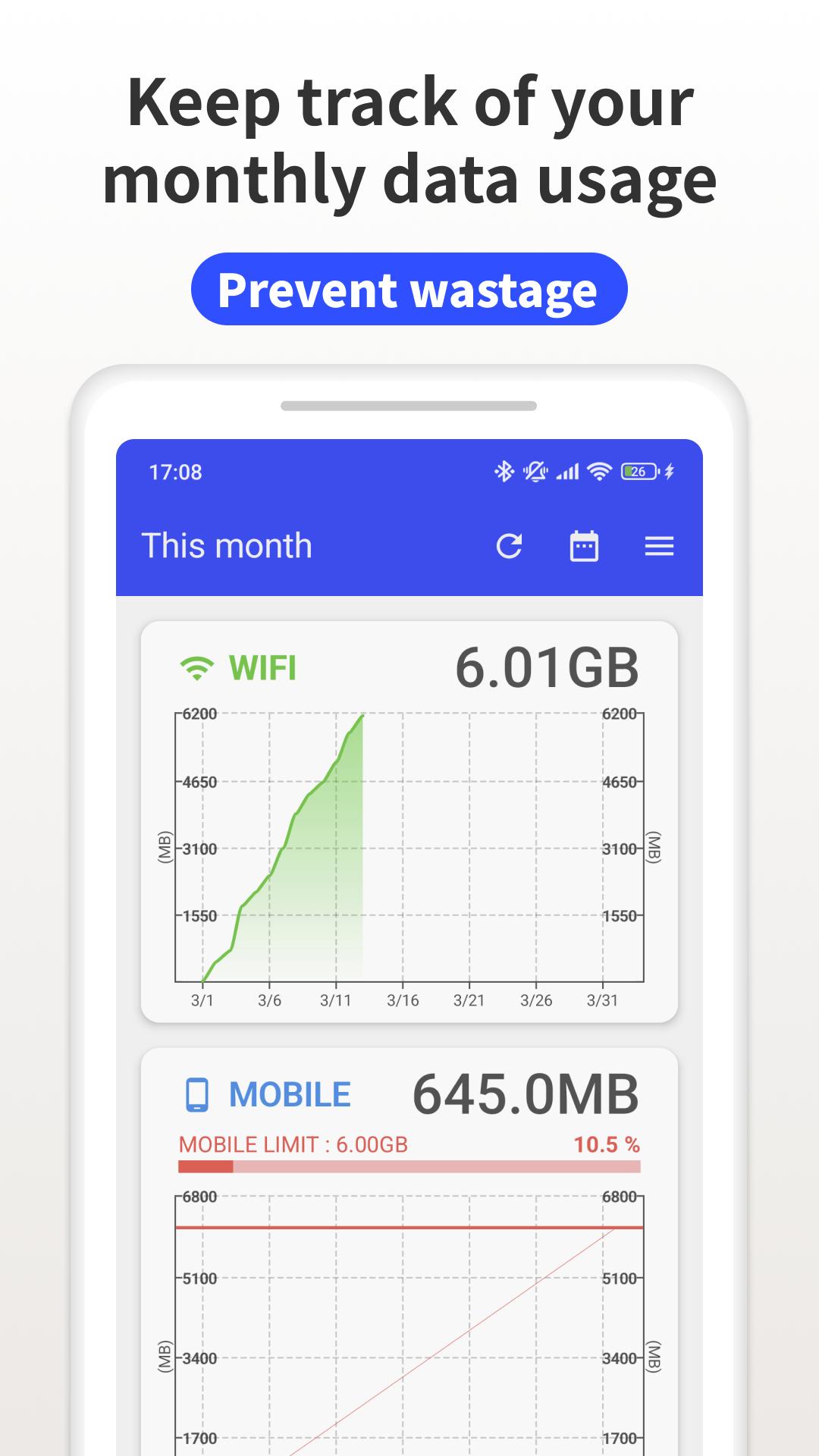
"Data Usage Monitor" is a user-friendly app that puts you in control of your mobile data. Easily track, analyze, and manage your data usage to avoid surprise overage charges and save money every month. With automatic monitoring and smart alerts, you'll never worry about exceeding your data limits again!
Key Features:
・Automatic Data Tracking – Once launched, the app measures your data traffic automatically in the background. Check your usage anytime with just a tap, without impacting battery life.
・Precise Measurement – Get accurate readings of both mobile and Wi-Fi data usage. Set custom time periods to track daily, weekly, or monthly consumption. Wi-Fi usage is conveniently sorted by network for complete visibility.
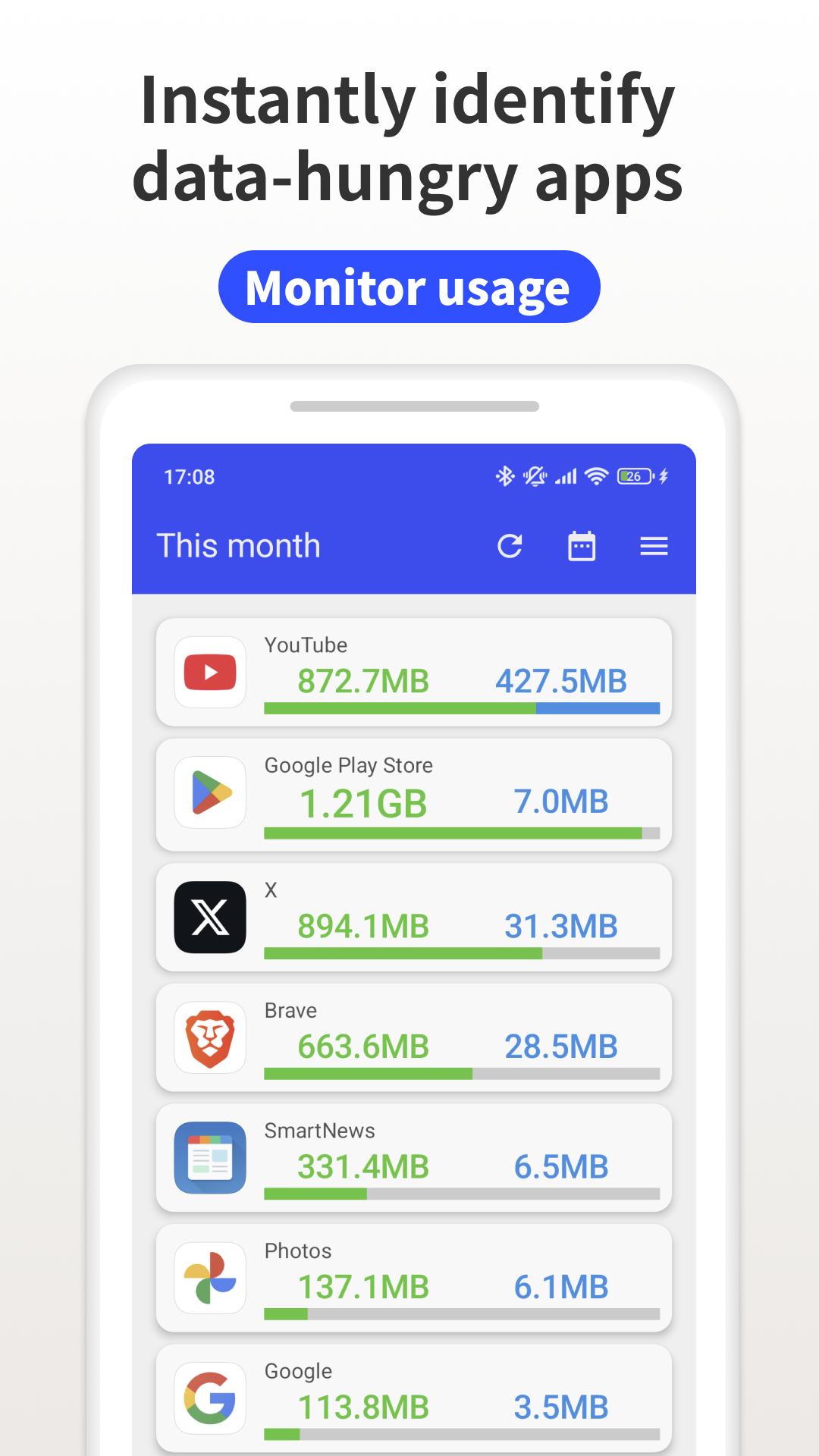
・Easy-to-Read Analytics – View your data consumption through intuitive, color-coded graphs that make understanding your usage patterns simple. Identify which apps are consuming the most data so you can make smarter decisions.
・Smart Alerts – Receive timely notifications when you're approaching your data limit, helping you avoid unexpected charges before they happen.
・Privacy Focused – We respect your privacy. The app only tracks consumption statistics and keeps your personal data on your device where it belongs.
Premium Features:
Upgrade to unlock valuable enhancements including data usage widgets for your home screen, status bar monitoring, and an ad-free experience throughout the app.
Try "Data Usage Monitor" today and take control of your data usage the simple, smart way!
Preview
Tags
ToolsInformation
Developer
Lufesu Inc.
Latest Version
1.20.2805
Last Updated
2025-10-23
Category
Tools
Available on
Google Play
Show More
How to play Data Usage Monitor with GameLoop on PC
1. Download GameLoop from the official website, then run the exe file to install GameLoop
2. Open GameLoop and search for “Data Usage Monitor” , find Data Usage Monitor in the search results and click “Install”
3. Enjoy playing Data Usage Monitor on GameLoop
Minimum requirements
OS
Windows 8.1 64-bit or Windows 10 64-bit
GPU
GTX 1050
CPU
i3-8300
Memory
8GB RAM
Storage
1GB available space
Recommended requirements
OS
Windows 8.1 64-bit or Windows 10 64-bit
GPU
GTX 1050
CPU
i3-9320
Memory
16GB RAM
Storage
1GB available space