
Video Downloader - All in One PC
Kholifa Network
Download Video Downloader - All in One on PC With GameLoop Emulator
Video Downloader - All in One sa PC
Ang Video Downloader - All in One, na nagmumula sa developer na Kholifa Network, ay tumatakbo sa Android systerm sa nakaraan.
Ngayon, maaari mong laruin ang Video Downloader - All in One sa PC gamit ang GameLoop nang maayos.
I-download ito sa GameLoop library o mga resulta ng paghahanap. Hindi na tumitingin sa baterya o nakakadismaya na mga tawag sa maling oras.
I-enjoy lang ang Video Downloader - All in One PC sa malaking screen nang libre!
Video Downloader - All in One Panimula
Video Downloader is the best and All in One Video Downloader app for Android. With Video Downloader you can download videos from any websites & Apps. You can also download videos in different resolutions and formats, and save them to your device for offline viewing. Video Downloader is easy to use and completely free with Watch Ads or you can buy Premium for Ads Free Version.
Download videos with music directly from any Apps or Website to your device.
Video Downloader App auto detects videos so you can download them with just one click. The most powerful Download manager allows you to pause or resume downloads, download in the background and download several files at the same time. Fast download and play it offline.
Video Downloader Features:
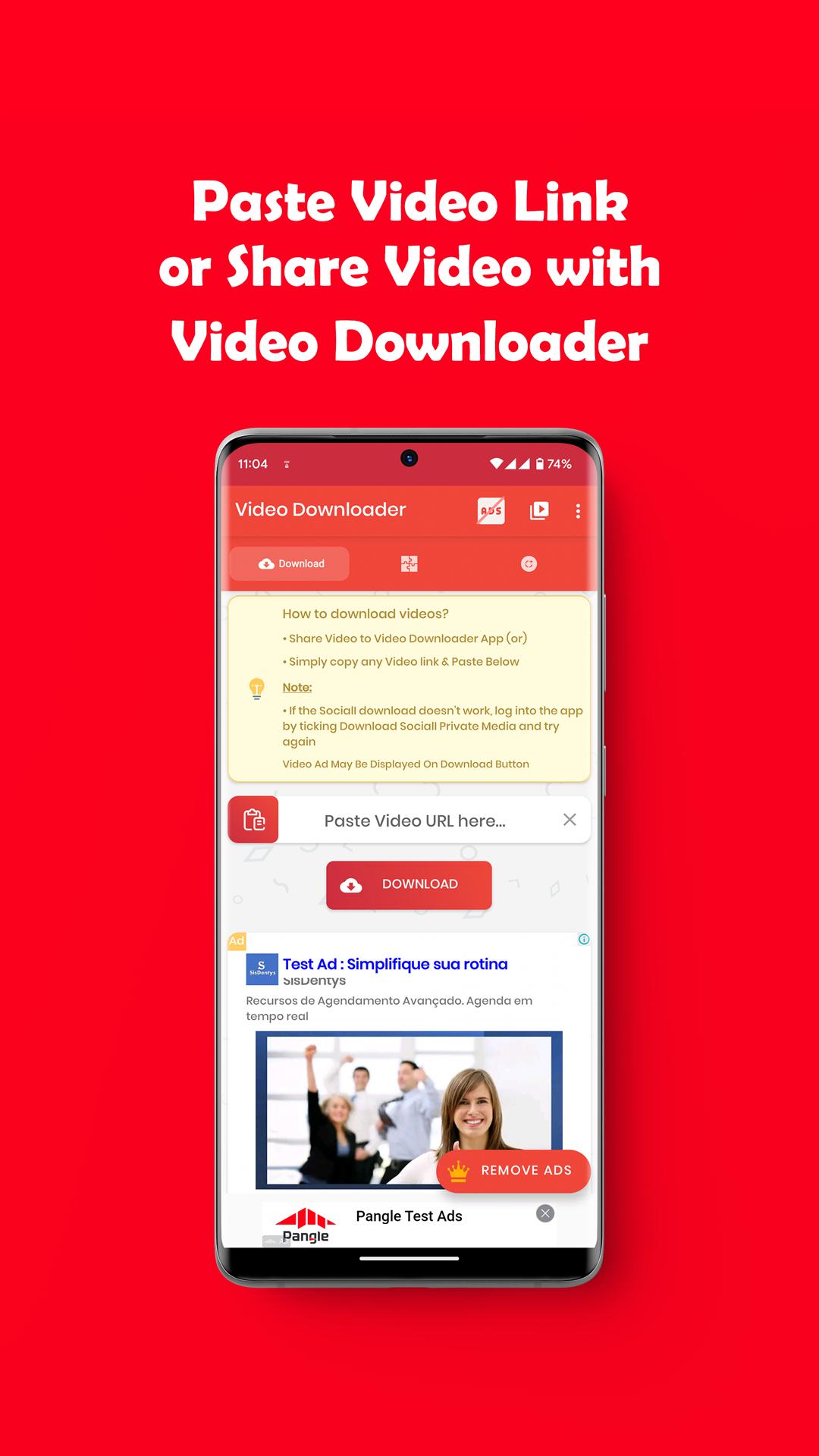
* Share Video with Video Downloader app and Start Download.
* Copy your Video Link, open Video Downloader App, paste your link and click Download Button.
* Play videos offline with built-in Video Player.
* Auto detect videos from Copied link to easily download.
* Full-featured download manager to pause, resume and remove downloads.
* Download several files at the same time.
* Download videos in the background.
* SD card supported.
* Resume support for failed downloads.
* Fast download speed.
* Check the progress in the download bar.
* Supported HD/FHD video download.
* Supported Large file size download.
* Download video, music and pictures.
* Video Downloader.
* Free video Downloader.
* Download videos from any website.
* Save videos from Web.
* Offline viewing Downloader.
* High quality videos Downloader.
How to Use Video Downloader:
* Open your Video App
* Click Send / Share button from Video and Share it with Video Downloader App.
* Select Method to Download your Selected Videos. or
* Open your Video Website to any Browser copy video Link and paste it on Video Downloader App.
* Auto detect videos, and tap the download button
* Select Method to Download your Selected Videos
* Done!
Preview
Tags
ToolsVideo-PlayersInformation
Developer
Kholifa Network
Latest Version
31.0
Last Updated
2023-09-23
Category
Tools
Available on
Google Play
Show More
How to play Video Downloader - All in One with GameLoop on PC
1. Download GameLoop from the official website, then run the exe file to install GameLoop
2. Open GameLoop and search for “Video Downloader - All in One” , find Video Downloader - All in One in the search results and click “Install”
3. Enjoy playing Video Downloader - All in One on GameLoop
Minimum requirements
OS
Windows 8.1 64-bit or Windows 10 64-bit
GPU
GTX 1050
CPU
i3-8300
Memory
8GB RAM
Storage
1GB available space
Recommended requirements
OS
Windows 8.1 64-bit or Windows 10 64-bit
GPU
GTX 1050
CPU
i3-9320
Memory
16GB RAM
Storage
1GB available space