
Flash On Call PC
katamapps
Download Flash On Call on PC With GameLoop Emulator
Flash On Call sa PC
Ang Flash On Call, na nagmumula sa developer na katamapps, ay tumatakbo sa Android systerm sa nakaraan.
Ngayon, maaari mong laruin ang Flash On Call sa PC gamit ang GameLoop nang maayos.
I-download ito sa GameLoop library o mga resulta ng paghahanap. Hindi na tumitingin sa baterya o nakakadismaya na mga tawag sa maling oras.
I-enjoy lang ang Flash On Call PC sa malaking screen nang libre!
Flash On Call Panimula
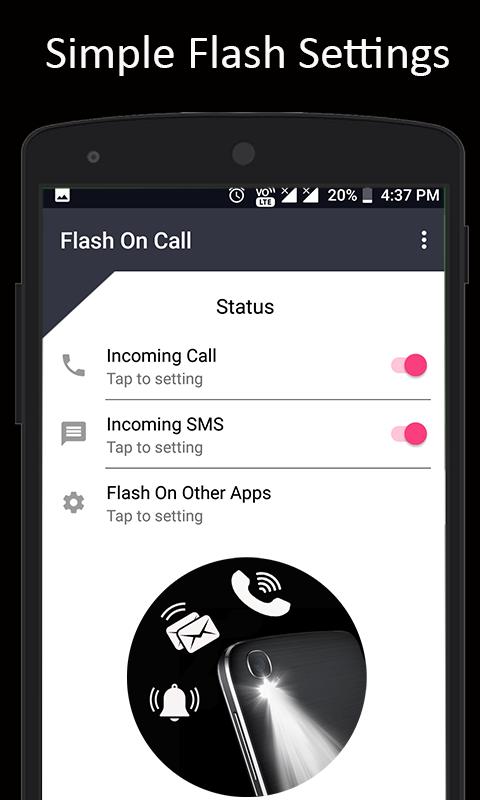
Flashlight alert is a smart app to alert you when you receive a phone call, text message, social notifications with the blink of your flashlight.
Flash On Call is the application to blink the Flash when you receive a call or message, notification from the apps.
Flash light call alert will help peoples in the night time when your android phone in the silent mode or mute. This flash light alert is very useful application for any android user.
When to use flash on call and sms :
• You have to keep your phone silent but still need to know about important text messages
For example ( movie theatres, classroom, baby sleeping, etc...)
• You need to identify a caller but can't turn your phone sound on, flash on call and sms will help
• You're in a noisy location and can't hear your ringtone, no problem, you have flash on call and sms
Features :
* easy configuration
* On or Off LED flash alerts on incoming call
* On or Off LED flash alerts on incoming sms
* On or Off LED flash alerts on incoming Notifications
* Set the number of flash alerts you want for SMS
* Set the number of flash alerts you want for Call
* Set LED flashlight on and off duration
* Change the speed of Flashlight alerts on call and sms
Best ways to use Flash On Call?
* Hospitals or meeting or in silent zones .
* When you are in a noisy area and won't hear your phone ring .
* This app may also help you find your phone in dark .
❤ ❤ Its very easy to use this Flash On Call. Do rate us 5 ★★★★★ and share the love in reviews so that it will reach to all the people , Your Satisfaction is our Primary Responsibility ❤ ❤
Preview

Tags
ToolsInformation
Developer
katamapps
Latest Version
3.6
Last Updated
2023-03-12
Category
Tools
Available on
Google Play
Show More
How to play Flash On Call with GameLoop on PC
1. Download GameLoop from the official website, then run the exe file to install GameLoop
2. Open GameLoop and search for “Flash On Call” , find Flash On Call in the search results and click “Install”
3. Enjoy playing Flash On Call on GameLoop
Minimum requirements
OS
Windows 8.1 64-bit or Windows 10 64-bit
GPU
GTX 1050
CPU
i3-8300
Memory
8GB RAM
Storage
1GB available space
Recommended requirements
OS
Windows 8.1 64-bit or Windows 10 64-bit
GPU
GTX 1050
CPU
i3-9320
Memory
16GB RAM
Storage
1GB available space