Binary Code Translator PC
Mobilia Apps
Download Binary Code Translator on PC With GameLoop Emulator
Binary Code Translator sa PC
Ang Binary Code Translator, na nagmumula sa developer na Mobilia Apps, ay tumatakbo sa Android systerm sa nakaraan.
Ngayon, maaari mong laruin ang Binary Code Translator sa PC gamit ang GameLoop nang maayos.
I-download ito sa GameLoop library o mga resulta ng paghahanap. Hindi na tumitingin sa baterya o nakakadismaya na mga tawag sa maling oras.
I-enjoy lang ang Binary Code Translator PC sa malaking screen nang libre!
Binary Code Translator Panimula
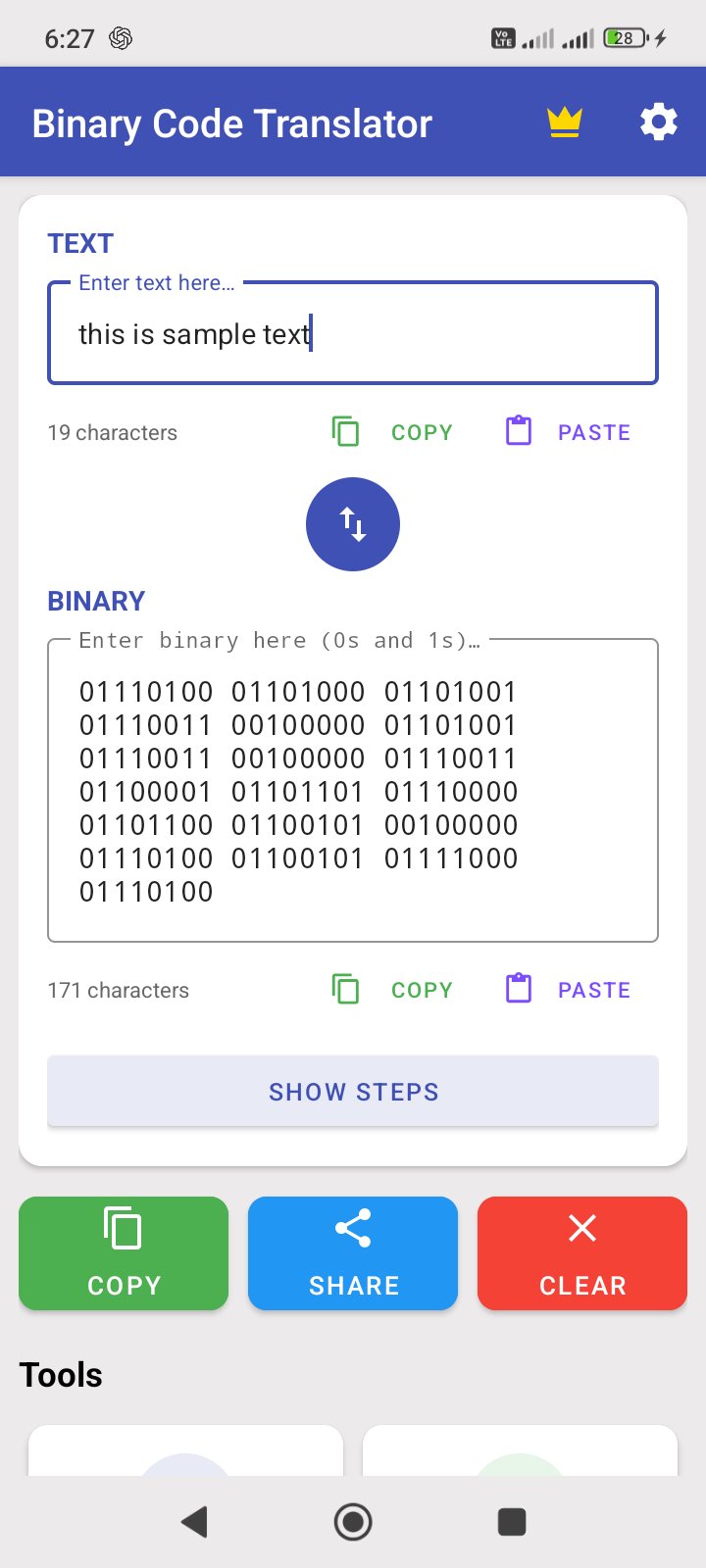
Binary Code Translator converts text to binary code and binary to text instantly. Type in either field and see the conversion happen in real-time with full Unicode support. Whether you're a student learning binary, a developer debugging data, or just curious about how computers encode text — this app makes it simple.
KEY FEATURES:
• Text ↔ Binary Converter — Real-time conversion between text and binary code. Supports Unicode characters, flexible spacing, and automatic format detection.
• Step-by-Step Explanations — See exactly how each character is converted: "H" → ASCII 72 → 01001000. Learn the process, not just the result.
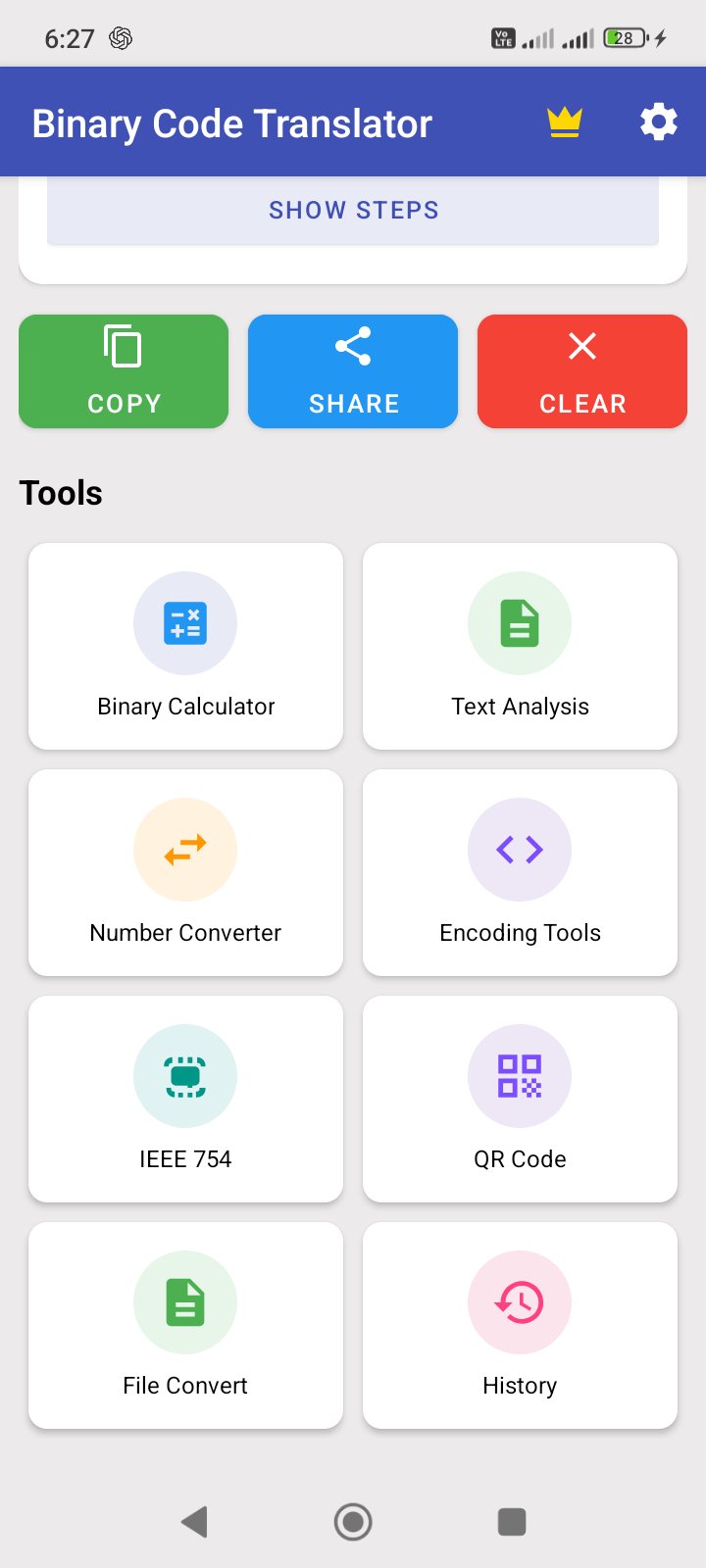
• Binary Calculator — Perform arithmetic (add, subtract, multiply, divide) and bitwise operations (AND, OR, XOR, NOT) on binary numbers. Includes left and right bit shift operations.
• Number Base Converter — Convert between Binary, Decimal, Octal, and Hexadecimal in real-time. All four fields update simultaneously as you type.
• Encoding & Cipher Tools — Encode and decode with Base64, Morse Code, ROT13, Caesar Cipher, and URL encoding. Select a tool, enter text, and get results instantly.
• IEEE 754 Converter — View the floating-point binary representation of any decimal number in both single precision (32-bit) and double precision (64-bit) formats with sign, exponent, and mantissa breakdown.
• Text Analysis — Get detailed statistics including character count, word count, sentences, paragraphs, reading time, speaking time, byte size (UTF-8/UTF-16/ASCII), and hash generation (MD5, SHA-1, SHA-256).
• QR Code Generator — Generate QR codes from any text or binary output. Save to gallery or share directly.
• File Import & Export — Import .txt files and convert their contents between text and binary. Export conversion results as shareable text files.
• Conversion History — All your conversions are saved automatically. Browse past conversions, and export your full history as CSV or PDF.
• Copy, Share & Swap — Copy text or binary output to clipboard, share results with other apps, and swap input/output fields with one tap.
• Dark Mode — Comfortable viewing in any lighting with automatic system theme support, or manually choose light or dark.
WHY CHOOSE BINARY CODE TRANSLATOR?
• All-in-one toolkit — Text converter, calculator, number base converter, encoding tools, and more in a single app
• Learn as you convert — Step-by-step breakdowns help you understand binary encoding
• Works offline — No internet connection required for any conversion
• Clean, modern design — Material Design interface with intuitive navigation
PERFECT FOR:
• Computer science students learning binary, hexadecimal, and data representation
• Software developers debugging binary data, encoding, or bit operations
• Cybersecurity enthusiasts working with ciphers and encoding schemes
• Anyone curious about how computers store and process text
Download Binary Code Translator and start converting today!
Preview
Tags
ToolsInformation
Developer
Mobilia Apps
Latest Version
3.0
Last Updated
2026-08-11
Category
Tools
Available on
Google Play
Show More
How to play Binary Code Translator with GameLoop on PC
1. Download GameLoop from the official website, then run the exe file to install GameLoop
2. Open GameLoop and search for “Binary Code Translator” , find Binary Code Translator in the search results and click “Install”
3. Enjoy playing Binary Code Translator on GameLoop
Minimum requirements
OS
Windows 8.1 64-bit or Windows 10 64-bit
GPU
GTX 1050
CPU
i3-8300
Memory
8GB RAM
Storage
1GB available space
Recommended requirements
OS
Windows 8.1 64-bit or Windows 10 64-bit
GPU
GTX 1050
CPU
i3-9320
Memory
16GB RAM
Storage
1GB available space