
Gallery Lock - Photo & Video PC
NMStudios
Download Gallery Lock - Photo & Video on PC With GameLoop Emulator
Gallery Lock - Photo & Video sa PC
Ang Gallery Lock - Photo & Video, na nagmumula sa developer na NMStudios, ay tumatakbo sa Android systerm sa nakaraan.
Ngayon, maaari mong laruin ang Gallery Lock - Photo & Video sa PC gamit ang GameLoop nang maayos.
I-download ito sa GameLoop library o mga resulta ng paghahanap. Hindi na tumitingin sa baterya o nakakadismaya na mga tawag sa maling oras.
I-enjoy lang ang Gallery Lock - Photo & Video PC sa malaking screen nang libre!
Gallery Lock - Photo & Video Panimula
🔒 GALLERY LOCK - THE ULTIMATE PRIVACY VAULT
Keep your private photos, videos, and documents completely secure with Gallery Lock - the most trusted privacy app with military-grade AES-256 encryption.
━━━━━━━━━
🛡️ SECURE PHOTO & VIDEO VAULT
• Hide unlimited photos and videos from your gallery
• Military-grade AES-256 encryption keeps files safe
• Hidden files don't appear in gallery or file managers
• Encrypted thumbnails for maximum privacy
• Import photos/videos with one tap
📄 DOCUMENT VAULT
• Secure your private PDFs, documents, and files
• Perfect for sensitive work documents
• Easy import from any file manager
• Organized and searchable
🔐 APP LOCK
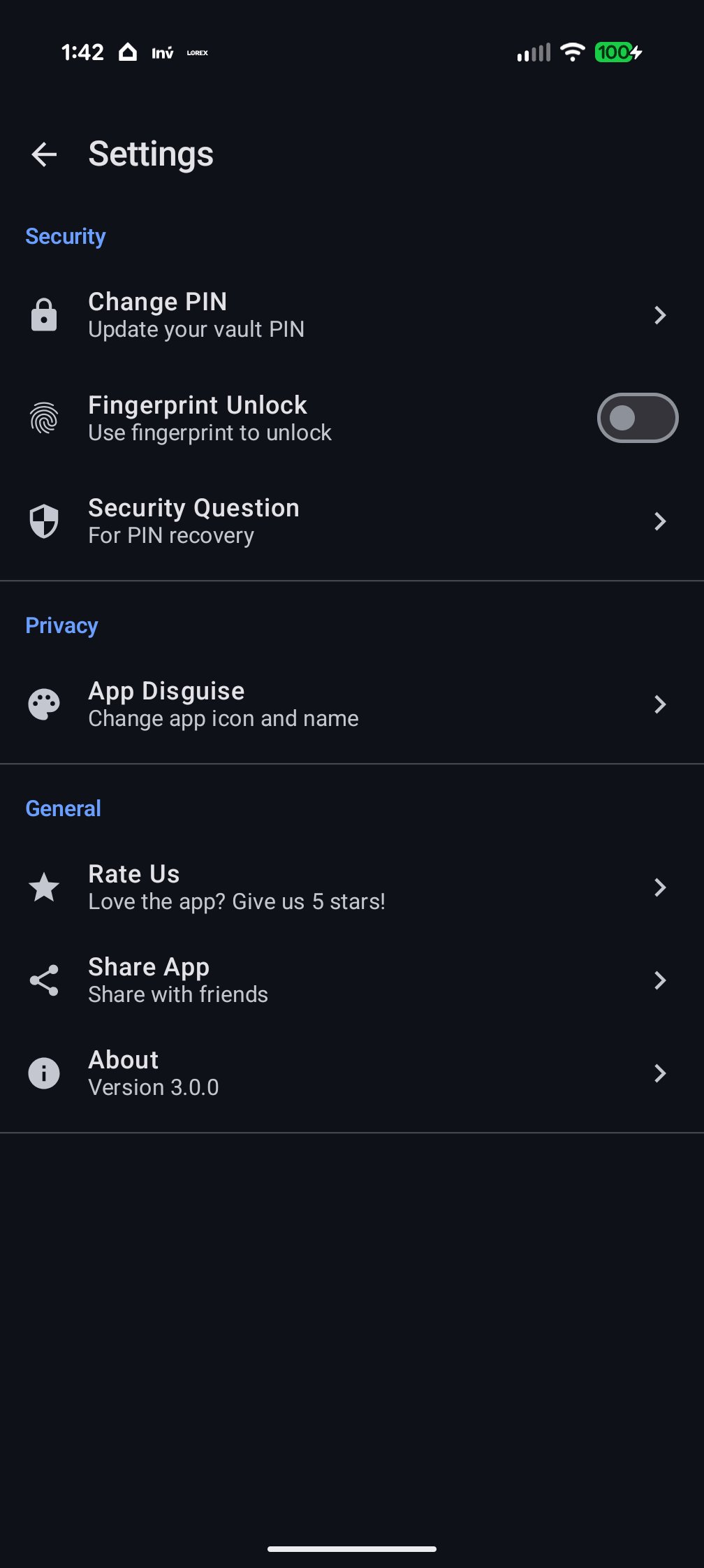
• Lock any app with PIN or fingerprint
• Protect WhatsApp, Instagram, Banking apps & more
• Intruder detection with photo capture
• Instant lock when screen turns off
🎭 APP DISGUISE
• Hide Gallery Lock in plain sight
• Disguise as Calculator, Notes, Weather, or Clock app
• Nobody will know you have a secret vault
• Multiple disguise options available
✨ PREMIUM SECURITY FEATURES
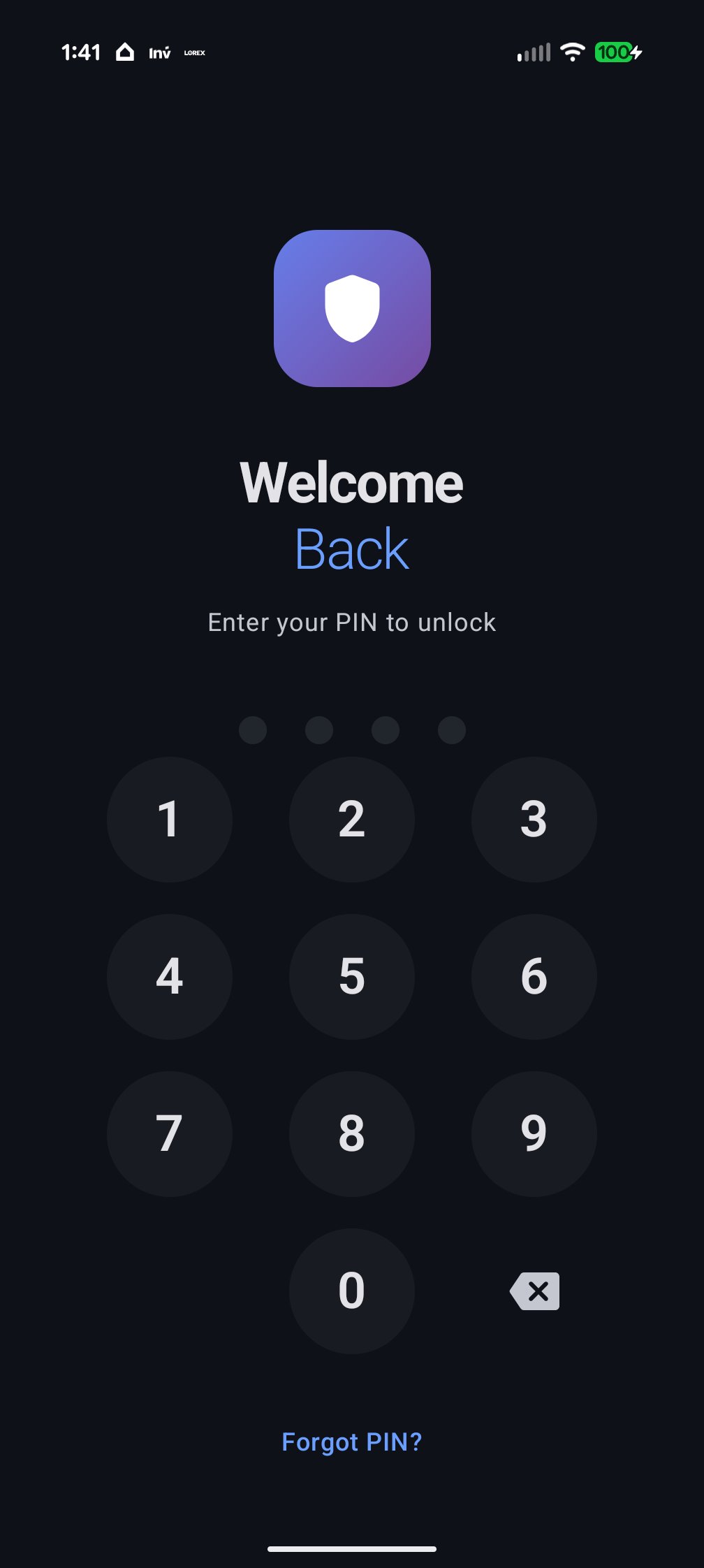
• 4-6 digit PIN protection
• Fingerprint/Face unlock support
• Security question for PIN recovery
• Break-in alerts with intruder photos
• No cloud upload - 100% offline security
━━━━━━━━━
🌟 WHY CHOOSE GALLERY LOCK?
✓ Zero-Knowledge Architecture
Your files are encrypted on YOUR device. We never see your content.
✓ Unbreakable Encryption
Same AES-256 encryption used by governments and military.
✓ No Cloud = No Risk
All data stays on your device. No servers. No leaks.
✓ Clean & Intuitive Design
Beautiful modern interface that's easy to use.
✓ Lightweight & Fast
Small app size with lightning-fast performance.
━━━━━━━━━
🔒 PERFECT FOR:
• Private photos you want to keep personal
• Sensitive work documents
• Financial documents and receipts
• Personal notes and journals
• Anything you want to keep private!
━━━━━━━━━
⚠️ IMPORTANT NOTES:
• Remember your PIN! We cannot recover it for you
• Set up security question for PIN recovery
• Uninstalling the app will delete all hidden files
Preview
Tags
ToolsInformation
Developer
NMStudios
Latest Version
3.0.4
Last Updated
2025-12-15
Category
Tools
Available on
Google Play
Show More
How to play Gallery Lock - Photo & Video with GameLoop on PC
1. Download GameLoop from the official website, then run the exe file to install GameLoop
2. Open GameLoop and search for “Gallery Lock - Photo & Video” , find Gallery Lock - Photo & Video in the search results and click “Install”
3. Enjoy playing Gallery Lock - Photo & Video on GameLoop
Minimum requirements
OS
Windows 8.1 64-bit or Windows 10 64-bit
GPU
GTX 1050
CPU
i3-8300
Memory
8GB RAM
Storage
1GB available space
Recommended requirements
OS
Windows 8.1 64-bit or Windows 10 64-bit
GPU
GTX 1050
CPU
i3-9320
Memory
16GB RAM
Storage
1GB available space