
Smart Screen On/Off PC
DroidTub Studio
Download Smart Screen On/Off on PC With GameLoop Emulator
Smart Screen On/Off sa PC
Ang Smart Screen On/Off, na nagmumula sa developer na DroidTub Studio, ay tumatakbo sa Android systerm sa nakaraan.
Ngayon, maaari mong laruin ang Smart Screen On/Off sa PC gamit ang GameLoop nang maayos.
I-download ito sa GameLoop library o mga resulta ng paghahanap. Hindi na tumitingin sa baterya o nakakadismaya na mga tawag sa maling oras.
I-enjoy lang ang Smart Screen On/Off PC sa malaking screen nang libre!
Smart Screen On/Off Panimula
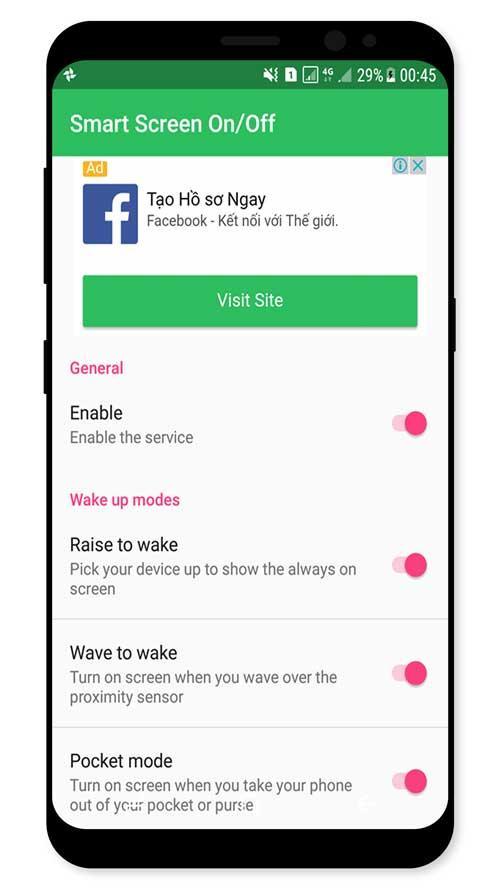
Smart Screen On Off application is simple utility to automatically On or Off screen using proximity sensor and double tap on Home Screen, instead of having to press the power button manually.
Sometimes difficult to press the power button, or you want to preserve the physical power button. Smart Screen On Off application can help you minimize the use of the power button anytime, anywhere.
Smart Screen On Off application is simple utility to automatically On or Off screen using proximity sensor and double tap on Home Screen, instead of having to press the power button manually. Smart Screen On Off have a power head floating in a convenient location is also provided to quickly turn off the screen.
Sometimes difficult to press the power button, or you want to preserve the physical power button. Smart Screen On Off application and the power head floating can help you minimize the use of the power button anytime, anywhere.
"This app uses the Device Administrator permission." It is necessary and used only for locking the device when you use feature turn off the screen. You need to enable Administration before it can be used that feature. To uninstall the app,
you have to disable it first.
Function have in Smart applications on/off screen auto:
- Double tap on Home Screen to turn off screen (COMING SOON)
- Auto screen off when put your phone into pocket.
- Auto screen on/off when wave up.
- Auto screen on/off when raise the phone up.
- The sensor will automatically detect, and auto power on / off screen to help you.
- You can disable the feature when the screen rotates horizontally.
- You can set separate delays when the screen on / off to avoid accidentally enabled.
- Support for using the same cover.
- Improve best performance. Only use a maximum of 5 MB RAM.
If you need any support, feel free to contact us.
Preview
Information
Developer
DroidTub Studio
Latest Version
1.1
Last Updated
2017-09-18
Category
Tools
Available on
Google Play
Show More
How to play Smart Screen On/Off with GameLoop on PC
1. Download GameLoop from the official website, then run the exe file to install GameLoop
2. Open GameLoop and search for “Smart Screen On/Off” , find Smart Screen On/Off in the search results and click “Install”
3. Enjoy playing Smart Screen On/Off on GameLoop
Minimum requirements
OS
Windows 8.1 64-bit or Windows 10 64-bit
GPU
GTX 1050
CPU
i3-8300
Memory
8GB RAM
Storage
1GB available space
Recommended requirements
OS
Windows 8.1 64-bit or Windows 10 64-bit
GPU
GTX 1050
CPU
i3-9320
Memory
16GB RAM
Storage
1GB available space