Bamowi: Battery Monitor & Temp PC
Byte Sculptor Apps
Download Bamowi: Battery Monitor & Temp on PC With GameLoop Emulator
Bamowi: Battery Monitor & Temp sa PC
Ang Bamowi: Battery Monitor & Temp, na nagmumula sa developer na Byte Sculptor Apps, ay tumatakbo sa Android systerm sa nakaraan.
Ngayon, maaari mong laruin ang Bamowi: Battery Monitor & Temp sa PC gamit ang GameLoop nang maayos.
I-download ito sa GameLoop library o mga resulta ng paghahanap. Hindi na tumitingin sa baterya o nakakadismaya na mga tawag sa maling oras.
I-enjoy lang ang Bamowi: Battery Monitor & Temp PC sa malaking screen nang libre!
Bamowi: Battery Monitor & Temp Panimula
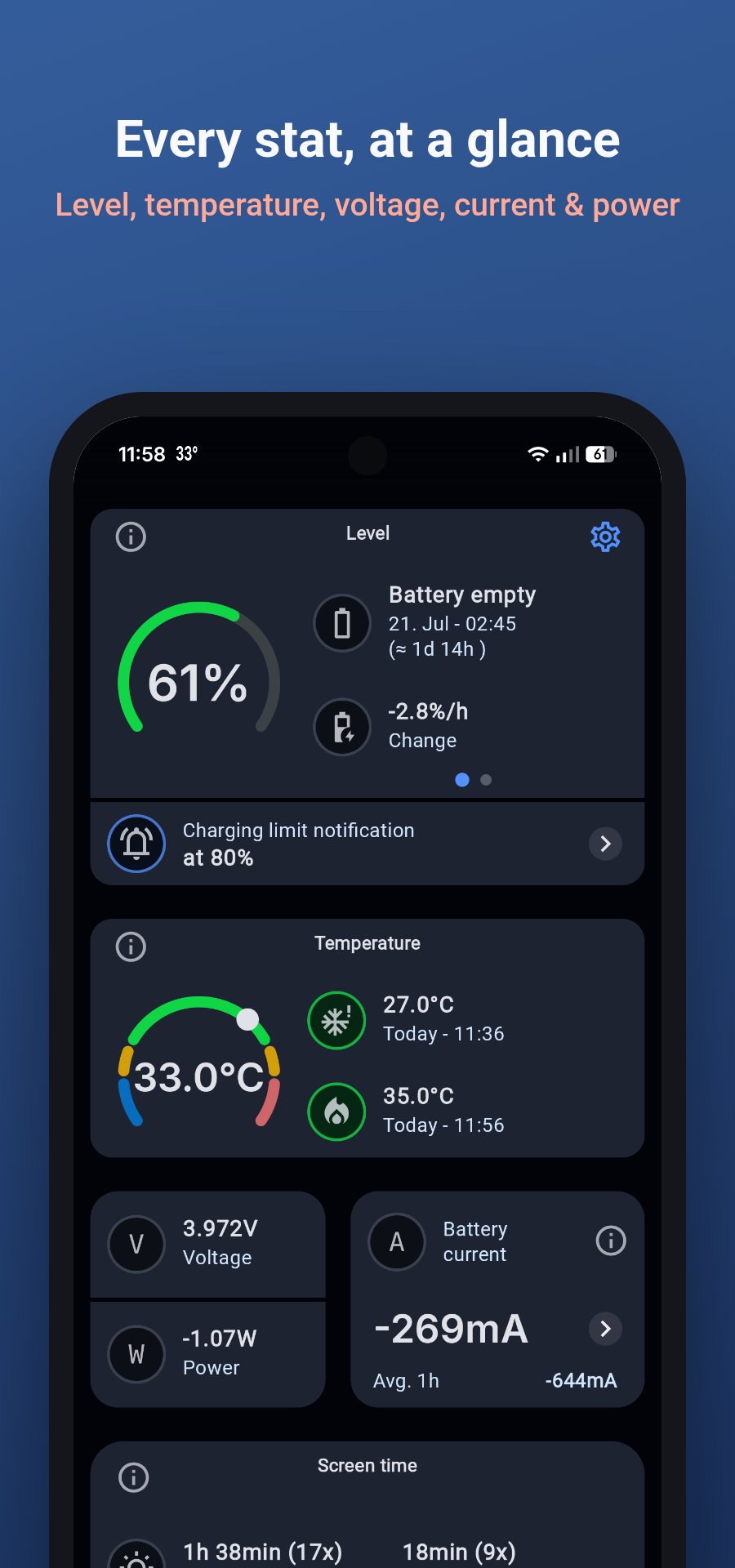
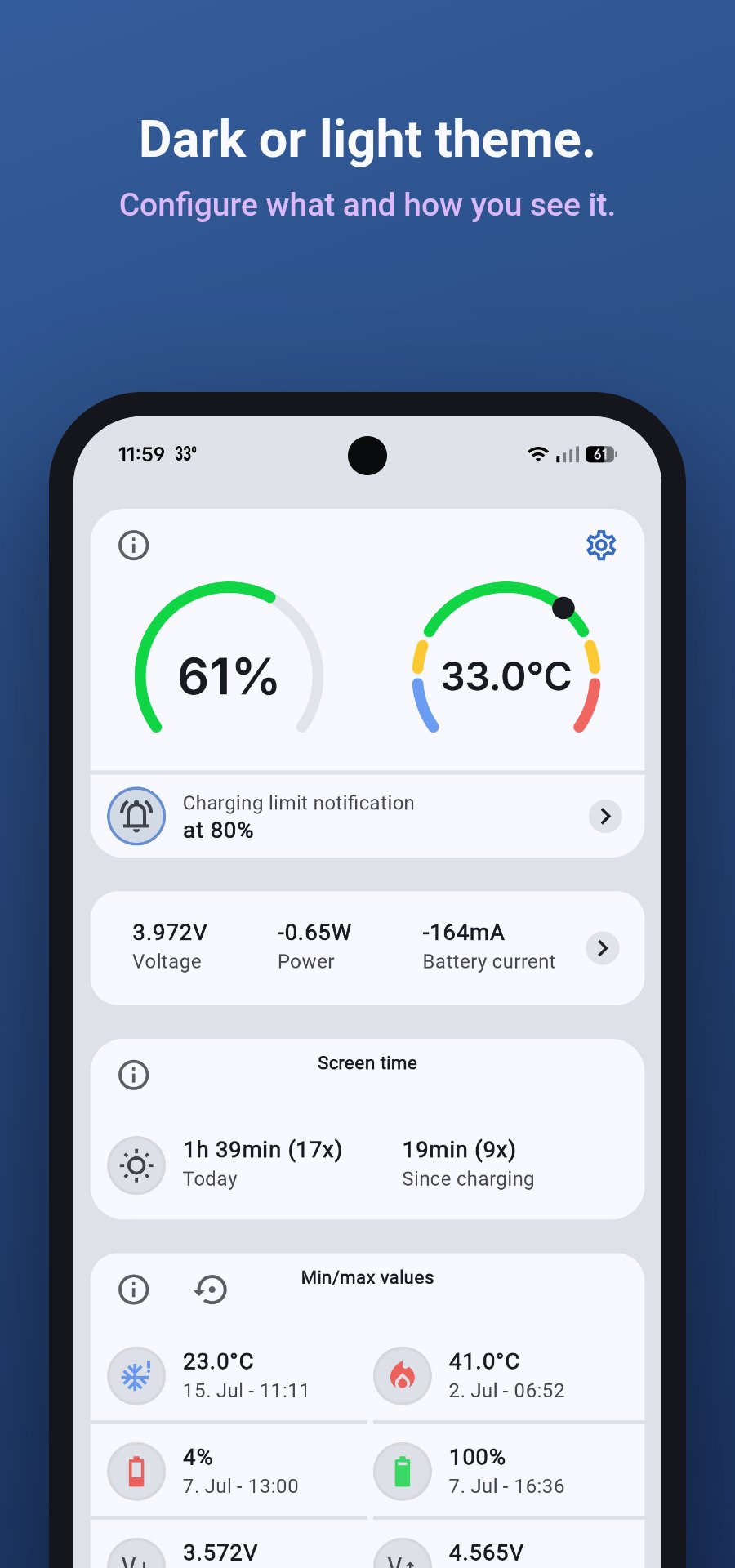
This app is designed to alert you on too high or too low battery temperature. Prevent your phone's battery from overheating or freezing by receiving a notification if its temperature exceeds a limit. Additionally, receive notifications on low battery level, and configure an alert level while charging to protect your battery from overcharging. The app collects and visualizes different data about your battery and the charging process, showing statistics and charts.
A simple, lightweight version of this app, without the statistics and charts is available here: https://play.google.com/store/apps/details?id=dev.bytesculptor.batterytemperaturestatus
🔋 Battery Data
• The battery temperature in the notification bar
• Get notifications for low battery level, too high or too low temperature and charging level reached
• The battery current and power
• Lowest and highest reached values of temperature, level, voltage, current, and power with a timestamp
• Choose between degree Fahrenheit and Celsius
📈 Charts
• The changes in a graph over the past days
• Configure the graph by choosing level, temperature and voltage alone or in two graphs together
• Separate graph for battery current
• Zoom and scroll the graphs
💚 Battery health
• Estimated battery capacity and health, so you can track how your battery ages over time
• Screen time (on) over 4 weeks with a trend line
📶 Statistics & Timeline
• All charging events with duration, charging difference and speed in a timeline.
• Charging statistics insights (number of charges, start/stop level, speed, total charges, etc)
🔅 App Widgets
• There are three different widgets to choose from
• Configure the widget to see the battery temperature, level and/or voltage
🏆 PRO Features
• Data logging for charts is 14 days instead of 3 days
• Configure the content of the status notification
• Configure the status icon (temperature or level), with or without unit
• The Timeline shows the following values of each charging event: temperature range, max current, max power, max voltage
• Export the charts data, charging data and battery current to a .csv file for your own further analysis
• No ads
Although the app has to run permanently in the background to operate reliably, it has a very low energy consumption. On all our test devices it is less than 1%.
The operating system sometimes stops the app. In this case, the widget is no longer updated, notifications are not sent, and no data is logged. To prevent this, Bamowi should be excluded from any battery saver app. If you use a task-killer app, Bamowi must be excluded to work properly.
Some manufacturers restrict heavily apps in the background. It is possible that this app doesn't work reliably on some models from Samsung, Oppo, Vivo, Redmi, Xiaomi, Huawei, Infinix and Ulefone. Please check the Help section of the app for further instructions.
Preview
Tags
ToolsInformation
Developer
Byte Sculptor Apps
Latest Version
6.4.1
Last Updated
2026-08-15
Category
Tools
Available on
Google Play
Show More
How to play Bamowi: Battery Monitor & Temp with GameLoop on PC
1. Download GameLoop from the official website, then run the exe file to install GameLoop
2. Open GameLoop and search for “Bamowi: Battery Monitor & Temp” , find Bamowi: Battery Monitor & Temp in the search results and click “Install”
3. Enjoy playing Bamowi: Battery Monitor & Temp on GameLoop
Minimum requirements
OS
Windows 8.1 64-bit or Windows 10 64-bit
GPU
GTX 1050
CPU
i3-8300
Memory
8GB RAM
Storage
1GB available space
Recommended requirements
OS
Windows 8.1 64-bit or Windows 10 64-bit
GPU
GTX 1050
CPU
i3-9320
Memory
16GB RAM
Storage
1GB available space