
Clickr: Habit Tracker Counter PC
rdq - smart productivity tools
Download Clickr: Habit Tracker Counter on PC With GameLoop Emulator
Clickr: Habit Tracker Counter sa PC
Ang Clickr: Habit Tracker Counter, na nagmumula sa developer na rdq - smart productivity tools, ay tumatakbo sa Android systerm sa nakaraan.
Ngayon, maaari mong laruin ang Clickr: Habit Tracker Counter sa PC gamit ang GameLoop nang maayos.
I-download ito sa GameLoop library o mga resulta ng paghahanap. Hindi na tumitingin sa baterya o nakakadismaya na mga tawag sa maling oras.
I-enjoy lang ang Clickr: Habit Tracker Counter PC sa malaking screen nang libre!
Clickr: Habit Tracker Counter Panimula
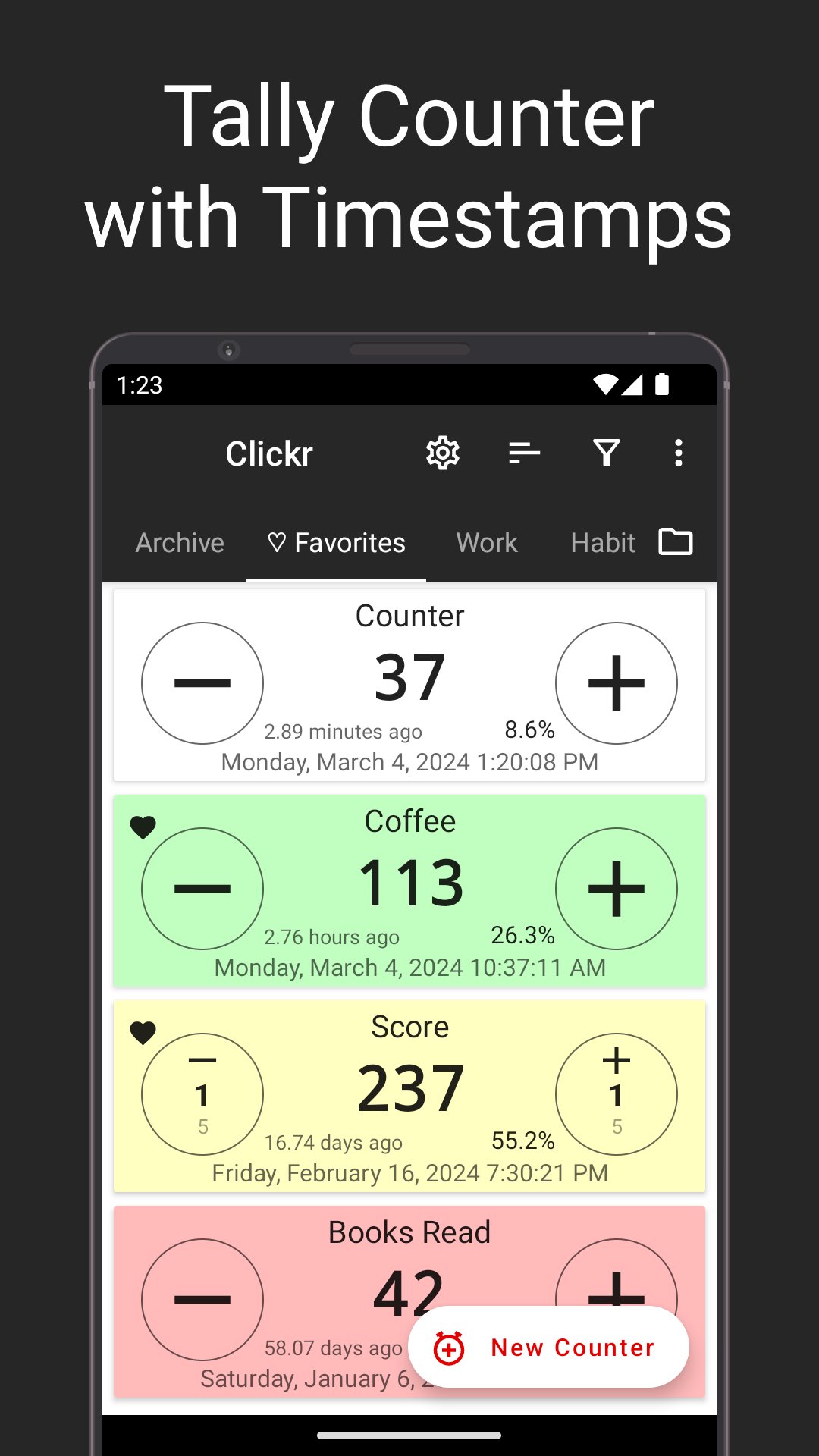
Stop counting sheep and start counting anything! Clickr is the ultimate tally counter app. Whether you need a habit tracker, event counter, digital clicker, inventory tracker, or simply a reliable tally counter, Clickr has you covered.
Easily create custom counters for anything you can imagine. Name them, assign colors, set starting values, and adjust increment/decrement values to fit your specific needs. Need to add a quick note to a count? Clickr lets you attach notes to each click, providing valuable context and details.
Go beyond basic counting with Clickr's powerful features:
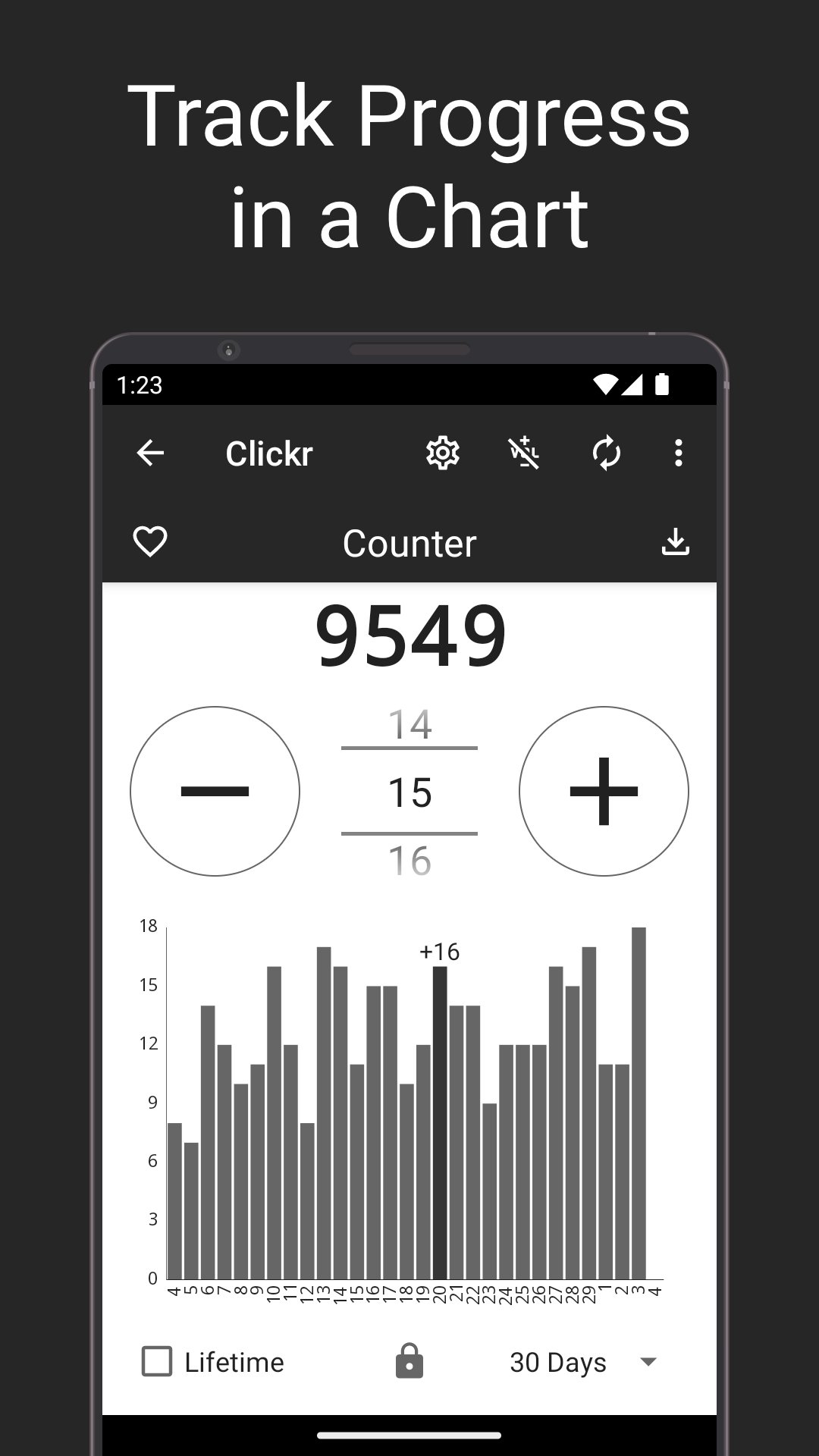
• Precise Timestamps: Every click is automatically timestamped, allowing you to analyze trends and track progress over time. View your history as a list or visualize it with insightful charts.
• Detailed Statistics: Uncover valuable insights with automatic calculations of average increments, click intervals, minimum and maximum values, and more.
• Effortless Export & Import: Seamlessly export your data to CSV format for use in spreadsheets or other applications. Import your data back into Clickr for easy backup and restore functionality.
• Organize Your Counts: Group related counters together and mark favorites for quick access.
• Personalized Experience: Customize counter titles, colors, and step values. Enable dark mode and keep the screen on for extended counting sessions. Even use your hardware volume buttons for counting.
• Privacy Focused: Your data stays on your device. We don't collect or share any of your counting information.
Download Clickr today and experience the power of a truly versatile counter app! Take control of your counting needs and unlock a world of possibilities.
Key Features: Counter, Tally Counter, Click Counter, Digital Counter, Timestamp, Notes, CSV Export/Import, Charts, Statistics, Groups, Favorites, Customizable, Privacy, Offline Counter, Click Tracker, Habit Tracker, Inventory Counter, Project Counter, Event Counter.
Help improve Clickr! Please fill in this quick anonymous survey:
https://www.akiosurvey.com/svy/clickr-en
Preview
Tags
ToolsInformation
Developer
rdq - smart productivity tools
Latest Version
3.31
Last Updated
2025-10-31
Category
Tools
Available on
Google Play
Show More
How to play Clickr: Habit Tracker Counter with GameLoop on PC
1. Download GameLoop from the official website, then run the exe file to install GameLoop
2. Open GameLoop and search for “Clickr: Habit Tracker Counter” , find Clickr: Habit Tracker Counter in the search results and click “Install”
3. Enjoy playing Clickr: Habit Tracker Counter on GameLoop
Minimum requirements
OS
Windows 8.1 64-bit or Windows 10 64-bit
GPU
GTX 1050
CPU
i3-8300
Memory
8GB RAM
Storage
1GB available space
Recommended requirements
OS
Windows 8.1 64-bit or Windows 10 64-bit
GPU
GTX 1050
CPU
i3-9320
Memory
16GB RAM
Storage
1GB available space