Brother Mobile Connect PC
Brother Industries, Ltd.
Download Brother Mobile Connect on PC With GameLoop Emulator
Brother Mobile Connect sa PC
Ang Brother Mobile Connect, na nagmumula sa developer na Brother Industries, Ltd., ay tumatakbo sa Android systerm sa nakaraan.
Ngayon, maaari mong laruin ang Brother Mobile Connect sa PC gamit ang GameLoop nang maayos.
I-download ito sa GameLoop library o mga resulta ng paghahanap. Hindi na tumitingin sa baterya o nakakadismaya na mga tawag sa maling oras.
I-enjoy lang ang Brother Mobile Connect PC sa malaking screen nang libre!
Brother Mobile Connect Panimula
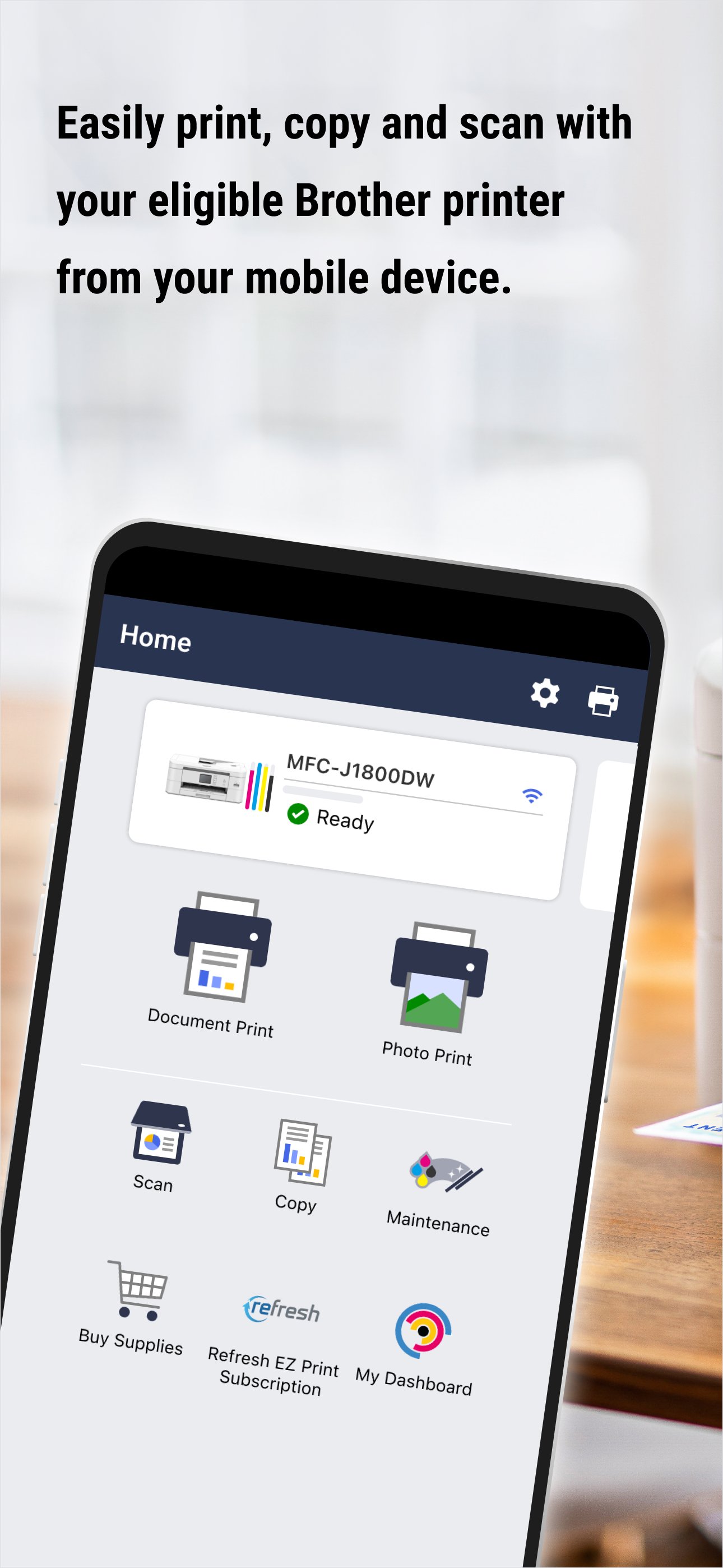
Get ready for a unified experience between your printer and device with Brother Mobile Connect.
From the app, you can:
- Print from and scan-to your mobile device with ease
- Quickly and easily set up an eligible Brother printer with guided steps
- Print, copy, and scan from virtually anywhere with Connect Advance*
- Access your Printer Dashboard for supplies monitoring, pages printed, and settings
- Manage your Refresh EZ Print Subscription for automatic delivery of Brother Genuine Ink & Toner before you run out
GET REWARDS WITH A CONNECTED PRINTER
- PERSONALIZED SAVINGS on ink & toner
- FREE 6-month extended printer limited warranty**
- Access to your Printer Dashboard
MANAGE INK & TONER
Brother Mobile Connect allows you to easily monitor ink and toner levels on up to five devices. Running low? Get the right supplies, when you need it, through the app. Ink and toner level monitoring through the app is available on all cartridge-based inkjet printers and laser printers.
GET AMAZING PRINTING PERKS
Brother Mobile Connect users receive personalized offers. Enable push notifications to ensure you don't miss out!
INK & TONER DELIVERED BEFORE YOU RUN OUT WITH A REFRESH EZ PRINT SUBSCRIPTION***
Activate and manage your Refresh EZ Print Subscription, the smart ink & toner delivery service from Brother, directly through the app.
Check if your model supports Brother Mobile Connect on the Brother support website: https://support.brother.com/
If your model is not supported, use the Brother iPrint&Scan app. To help us improve the application, send your feedback to Feedback-mobile-apps-ps-mc@brother.com. Please note that we may not be able to respond to individual emails.
*Free Brother Mobile Connect App download, wireless connection and connection of an eligible printer with Brother are required. Compatibility may vary by device, operating system and country.
**Limited warranty extension is available for select models and only on products with at least 3 months of original product warranty remaining. Maximum warranty coverage period if three years (including standard and extended).
***Refresh EZ Print Subscription is subject to availability and is not available in all countries.
Preview
Tags
ToolsInformation
Developer
Brother Industries, Ltd.
Latest Version
1.22.5
Last Updated
2026-04-06
Category
Tools
Available on
Google Play
Show More
How to play Brother Mobile Connect with GameLoop on PC
1. Download GameLoop from the official website, then run the exe file to install GameLoop
2. Open GameLoop and search for “Brother Mobile Connect” , find Brother Mobile Connect in the search results and click “Install”
3. Enjoy playing Brother Mobile Connect on GameLoop
Minimum requirements
OS
Windows 8.1 64-bit or Windows 10 64-bit
GPU
GTX 1050
CPU
i3-8300
Memory
8GB RAM
Storage
1GB available space
Recommended requirements
OS
Windows 8.1 64-bit or Windows 10 64-bit
GPU
GTX 1050
CPU
i3-9320
Memory
16GB RAM
Storage
1GB available space