
Absensi Siswa QR CODE PC
Erfouris Studio
Download Absensi Siswa QR CODE on PC With GameLoop Emulator
Absensi Siswa QR CODE sa PC
Ang Absensi Siswa QR CODE, na nagmumula sa developer na Erfouris Studio, ay tumatakbo sa Android systerm sa nakaraan.
Ngayon, maaari mong laruin ang Absensi Siswa QR CODE sa PC gamit ang GameLoop nang maayos.
I-download ito sa GameLoop library o mga resulta ng paghahanap. Hindi na tumitingin sa baterya o nakakadismaya na mga tawag sa maling oras.
I-enjoy lang ang Absensi Siswa QR CODE PC sa malaking screen nang libre!
Absensi Siswa QR CODE Panimula
Specifically designed for teachers, homeroom teachers, and school administrators, both formal and informal, in the digital age. Forget about piles of paper, frequent server downtime, or monthly internet subscription fees. QR CODE Student Attendance works 100% OFFLINE (Local Database) on your Android device, providing speed, privacy security, and ease of use without relying on an internet connection.
This app isn't just a regular grade recorder; it's a complete classroom management system with a White Label feature (Customized School Identity) that makes your reports look official and professional.
🔥 APPLICATION KEY FEATURES:
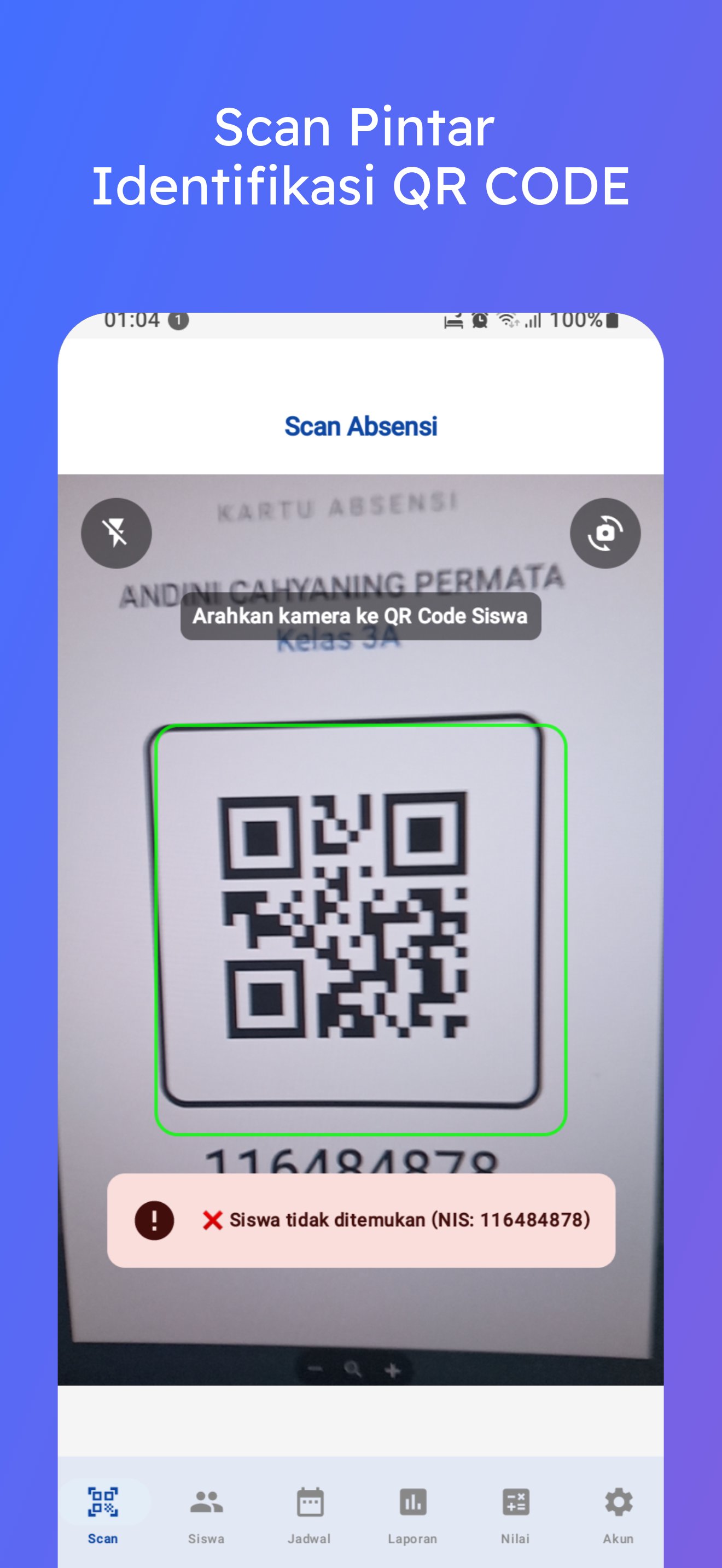
📱 1. Smart Attendance with QR Code Scanner
Fast & Accurate Scanning: Record student attendance in seconds using your phone's camera.
Dual Camera Support: Use the rear camera for mass scanning or the front camera for individual student attendance.
Flashlight Support: Flashlight feature for low-light classroom conditions.
Automatic Validation: The system prevents data duplication if a student is already absent on the same day.
📊 2. Grade Management & Weighted E-Report Card
Automatic Calculation: Input assignment, mid-term exam, and final exam grades according to your predetermined percentage weighting. The app automatically calculates the final grade and determines PASS/REMEDIAL status based on the Minimum Completion Minimum (KKM).
Flexible: Add subjects and set the KKM according to your school curriculum.
📄 3. Print Professional PDF Reports (White Label)
Custom Letterhead: Customize your school name, address, logo, and contact information on each printed report.
Attendance Report: Monthly attendance recap in a neat tabular format.
Learning Report: Print each student's Study Result Card (KHS) complete with grades.
Digital Signature: Supports two authorization modes:
Type Signature: Converts names to an aesthetic handwriting style.
QR Code Validation: Encrypted QR code-based signatures for anti-counterfeit document security.
📅 4. Visual Timetable
Colored Grid View: Intuitive weekly schedule display (Monday-Saturday) with color blocks according to subject.
Clock Picker: Precise start and end time settings.
Class Management: Manage schedules for different classes in one app.
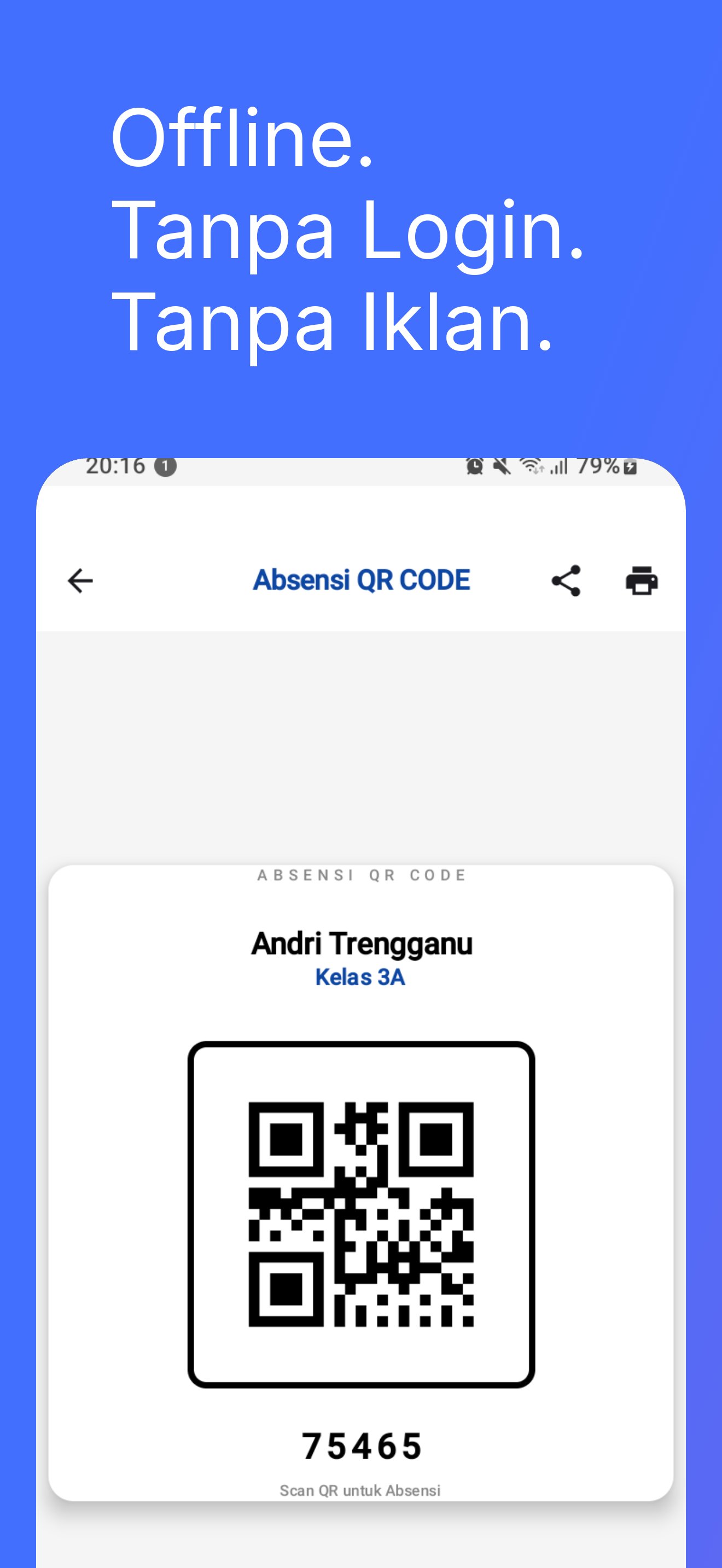
🪪 5. Digital Attendance Cards
Automatically generate attendance cards for each student, complete with an identification QR code.
Share & Print button to share digital cards to parents' WhatsApp or print directly to a physical printer.
📥 6. Bulk Data Import (Excel/CSV)
Have hundreds of students? Don't input manually! Use the CSV Import feature to bulk enter student data (Student ID, Name, Class, Phone Number) in seconds.
💬 7. WhatsApp Integration with Parents/Guardians
Student absent (Alpha/Sick)? Send an automatic notification to the parent/guardian's WhatsApp directly from the app without having to save individual contacts.
🛡️ 8. Security & Data Backup (Enterprise)
Backup & Restore: Secure your entire school database to Google Drive or Local Storage in ZIP format.
Offline First: Data is securely stored on your phone, and no third parties can access it.
Secure Preferences: Account status and configurations are protected by high-level encryption.
🎨 9. Modern & User-Friendly Interface
Supports Dark Mode for eye comfort.
Material Design 3 is clean and easy to understand for teachers of all ages.
WHY CHOOSE QR CODE Student Attendance?
✅ Cost-Effective: No need to rent a server or buy expensive software. Just one application for all your class administration needs. ✅ Independent: You have full control over your school data. ✅ Professional: PDF printouts are equivalent to expensive school administration software.
Perfectly Suitable For:
Homeroom Teachers (Elementary/Middle/High/Vocational High School).
Lecturers & Teaching Assistants.
Tutoring/Study Guidance Teachers. (Formal/Informal)
School Administrative Staff.
Preview
Tags
ToolsInformation
Developer
Erfouris Studio
Latest Version
1.26
Last Updated
2026-02-24
Category
Tools
Available on
Google Play
Show More
How to play Absensi Siswa QR CODE with GameLoop on PC
1. Download GameLoop from the official website, then run the exe file to install GameLoop
2. Open GameLoop and search for “Absensi Siswa QR CODE” , find Absensi Siswa QR CODE in the search results and click “Install”
3. Enjoy playing Absensi Siswa QR CODE on GameLoop
Minimum requirements
OS
Windows 8.1 64-bit or Windows 10 64-bit
GPU
GTX 1050
CPU
i3-8300
Memory
8GB RAM
Storage
1GB available space
Recommended requirements
OS
Windows 8.1 64-bit or Windows 10 64-bit
GPU
GTX 1050
CPU
i3-9320
Memory
16GB RAM
Storage
1GB available space