
Safety Watch PC
360 KIDS GUARD CO. LIMITED
Download Safety Watch on PC With GameLoop Emulator
Safety Watch sa PC
Ang Safety Watch, na nagmumula sa developer na 360 KIDS GUARD CO. LIMITED, ay tumatakbo sa Android systerm sa nakaraan.
Ngayon, maaari mong laruin ang Safety Watch sa PC gamit ang GameLoop nang maayos.
I-download ito sa GameLoop library o mga resulta ng paghahanap. Hindi na tumitingin sa baterya o nakakadismaya na mga tawag sa maling oras.
I-enjoy lang ang Safety Watch PC sa malaking screen nang libre!
Safety Watch Panimula
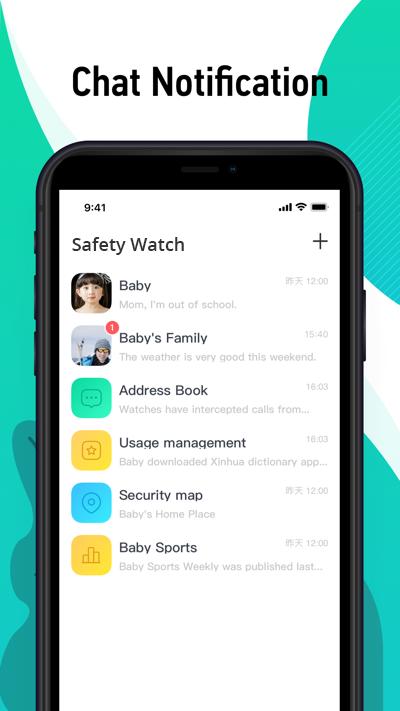
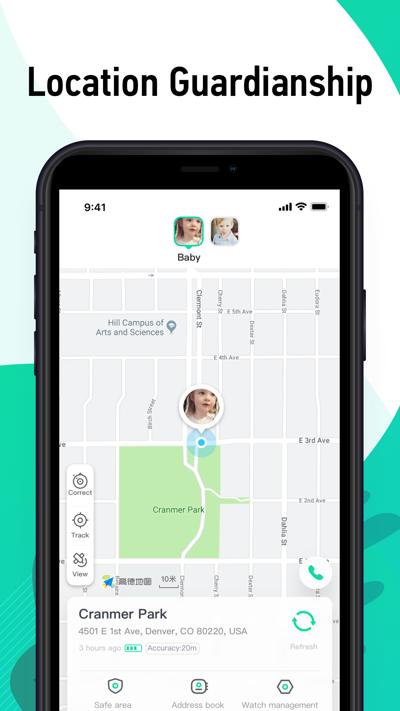
Safety Watch is a product designed for children and parents. The app can be connected with the watch by wearing the watch on the children’s wrist and its supporting app on the parents’ mobile phone. Parents can make mutual calls between the watch and the mobile phone, accurately locate the children’s position, and send voice message between the app and the watch by setting watch-related functions in the app.
Main Functional Features:
1.Phone Function:
The phone module is installed in the hardware of the watch to allow calls between the phone and the watch, and between watches, thereby making communication and connection between parents and children more convenient.
2.Location Function:
A GPS chip and WiFi module are installed in the hardware of the watch, enabling the APP to show the precise position of the watch whether outdoors or indoors.
3.Chat Function:
Voice messages can be sent between the watch and the APP, realizing a new form of communication between children and parents.
4.Step Counting Function:
The child’s number of steps can be viewed on the watch in order to help the parents record the child’s progress step by step and ensure their healthy growth.
5.Class Mode:
Parents can set the times of the child’s classes. When the child attends school wearing the watch, they will not be distracted from learning by playing with the watch.
6.Contacts:
Parents can use the APP to manage the contacts on their child’s watch, thereby making sure that their child will not be harassed by unknown calls while also preventing their child from making random calls.
Preview
Tags
ToolsInformation
Developer
360 KIDS GUARD CO. LIMITED
Latest Version
3.2.1.1182
Last Updated
2025-09-23
Category
Tools
Available on
Google Play
Show More
How to play Safety Watch with GameLoop on PC
1. Download GameLoop from the official website, then run the exe file to install GameLoop
2. Open GameLoop and search for “Safety Watch” , find Safety Watch in the search results and click “Install”
3. Enjoy playing Safety Watch on GameLoop
Minimum requirements
OS
Windows 8.1 64-bit or Windows 10 64-bit
GPU
GTX 1050
CPU
i3-8300
Memory
8GB RAM
Storage
1GB available space
Recommended requirements
OS
Windows 8.1 64-bit or Windows 10 64-bit
GPU
GTX 1050
CPU
i3-9320
Memory
16GB RAM
Storage
1GB available space