My Fishing Advisor PC
Pishtech LLC
Download My Fishing Advisor on PC With GameLoop Emulator
My Fishing Advisor sa PC
Ang My Fishing Advisor, na nagmumula sa developer na Pishtech LLC, ay tumatakbo sa Android systerm sa nakaraan.
Ngayon, maaari mong laruin ang My Fishing Advisor sa PC gamit ang GameLoop nang maayos.
I-download ito sa GameLoop library o mga resulta ng paghahanap. Hindi na tumitingin sa baterya o nakakadismaya na mga tawag sa maling oras.
I-enjoy lang ang My Fishing Advisor PC sa malaking screen nang libre!
My Fishing Advisor Panimula
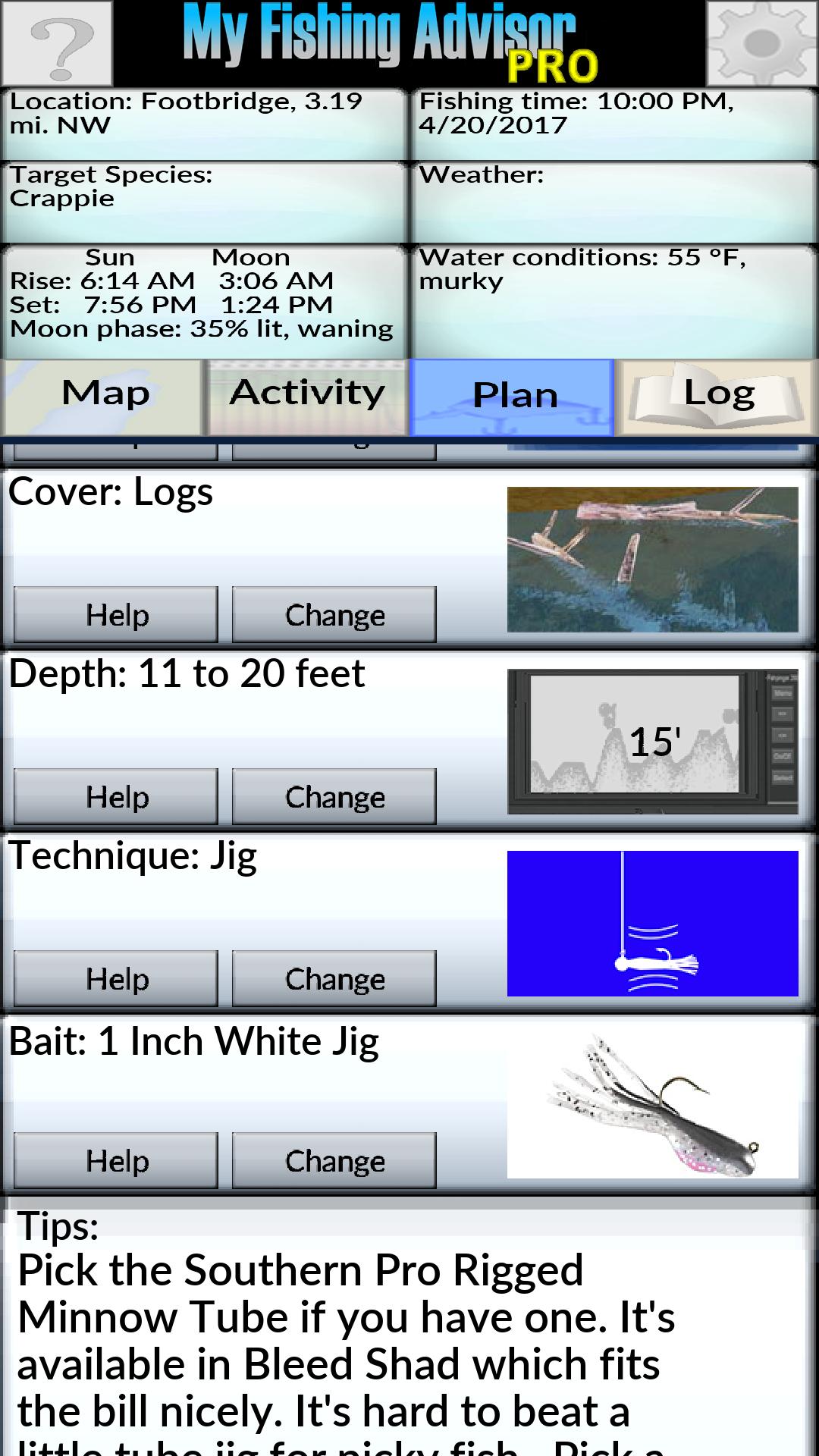
Fishing success isn't a question of luck - it's about making the right decisions. Depending on the time of year, the location, the weather and water conditions, you need to pick the right structure, cover and water depth for your target species. Then you need to choose the right lure or bait and technique to catch those fish in that situation. This app will help you do just that.
Like a fishing guide this app will consider many factors that affect fish behavior in order to predict where they will be and how actively they’ll be feeding. This freshwater fishing guide supports bass, sunfish, crappie, perch, walleye, catfish, trout, salmon, pike and musky.
Version 3.0 is faster and more powerful than earlier versions, and has new features. Most functions are available in the free version, but there are some Pro Features for a small fee that serious anglers will want to unlock.
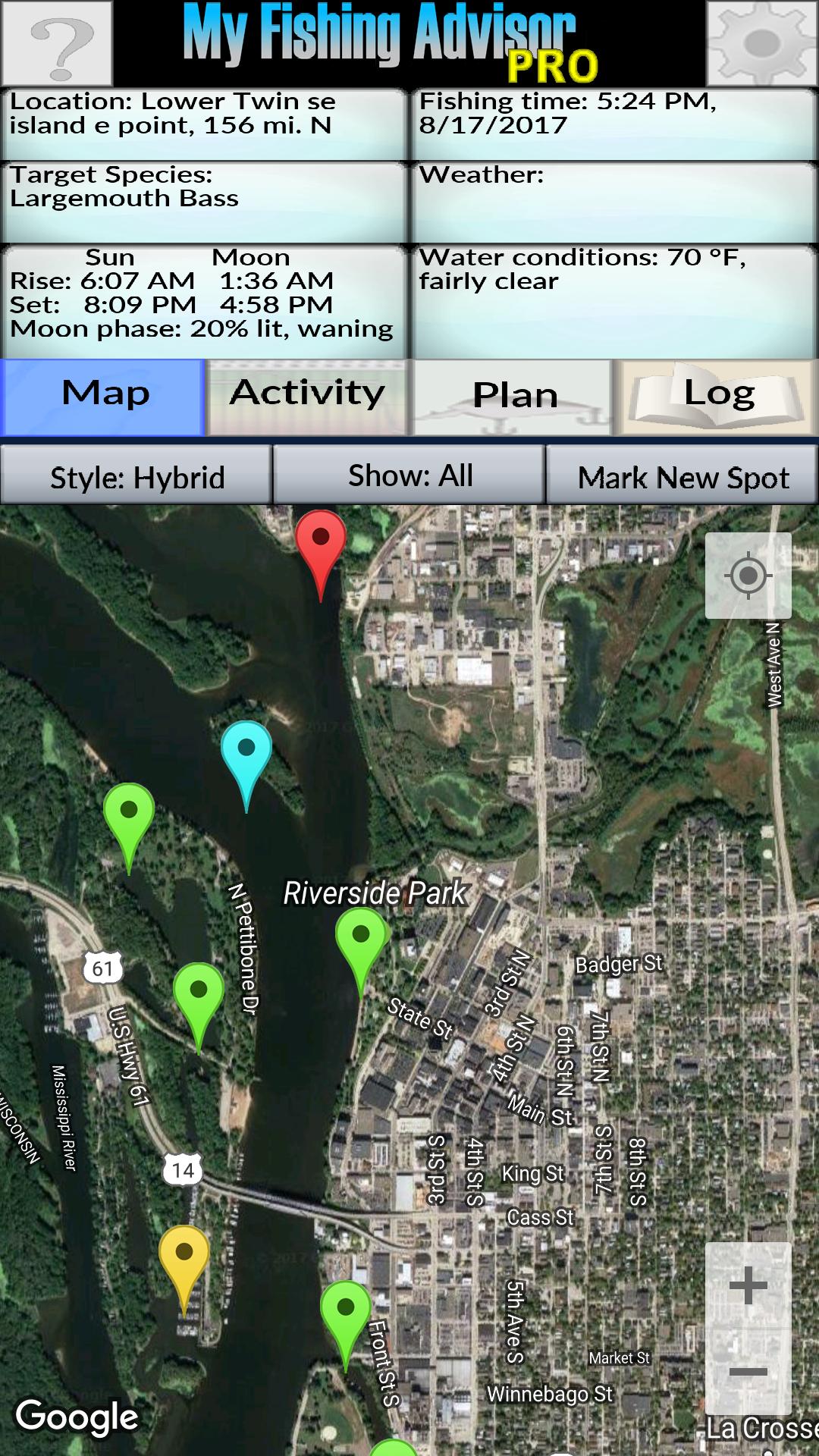
Build your own collection of fishing spots and My Fishing Advisor will help you pick which ones are most promising at a given time. It will help with lure selection, and even details like the most appropriate rods, line, hook sizes and sinker weights. Beginners use My Fishing Advisor to take the frustration out of learning to fish and to find success much faster. Experts use My Fishing Advisor to find patterns they might otherwise overlook and to find and catch fish more consistently.
Use My Fishing Advisor to log your fishing experiences - Track what you catch, the location and conditions and when and where you fished with the new fishing log feature. You can view your fishing log by date, by species, or view your log entries on a map. Register for backups and your logs and fishing spots will be backed up to the cloud so you can get your data back if you ever change devices.
What’s new:
• A completely overhauled user interface for faster,easier use
• A detailed fishing log - keep track of what you caught where, when, and how
• Help on many topics, from structure and cover to species and lure types, etc.
• More features in the free version, including the full days fish activity forecast and creating new fishing plans
• A new source of weather data, working not just in the US but also in Canada and other countries
Pishtech's privacy policy for this app is available at http://www.pishtech.com/privacy_mfa.html
Preview
Tags
SportsInformation
Developer
Pishtech LLC
Latest Version
3.29
Last Updated
2021-05-26
Category
Sports
Available on
Google Play
Show More
How to play My Fishing Advisor with GameLoop on PC
1. Download GameLoop from the official website, then run the exe file to install GameLoop
2. Open GameLoop and search for “My Fishing Advisor” , find My Fishing Advisor in the search results and click “Install”
3. Enjoy playing My Fishing Advisor on GameLoop
Minimum requirements
OS
Windows 8.1 64-bit or Windows 10 64-bit
GPU
GTX 1050
CPU
i3-8300
Memory
8GB RAM
Storage
1GB available space
Recommended requirements
OS
Windows 8.1 64-bit or Windows 10 64-bit
GPU
GTX 1050
CPU
i3-9320
Memory
16GB RAM
Storage
1GB available space