Sudoku - Classic Sudoku Puzzle PC
Smart Browser, Photo Gallery, QR Scanner, Coloring
Download Sudoku - Classic Sudoku Puzzle on PC With GameLoop Emulator
Sudoku - Classic Sudoku Puzzle sa PC
Ang Sudoku - Classic Sudoku Puzzle, na nagmumula sa developer na Smart Browser, Photo Gallery, QR Scanner, Coloring, ay tumatakbo sa Android systerm sa nakaraan.
Ngayon, maaari mong laruin ang Sudoku - Classic Sudoku Puzzle sa PC gamit ang GameLoop nang maayos.
I-download ito sa GameLoop library o mga resulta ng paghahanap. Hindi na tumitingin sa baterya o nakakadismaya na mga tawag sa maling oras.
I-enjoy lang ang Sudoku - Classic Sudoku Puzzle PC sa malaking screen nang libre!
Sudoku - Classic Sudoku Puzzle Panimula
Sudoku - Free Sudoku Puzzles, Number Puzzle Game
"Sudoku - Free Sudoku Puzzles, Number Puzzle Game" is a FREE number puzzle game and single player game. "Sudoku - Free Sudoku Puzzles, Number Puzzle Game" is also a brain game and offline game. You can download Sudoku free app for your android phone and tablet.
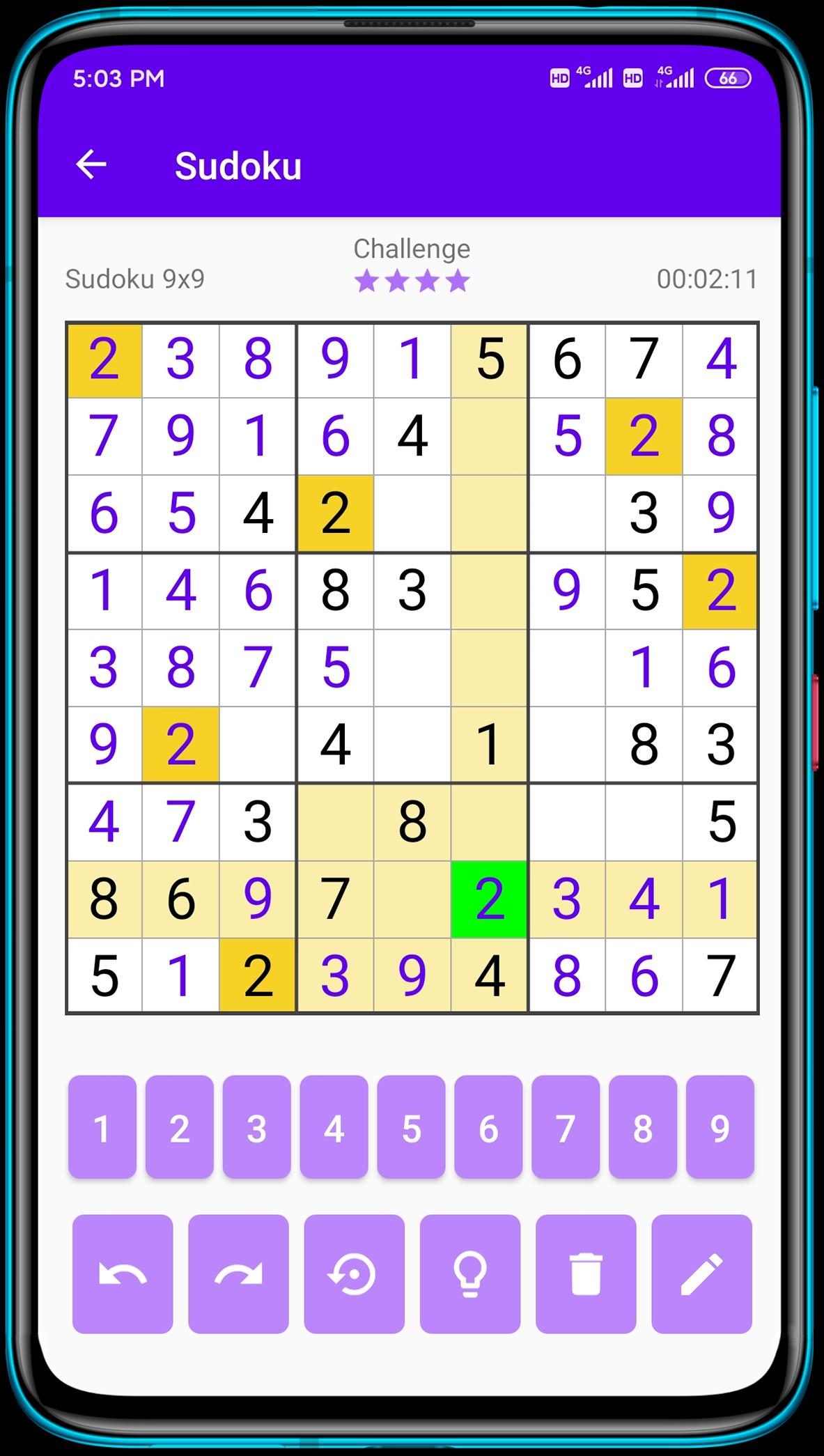
Classic Sudoku is a logic-based number puzzle game and the goal is to place 1 to 9 digit numbers into each grid cell so that each number can only appear once in each row, each column and each mini-grid. With our Sudoku puzzle app, you can not only enjoy sudoku games anytime anywhere, but also learn Sudoku techniques from it.
Key Features:
💥 Sudoku puzzles come in 4 difficulty levels - easy Sudoku, medium Sudoku, hard Sudoku and expert Sudoku! Perfect for Sudoku beginners and advanced players!
💥 Daily Challenges - Complete Daily Challenges and train you brain.
💥 Pencil Mode - Turn on/ off pencil mode as you like.
💥 Highlight Duplicates - to avoid repeating numbers in a row, column and block.
💥 Intelligent Hints - guide you through the numbers when you get stuck.
Daily sudoku is the best way to start your day! 1 or 2 classic sudoku puzzles will help you to wake up, make your brain work, and help you to be ready for a productive working day. Download this classic number game and play sudoku free puzzles offline.
Challenge your brain anywhere, anytime! Have a good time!
Preview
Tags
CasualInformation
Developer
Smart Browser, Photo Gallery, QR Scanner, Coloring
Latest Version
1.2.9
Last Updated
2022-04-01
Category
Puzzle
Available on
Google Play
Show More
How to play Sudoku - Classic Sudoku Puzzle with GameLoop on PC
1. Download GameLoop from the official website, then run the exe file to install GameLoop
2. Open GameLoop and search for “Sudoku - Classic Sudoku Puzzle” , find Sudoku - Classic Sudoku Puzzle in the search results and click “Install”
3. Enjoy playing Sudoku - Classic Sudoku Puzzle on GameLoop
Minimum requirements
OS
Windows 8.1 64-bit or Windows 10 64-bit
GPU
GTX 1050
CPU
i3-8300
Memory
8GB RAM
Storage
1GB available space
Recommended requirements
OS
Windows 8.1 64-bit or Windows 10 64-bit
GPU
GTX 1050
CPU
i3-9320
Memory
16GB RAM
Storage
1GB available space