Brain Challenge - Game Trainer PC
GFK Studio
Download Brain Challenge - Game Trainer on PC With GameLoop Emulator
Brain Challenge - Game Trainer sa PC
Ang Brain Challenge - Game Trainer, na nagmumula sa developer na GFK Studio, ay tumatakbo sa Android systerm sa nakaraan.
Ngayon, maaari mong laruin ang Brain Challenge - Game Trainer sa PC gamit ang GameLoop nang maayos.
I-download ito sa GameLoop library o mga resulta ng paghahanap. Hindi na tumitingin sa baterya o nakakadismaya na mga tawag sa maling oras.
I-enjoy lang ang Brain Challenge - Game Trainer PC sa malaking screen nang libre!
Brain Challenge - Game Trainer Panimula
Brain Challenge is the best game to Train Your Brain.
Try to Challenge your Memory, Reactive, Attention, Speed, and more.
Brain Challenge Featured:
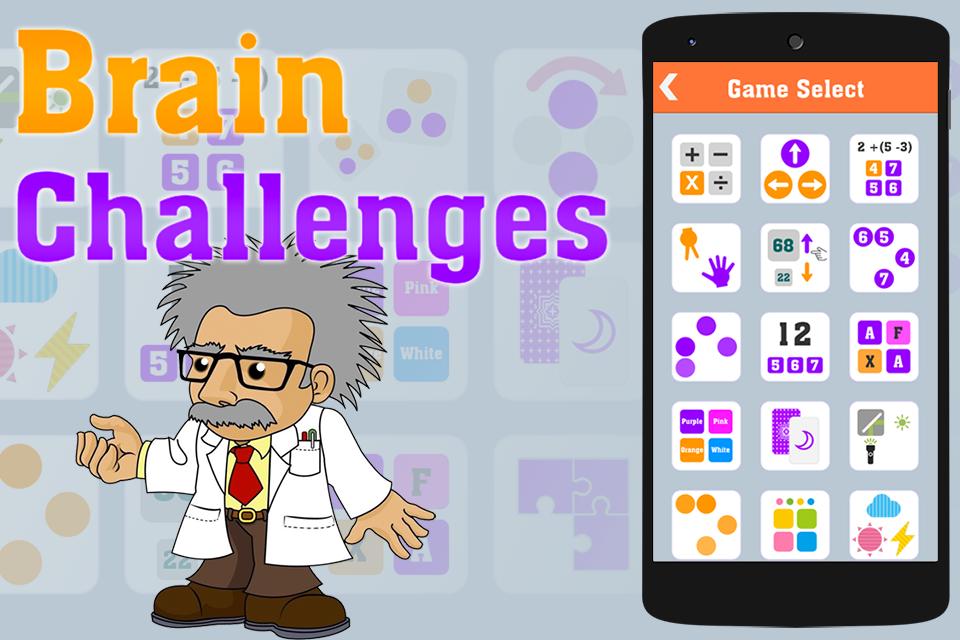
- 18 minigame.
- Free to play.
- 2 game mode: Challenge and Kids mode.
- Report for each minigame.
Minigame Details:
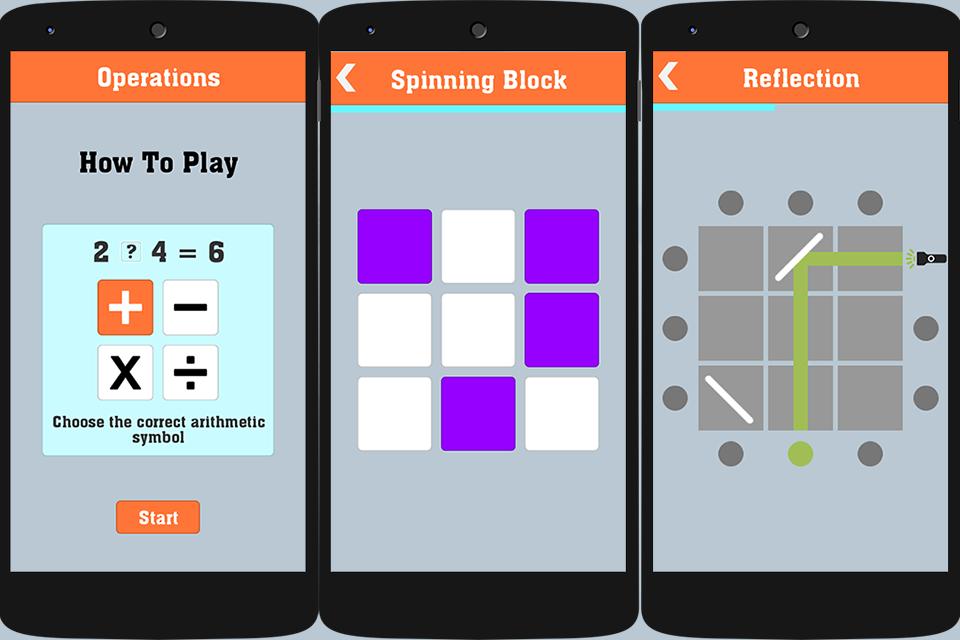
- Operations: Choose the correct arithmetic symbol for expression.
- Swipe Master: swipe by arrow direction.
- Simplicity: select the correct answer for expression.
- One Two Three.
- High or Low: compare 2 numbers.
- Touch Number: touch number in ascending or descending order.
- Follow The Leader: memorize and touch the blocks in the order they appeared.
- Addition: sum up panels equal to the indicated number.
- Matching: find the matching pair.
- Color Deception: choose the color that doesn’t match text.
- Concentration: memorize and select the same card.
- Reflection: touch the spot where the light is reflected on.
- Unfollow The Leader: memorize and touch the blocks in the opposite order that they appeared.
- Touch The Color: memorize and tap in the displayed order.
- Weathercast.
- Spinning Block: memorize and tap after the blocks spin.
- Missing Pieces: choose the missing pieces.
- Speed Match: memorize and compare with previous card.
Follow Us: https://www.facebook.com/brainchallengegame/
Please feel free to contact us for any questions, to add a specific sound, to fix a bug or any other improvements you think will help this making a great app.
Preview
Information
Developer
GFK Studio
Latest Version
1.2
Last Updated
2016-12-20
Category
Puzzle
Available on
Google Play
Show More
How to play Brain Challenge - Game Trainer with GameLoop on PC
1. Download GameLoop from the official website, then run the exe file to install GameLoop
2. Open GameLoop and search for “Brain Challenge - Game Trainer” , find Brain Challenge - Game Trainer in the search results and click “Install”
3. Enjoy playing Brain Challenge - Game Trainer on GameLoop
Minimum requirements
OS
Windows 8.1 64-bit or Windows 10 64-bit
GPU
GTX 1050
CPU
i3-8300
Memory
8GB RAM
Storage
1GB available space
Recommended requirements
OS
Windows 8.1 64-bit or Windows 10 64-bit
GPU
GTX 1050
CPU
i3-9320
Memory
16GB RAM
Storage
1GB available space