
Valeport Ocean PC
Valeport Ltd
Download Valeport Ocean on PC With GameLoop Emulator
Valeport Ocean sa PC
Ang Valeport Ocean, na nagmumula sa developer na Valeport Ltd, ay tumatakbo sa Android systerm sa nakaraan.
Ngayon, maaari mong laruin ang Valeport Ocean sa PC gamit ang GameLoop nang maayos.
I-download ito sa GameLoop library o mga resulta ng paghahanap. Hindi na tumitingin sa baterya o nakakadismaya na mga tawag sa maling oras.
I-enjoy lang ang Valeport Ocean PC sa malaking screen nang libre!
Valeport Ocean Panimula
Valeport Connect (PWE) provides the ability to configure, control, download and export data from compatible Bluetooth Low Energy (BLE) enabled Valeport instruments.
Once paired with a compatible instrument, Valeport Connect is packed with useful features including:
- Read and update instrument sampling setup parameters and site information
- Download recorded data from connected instrument
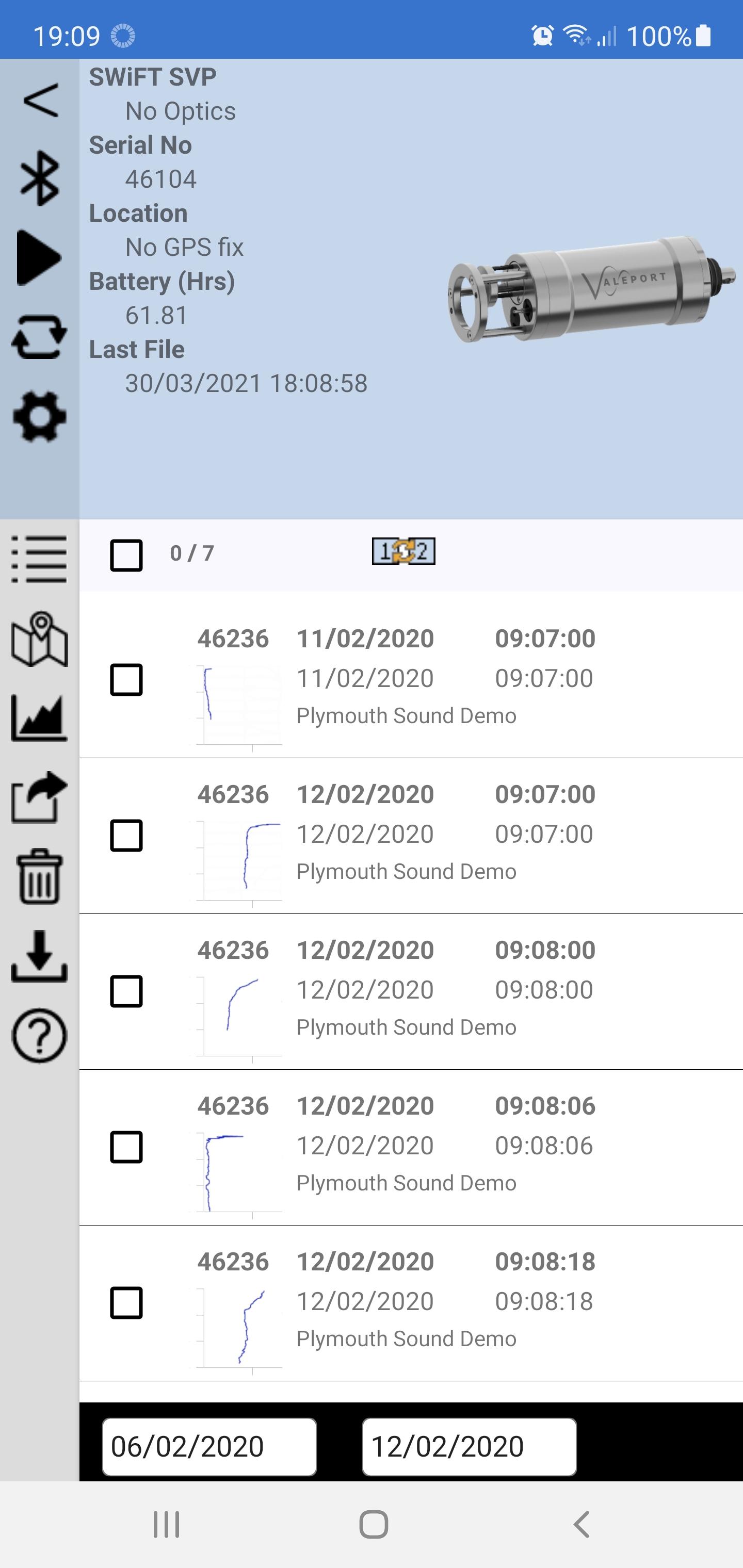
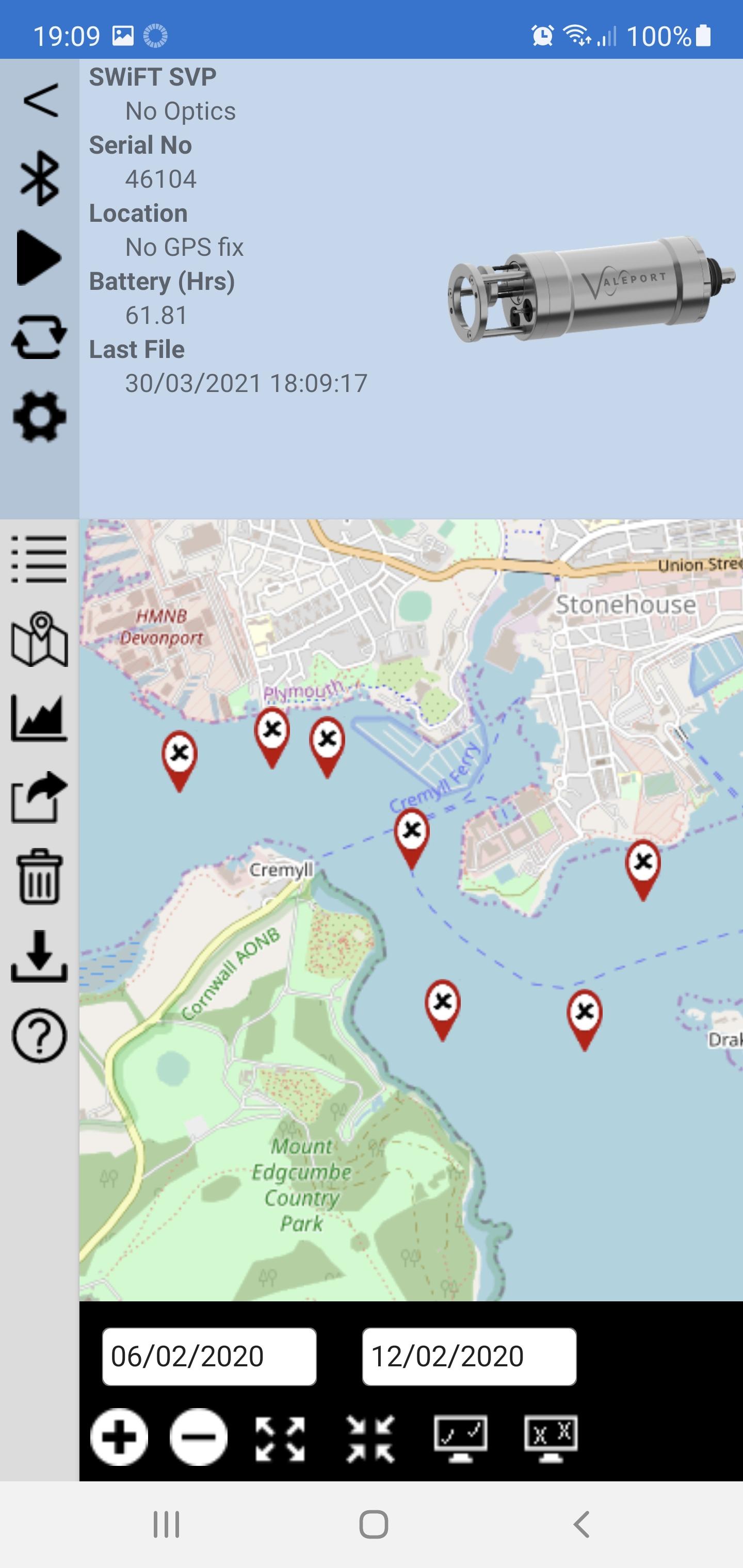
- View and select downloaded data via list or map view.
- Filter data by geographical location, time/date & instrument serial number.
- Display graphical and tabular records of downloaded data
- View statistics including minimum, maximum and mean for each parameter recorded
- View and compare current data with historical data
- Convert data into industry standard formats and share via email & cloud services
- Run in auto mode where new profiles are automatically downloaded when an instrument returns within range of the app.
- Once downloaded from the instrument, data is stored in the app and can be viewed, converted and exported at any time.
- Place instrument into low power sleep mode.
While only one instrument can be connected to the app at a time, Valeport Connect will remember multiple instruments.
Valeport Connect relies on Bluetooth Low Energy for communication with the instrument.
- Bluetooth must be enabled for the app to communicate with the instrument
- Reliable range of communication is 5-10m with direct line of sight.
- Any obstruction between the instrument and connected device will reduce this range.
- Bluetooth is blocked by water 100% and the connection will be lost instantly when the instrument is deployed underwater.
Valeport Connect can export data using the following methods:
- Email – uses default email client
- Dropbox – requires dropbox account
- Mass storage – OS dependent
Valeport Connect currently supports the following output formats and supports the output of multiple files in multiple formats:
- Valeport default (*.vp2)
- AML (*.csv)
- Caris (*.svp)
- ELAC (*.sva)
- Hypack (*.vel)
- Kongsberg (*.asvp)
- Reson Simplified Profile (*.svp)
- Reson Velocity Profile (*.log)
- Sonardyne Pro (*.pro)
- Sonardyne SPI (*.ssp)
Preview
Tags
ProductivityInformation
Developer
Valeport Ltd
Latest Version
1.10.22
Last Updated
2022-03-02
Category
Productivity
Available on
Google Play
Show More
How to play Valeport Ocean with GameLoop on PC
1. Download GameLoop from the official website, then run the exe file to install GameLoop
2. Open GameLoop and search for “Valeport Ocean” , find Valeport Ocean in the search results and click “Install”
3. Enjoy playing Valeport Ocean on GameLoop
Minimum requirements
OS
Windows 8.1 64-bit or Windows 10 64-bit
GPU
GTX 1050
CPU
i3-8300
Memory
8GB RAM
Storage
1GB available space
Recommended requirements
OS
Windows 8.1 64-bit or Windows 10 64-bit
GPU
GTX 1050
CPU
i3-9320
Memory
16GB RAM
Storage
1GB available space