
Simple Calendar - easy planner PC
Komorebi Inc.
Download Simple Calendar - easy planner on PC With GameLoop Emulator
Simple Calendar - easy planner sa PC
Ang Simple Calendar - easy planner, na nagmumula sa developer na Komorebi Inc., ay tumatakbo sa Android systerm sa nakaraan.
Ngayon, maaari mong laruin ang Simple Calendar - easy planner sa PC gamit ang GameLoop nang maayos.
I-download ito sa GameLoop library o mga resulta ng paghahanap. Hindi na tumitingin sa baterya o nakakadismaya na mga tawag sa maling oras.
I-enjoy lang ang Simple Calendar - easy planner PC sa malaking screen nang libre!
Simple Calendar - easy planner Panimula
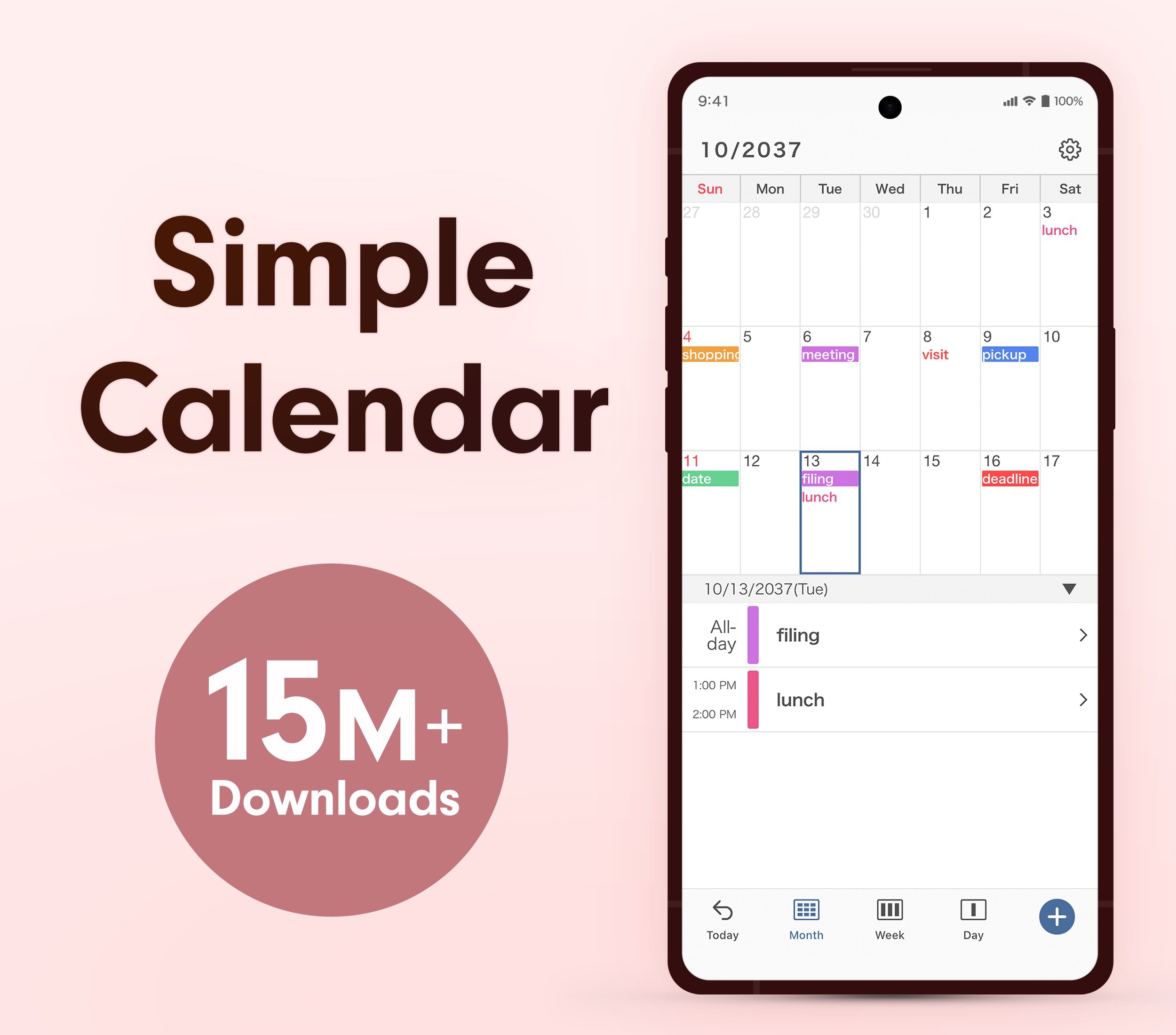
Simple Calendar is a free calendar app, schedule planner and organizer for work, family, school and everything in between. Plan your day, set reminders and manage your tasks in a clean, easy timetable — with or without a Google account.
■ Scheduling made simple
One tap opens the planner: pick a time, add an event or task, write a note and set a reminder so nothing slips away. Color-coded time blocks make it easy to see when to work, study, exercise and spend time with the people you love.
■ Monthly, weekly & daily planner views
Plan a day, a week or months ahead. Switch between the monthly calendar for the big picture, the weekly planner with 7-day, 5-day or 3-day views, and the daily agenda for hour-by-hour time planning.
■ Syncs with Google Calendar — or works without it
Use the calendar on its own, no account needed — or sync with Google Calendar to keep every device up to date. Calendars from Outlook, iCloud, Exchange and Office365 can be connected too, so all your schedules live in one app.
■ Backup and device transfer
Events synced with Google Calendar appear on your new phone as soon as you sign in. Calendars stored only in the app can be saved with the built-in backup feature and restored when you switch devices.
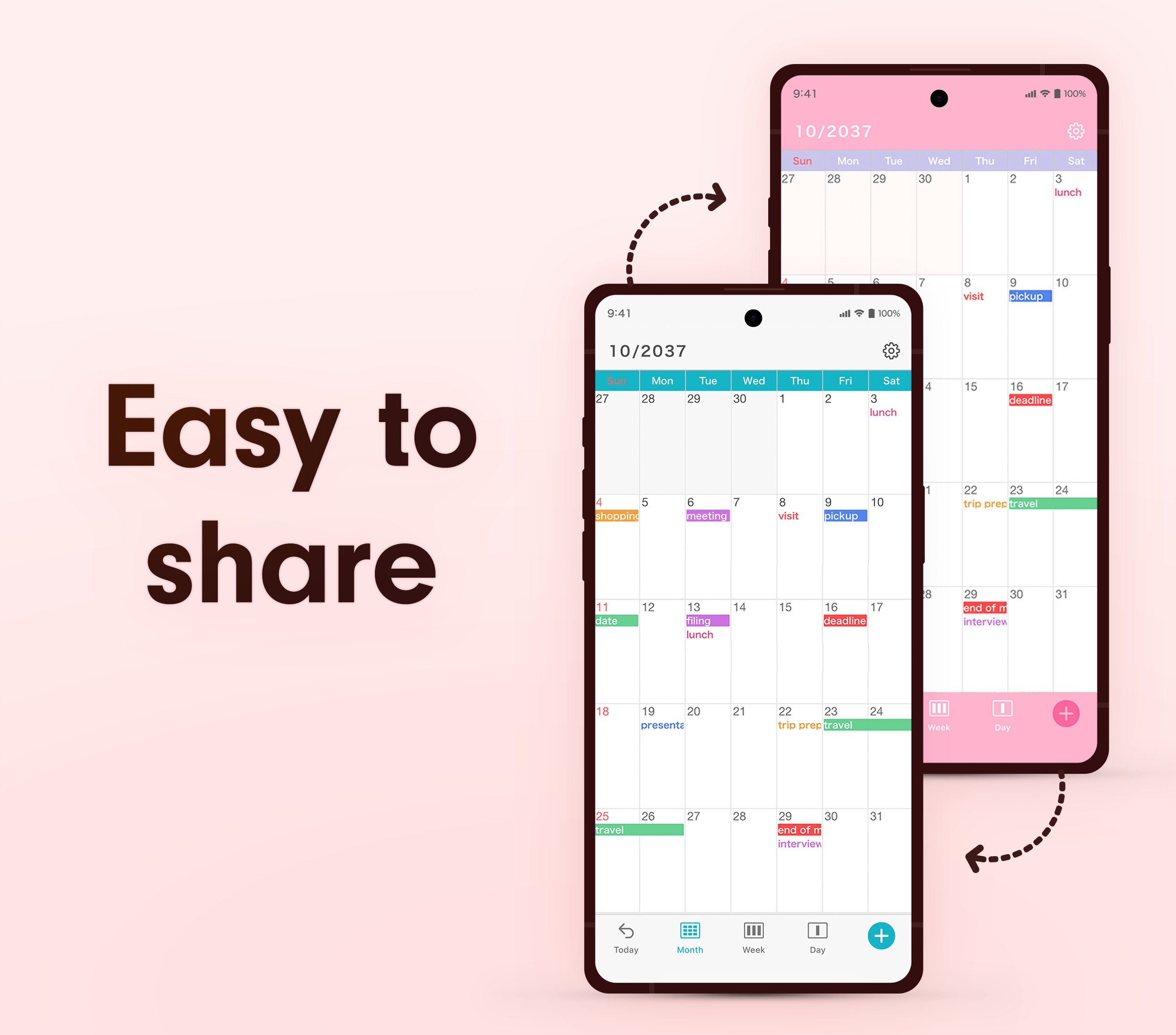
■ Shared calendar for family, friends and team
Share your work calendar with colleagues to sync tasks, share with family so they know when you're busy, or plan dinners and workouts together with your partner. A shared schedule keeps everyone on the same page — you'll even know exactly when to pick the kids up from school.
■ Never miss a thing with reminders
Set an alarm or appointment reminder for any event. From business meetings to birthdays, your agenda tells you what's ahead — so you're always on time.
■ Smart features to keep you organized
✓ Calendar widget — resizable, with today's agenda on your home screen
✓ Color coding — organize your time blocks at a glance
✓ Notes, URLs and maps — attach details to any event
✓ 50 theme colors & 10 font sizes — style your planner your way
✓ Photo wallpaper — set your favorite photo as the background
✓ Date background colors — highlight paydays and exam days
✓ Event text colors — white, black or colored text
✓ Recurring events and templates — register regular events fast
✓ Add the same event to multiple dates at once — great for shift schedules
✓ Week numbers and regional holidays
✓ Passcode lock — keep your schedule private
✓ Works with Google Calendar and other time management apps
✓ Remove ads — optional Premium subscription
■ One schedule planner for everything
✓ Work schedule — meetings, projects and business appointments
✓ Study planner — classes, homework and exam dates
✓ Family organizer — school events, chores and family time
✓ Appointment calendar — doctor visits and personal errands
✓ Holiday calendar — birthdays, trips and important dates
■ Simple, fast and free
A free schedule planner with a clean, intuitive design anyone can use. Whether you keep a daily checklist, a weekly schedule or a monthly calendar, you get a clear overview of your time — anywhere, even on the go.
■ Free to use with a Premium option
Simple Calendar is free to download and use, with ads shown in the app. The Premium Service subscription removes ads and provides access to all theme colors, unlimited wallpaper changes, unlimited date background color changes, and priority support.
Over 21 million downloads worldwide with a 4.6 user rating (as of August 2026).
■ Download Simple Calendar today
Organize your life in seconds with an easy calendar and daily planner. Schedule your events, remember every appointment and make the most of your day — download now and get organized!
Preview
Tags
ProductivityInformation
Developer
Komorebi Inc.
Latest Version
7.0.1
Last Updated
2026-10-01
Category
Productivity
Available on
Google Play
Show More
How to play Simple Calendar - easy planner with GameLoop on PC
1. Download GameLoop from the official website, then run the exe file to install GameLoop
2. Open GameLoop and search for “Simple Calendar - easy planner” , find Simple Calendar - easy planner in the search results and click “Install”
3. Enjoy playing Simple Calendar - easy planner on GameLoop
Minimum requirements
OS
Windows 8.1 64-bit or Windows 10 64-bit
GPU
GTX 1050
CPU
i3-8300
Memory
8GB RAM
Storage
1GB available space
Recommended requirements
OS
Windows 8.1 64-bit or Windows 10 64-bit
GPU
GTX 1050
CPU
i3-9320
Memory
16GB RAM
Storage
1GB available space