
SFU Vault PC
Simon Fraser University
Download SFU Vault on PC With GameLoop Emulator
SFU Vault sa PC
Ang SFU Vault, na nagmumula sa developer na Simon Fraser University, ay tumatakbo sa Android systerm sa nakaraan.
Ngayon, maaari mong laruin ang SFU Vault sa PC gamit ang GameLoop nang maayos.
I-download ito sa GameLoop library o mga resulta ng paghahanap. Hindi na tumitingin sa baterya o nakakadismaya na mga tawag sa maling oras.
I-enjoy lang ang SFU Vault PC sa malaking screen nang libre!
SFU Vault Panimula
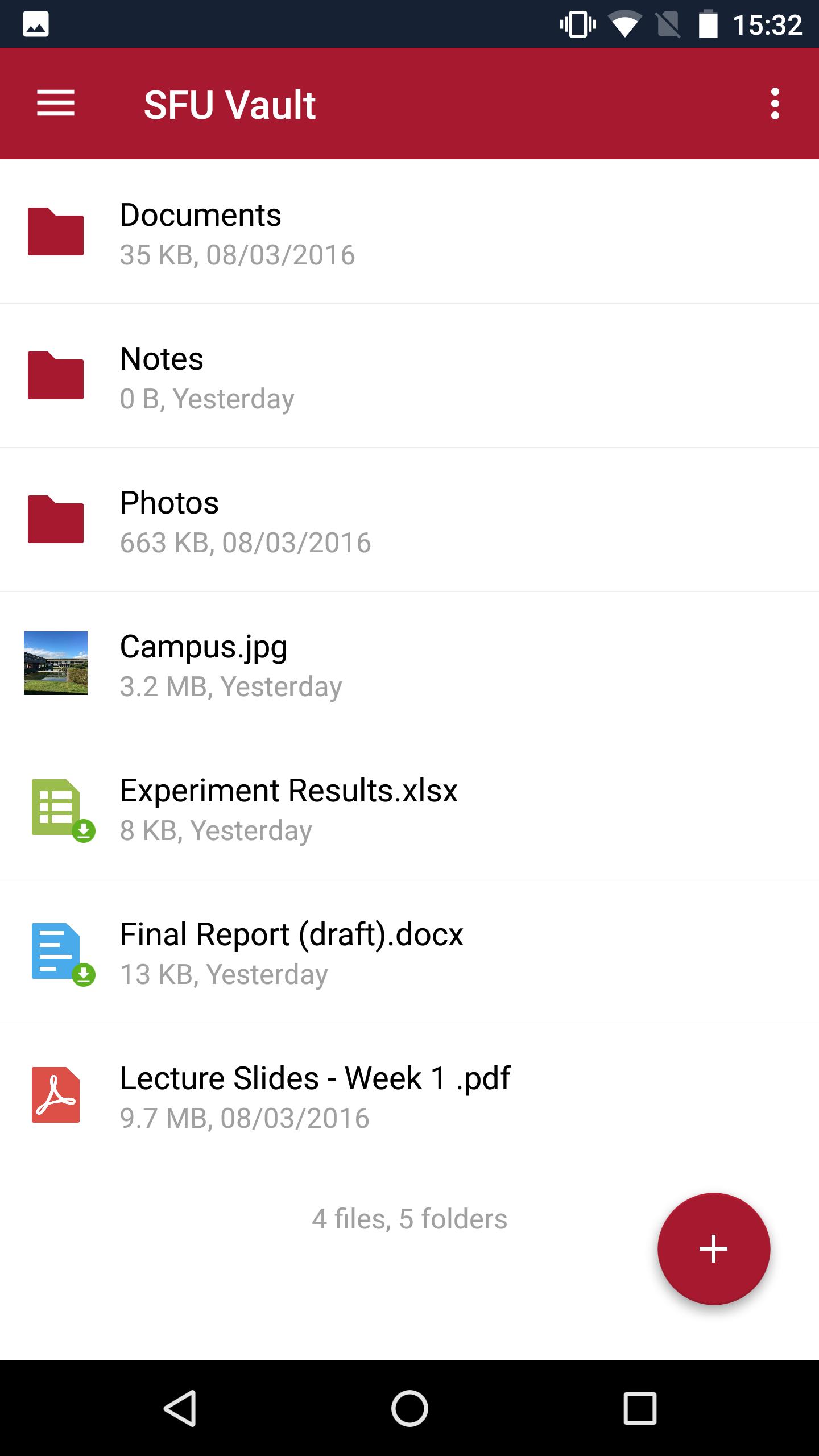
The SFU Vault app allows any Simon Fraser University member with an active SFU Computing ID to use the SFU Vault file sync and share space based on SFU's ownCloud Enterprise deployment.
Files uploaded to SFU Vault are stored in the SFU Data Centre, ensuring that your SFU-related data is secure and your use of this space is compliant with the British Columbia Freedom of Information and Protection of Privacy Act (FIPPA) laws related to the use of online services.
SFU Vault is the preferred file storage space for members of SFU who need "cloud" and multi-device sync capabilities but who cannot use commercial/alternative services due to BC FIPPA concerns.
Log in with your SFU Computing ID and password. SFU Vault is also accessible on the web at https://vault.sfu.ca.
Preview
Tags
ProductivityInformation
Developer
Simon Fraser University
Latest Version
2.18
Last Updated
2021-06-29
Category
Productivity
Available on
Google Play
Show More
How to play SFU Vault with GameLoop on PC
1. Download GameLoop from the official website, then run the exe file to install GameLoop
2. Open GameLoop and search for “SFU Vault” , find SFU Vault in the search results and click “Install”
3. Enjoy playing SFU Vault on GameLoop
Minimum requirements
OS
Windows 8.1 64-bit or Windows 10 64-bit
GPU
GTX 1050
CPU
i3-8300
Memory
8GB RAM
Storage
1GB available space
Recommended requirements
OS
Windows 8.1 64-bit or Windows 10 64-bit
GPU
GTX 1050
CPU
i3-9320
Memory
16GB RAM
Storage
1GB available space