
Schedule St. - calendar app PC
ELECOM CO.,LTD.
Download Schedule St. - calendar app on PC With GameLoop Emulator
Schedule St. - calendar app sa PC
Ang Schedule St. - calendar app, na nagmumula sa developer na ELECOM CO.,LTD., ay tumatakbo sa Android systerm sa nakaraan.
Ngayon, maaari mong laruin ang Schedule St. - calendar app sa PC gamit ang GameLoop nang maayos.
I-download ito sa GameLoop library o mga resulta ng paghahanap. Hindi na tumitingin sa baterya o nakakadismaya na mga tawag sa maling oras.
I-enjoy lang ang Schedule St. - calendar app PC sa malaking screen nang libre!
Schedule St. - calendar app Panimula
Total 3.5 millions DL, popular calendar and day planner app is large evolving new appearance!
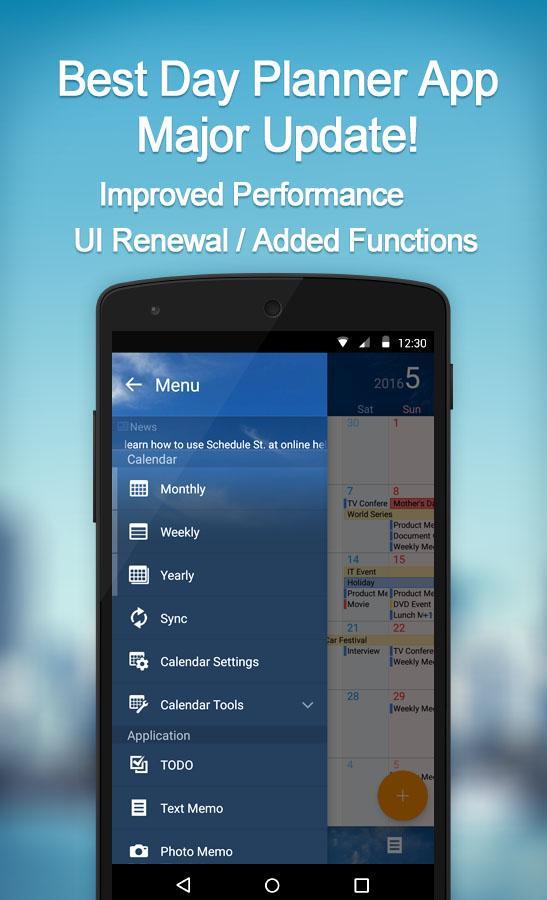
◆Functions
- Monthly calendar view
- Weekly calendar view
- Daily calendar view
- Yearly calendar view
- Multiple calendars management
- todo
- Note/Photo/Voice/Handwriting memo
which can be attached to calendar.
- Passcode lock protection
- Design template for calendar
- Customizable calendar toolbar
- Diary in calendar
- Icon on calendar
- Customizable repeated calendar (Bi-Weekly etc)
- Over 400 widget variation (calendar/todo/time table)
◆Paid Functions/Items
- Multi Events Registration
- Time Table
- Contact Registration to calendar
- Free Time Search
- Background Image Config for calendar
Get Item Pack and remove Advertisement
Free version shows Ads on calendar.
Item Pack which includes multiple items are very valuable and remove Advertisement.
For example, “Business pack” includes:
- Design Teamplate: Business
- Event Icon: Business Vol.1
- Free Time Search Function
- Conact Registration Function
These items will help your business.
* Refer the following link for details.
Schedule St. Ver 2 Introduction
http://app.elecom.co.jp/en/schedulest2/index.html
Schedule St. Ver 2 Online Manual
http://app.elecom.co.jp/en/schedulest2/manual.html
◆Operating Environment
Android 9 - 15
Preview

Tags
ProductivityInformation
Developer
ELECOM CO.,LTD.
Latest Version
2.6.4
Last Updated
2025-05-18
Category
Productivity
Available on
Google Play
Show More
How to play Schedule St. - calendar app with GameLoop on PC
1. Download GameLoop from the official website, then run the exe file to install GameLoop
2. Open GameLoop and search for “Schedule St. - calendar app” , find Schedule St. - calendar app in the search results and click “Install”
3. Enjoy playing Schedule St. - calendar app on GameLoop
Minimum requirements
OS
Windows 8.1 64-bit or Windows 10 64-bit
GPU
GTX 1050
CPU
i3-8300
Memory
8GB RAM
Storage
1GB available space
Recommended requirements
OS
Windows 8.1 64-bit or Windows 10 64-bit
GPU
GTX 1050
CPU
i3-9320
Memory
16GB RAM
Storage
1GB available space