
ReadEra - eBook & PDF Reader PC
mahmed Ache
Download ReadEra - eBook & PDF Reader on PC With GameLoop Emulator
ReadEra - eBook & PDF Reader sa PC
Ang ReadEra - eBook & PDF Reader, na nagmumula sa developer na mahmed Ache, ay tumatakbo sa Android systerm sa nakaraan.
Ngayon, maaari mong laruin ang ReadEra - eBook & PDF Reader sa PC gamit ang GameLoop nang maayos.
I-download ito sa GameLoop library o mga resulta ng paghahanap. Hindi na tumitingin sa baterya o nakakadismaya na mga tawag sa maling oras.
I-enjoy lang ang ReadEra - eBook & PDF Reader PC sa malaking screen nang libre!
ReadEra - eBook & PDF Reader Panimula
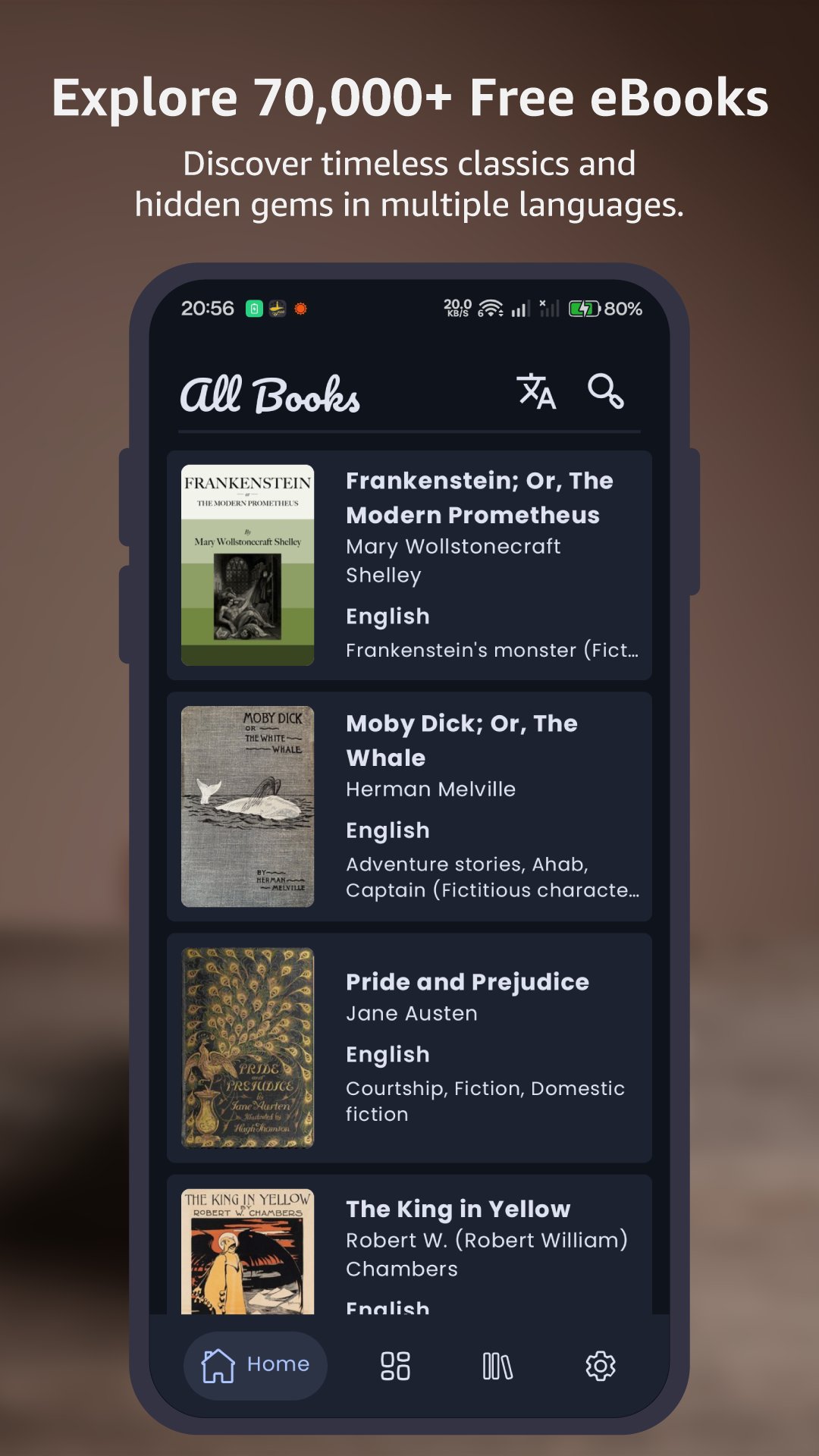
ReadEra is a beautifully designed, open-source eBook reader and downloader built to give you seamless access to over 70,000 free eBooks from Project Gutenberg.
Whether you are looking to discover a classic novel or import your own EPUB collection, ReadEra provides a distraction-free, customizable reading experience inspired by the best features of modern Android development.
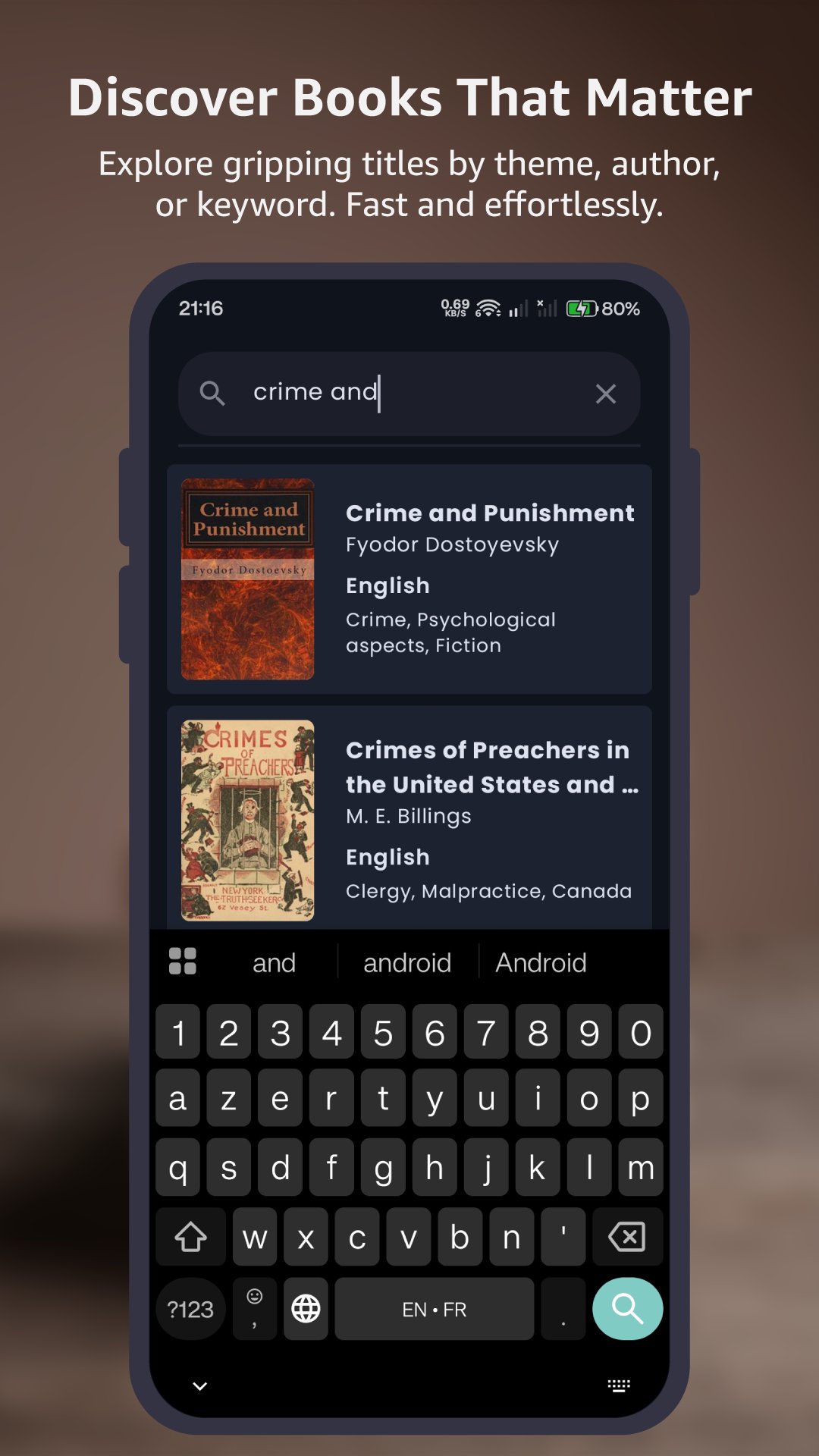
📚 Extensive Free Library Browse and download a vast collection of timeless literature instantly. Powered by GutenDex, ReadEra connects you directly to the Project Gutenberg archive, offering books in multiple languages, updated daily.
🎨 Modern Material Design Built with the latest Jetpack Compose technology, ReadEra offers a fluid and responsive user interface that adheres to Material Design 3 guidelines.
• Dynamic Theming: Supports Material You (Android 12+), automatically adapting the app's color scheme to match your device wallpaper.
• Dark & Light Modes: Seamlessly switch between modes to reduce eye strain during night reading.
📖 Powerful Reading Features Enjoy a reading experience that rivals top-tier apps. Customize your environment to suit your reading style:
• Format Support: Native support for EPUB files. Easily import your own books from storage.
• Customizable Display: Adjust font size, font family, and text alignment for maximum comfort.
• Navigation: Intuitive gesture controls and chapter navigation.
• Progress Tracking: Auto-save your reading progress so you never lose your place.
📂 Smart Library Management Keep your digital bookshelf organized and accessible.
• Offline Access: Downloaded books are saved locally for offline reading anywhere.
• Search & Filter: Quickly find books by title or author.
• Favorites: Mark your top picks for quick access.
Note: ReadEra is an independent project and is not affiliated with Project Gutenberg. Books available through the integrated library are in the public domain.
Preview
Tags
ProductivityBooks-&Information
Developer
mahmed Ache
Latest Version
0120.26.12
Last Updated
2026-01-20
Category
Productivity
Available on
Google Play
Show More
How to play ReadEra - eBook & PDF Reader with GameLoop on PC
1. Download GameLoop from the official website, then run the exe file to install GameLoop
2. Open GameLoop and search for “ReadEra - eBook & PDF Reader” , find ReadEra - eBook & PDF Reader in the search results and click “Install”
3. Enjoy playing ReadEra - eBook & PDF Reader on GameLoop
Minimum requirements
OS
Windows 8.1 64-bit or Windows 10 64-bit
GPU
GTX 1050
CPU
i3-8300
Memory
8GB RAM
Storage
1GB available space
Recommended requirements
OS
Windows 8.1 64-bit or Windows 10 64-bit
GPU
GTX 1050
CPU
i3-9320
Memory
16GB RAM
Storage
1GB available space