
INK Notes - Notes, To-Do Lists PC
Kastle INK Studios | KIS
Download INK Notes - Notes, To-Do Lists on PC With GameLoop Emulator
INK Notes - Notes, To-Do Lists sa PC
Ang INK Notes - Notes, To-Do Lists, na nagmumula sa developer na Kastle INK Studios | KIS, ay tumatakbo sa Android systerm sa nakaraan.
Ngayon, maaari mong laruin ang INK Notes - Notes, To-Do Lists sa PC gamit ang GameLoop nang maayos.
I-download ito sa GameLoop library o mga resulta ng paghahanap. Hindi na tumitingin sa baterya o nakakadismaya na mga tawag sa maling oras.
I-enjoy lang ang INK Notes - Notes, To-Do Lists PC sa malaking screen nang libre!
INK Notes - Notes, To-Do Lists Panimula
Finally, there's a better way to stay on top of life. INK Notes was designed as a convenient essential app for those on the go. Join like minded people who are already using it every day!
Features -
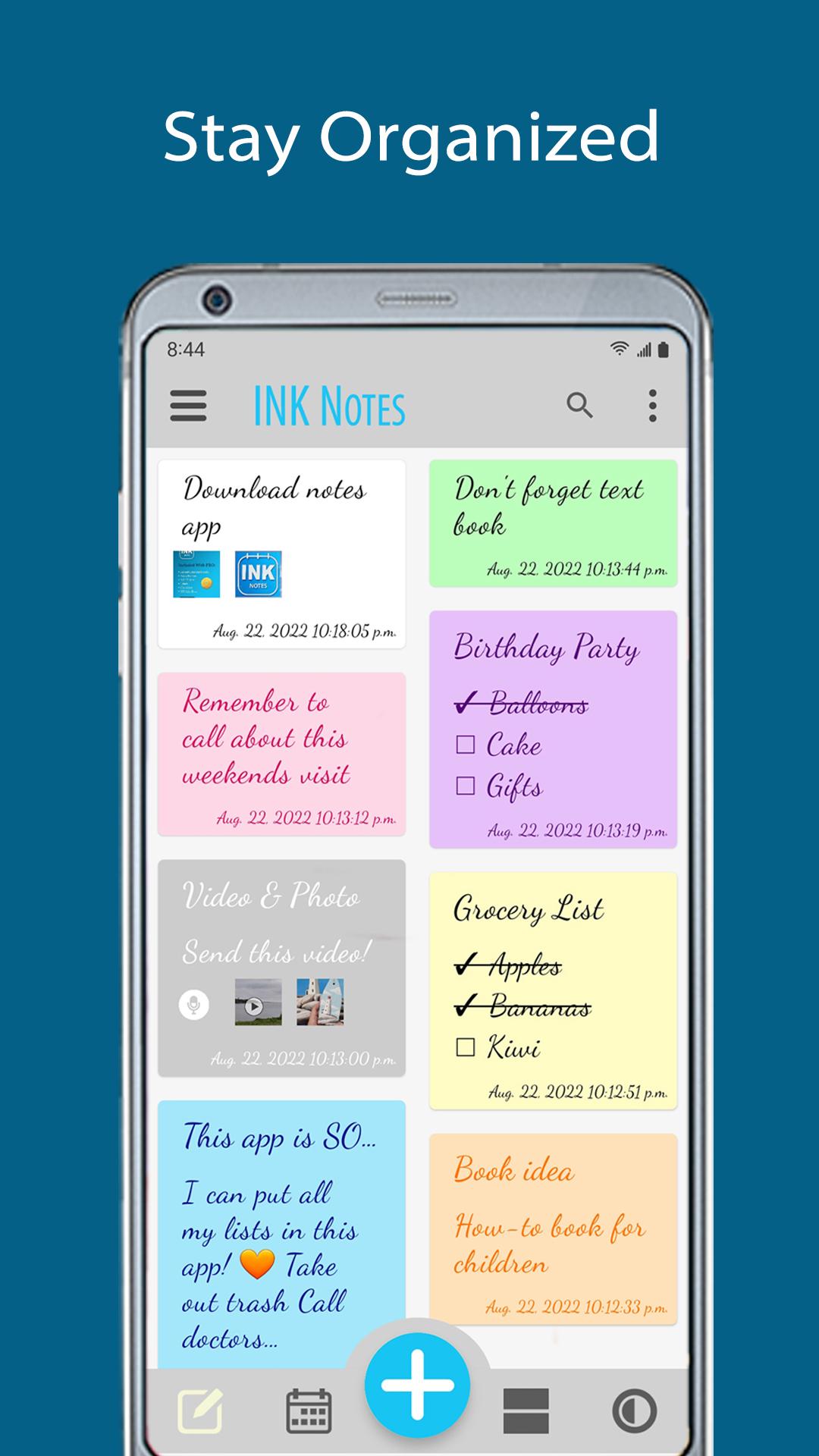
• Write countless notes
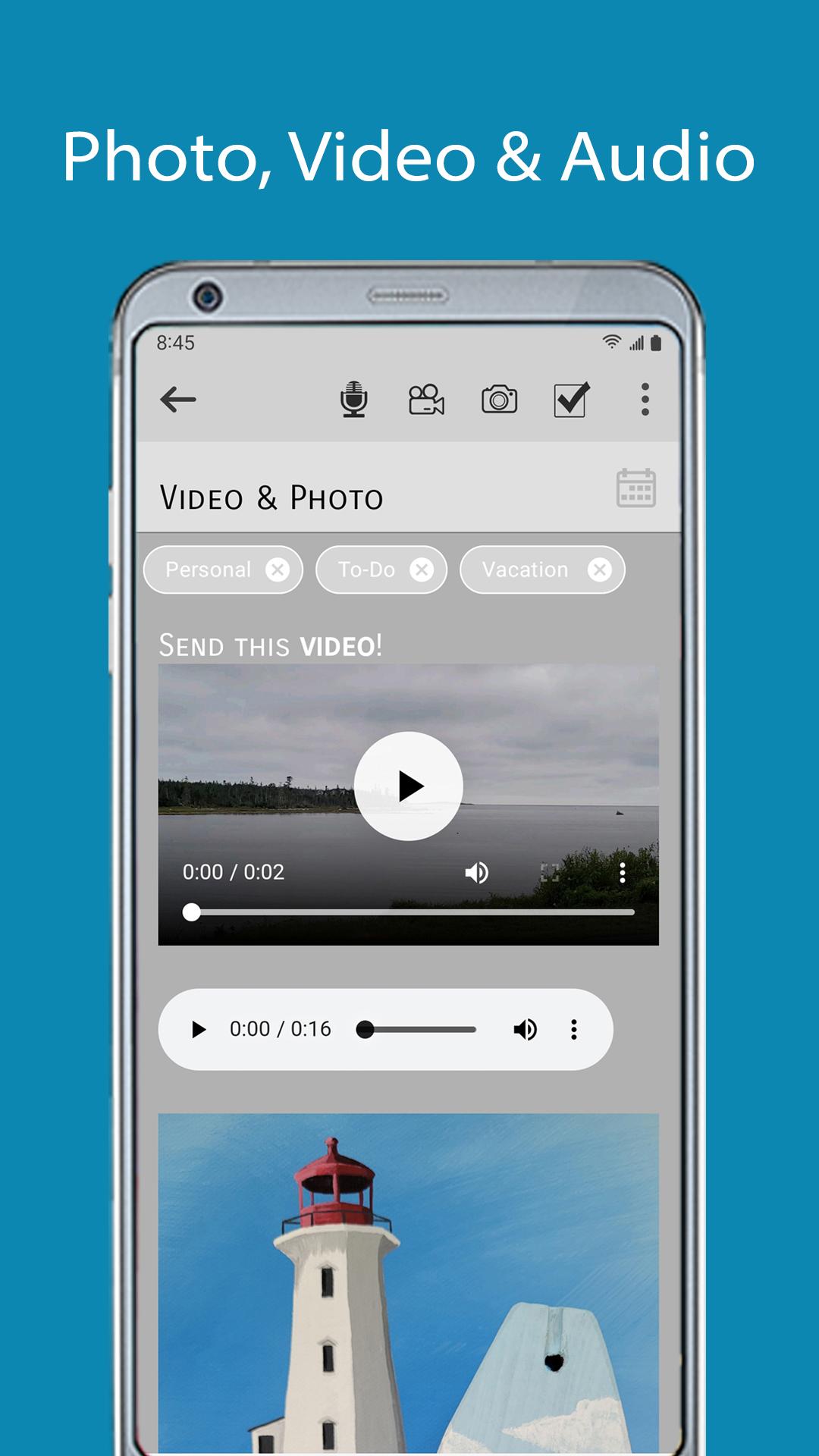
• Record voice memos
• Auto-save everything!
• Lock private notes with a PIN code
• Include gallery photos and videos
• In-app camera
• Share notes, including attachments
• Archive notes
• Works offline
• Search by keyword
• Labels to organize notes
• Unlimited body text
• Checklists
• Calendar with events
• Dark mode
• Color notes
• Text formatting
Notes - INK Notes makes note taking easy for journaling, meetings, studying and endless other possibilities. It's handy to use as a management tool with a wide range of customization features to explore.
Checklists - This makes creating your to-do lists, shopping lists and ALL lists effortless and fun!
Calendar - Manage your events with optional reminders. Link a note to a calendar event for maximum productivity. Use your calendar to plan events and track appointments.
PRO - You'll get valuable benefits when you upgrade. With the affordable PRO upgrade you'll gain the ability to repeat calendar events AND include voice memos, videos, labels and checklists in your notes. You'll also receive NO ADS EVER.
INK Notes supports Android Auto Backup for Apps (Android 6.0+)
Success starts with INK Notes; developed by Kastle Ink Studios.
Preview
Tags
ProductivityInformation
Developer
Kastle INK Studios | KIS
Latest Version
1.0.2
Last Updated
2023-02-02
Category
Productivity
Available on
Google Play
Show More
How to play INK Notes - Notes, To-Do Lists with GameLoop on PC
1. Download GameLoop from the official website, then run the exe file to install GameLoop
2. Open GameLoop and search for “INK Notes - Notes, To-Do Lists” , find INK Notes - Notes, To-Do Lists in the search results and click “Install”
3. Enjoy playing INK Notes - Notes, To-Do Lists on GameLoop
Minimum requirements
OS
Windows 8.1 64-bit or Windows 10 64-bit
GPU
GTX 1050
CPU
i3-8300
Memory
8GB RAM
Storage
1GB available space
Recommended requirements
OS
Windows 8.1 64-bit or Windows 10 64-bit
GPU
GTX 1050
CPU
i3-9320
Memory
16GB RAM
Storage
1GB available space