
Habitify - Habit Tracker PC
Unstatic Ltd Co
Download Habitify - Habit Tracker on PC With GameLoop Emulator
Habitify - Habit Tracker sa PC
Ang Habitify - Habit Tracker, na nagmumula sa developer na Unstatic Ltd Co, ay tumatakbo sa Android systerm sa nakaraan.
Ngayon, maaari mong laruin ang Habitify - Habit Tracker sa PC gamit ang GameLoop nang maayos.
I-download ito sa GameLoop library o mga resulta ng paghahanap. Hindi na tumitingin sa baterya o nakakadismaya na mga tawag sa maling oras.
I-enjoy lang ang Habitify - Habit Tracker PC sa malaking screen nang libre!
Habitify - Habit Tracker Panimula
Build good habits, break bad ones, and become 1% better every day with Habitify – your all-in-one habit tracker and life companion.
Habitify helps you build lasting habits and break bad ones using a science-backed approach to behavior change. Over the past 7 years, we've helped 2.5 million people take control of their lives and unlock their full potential.
# More Than Just a Habit Checklist
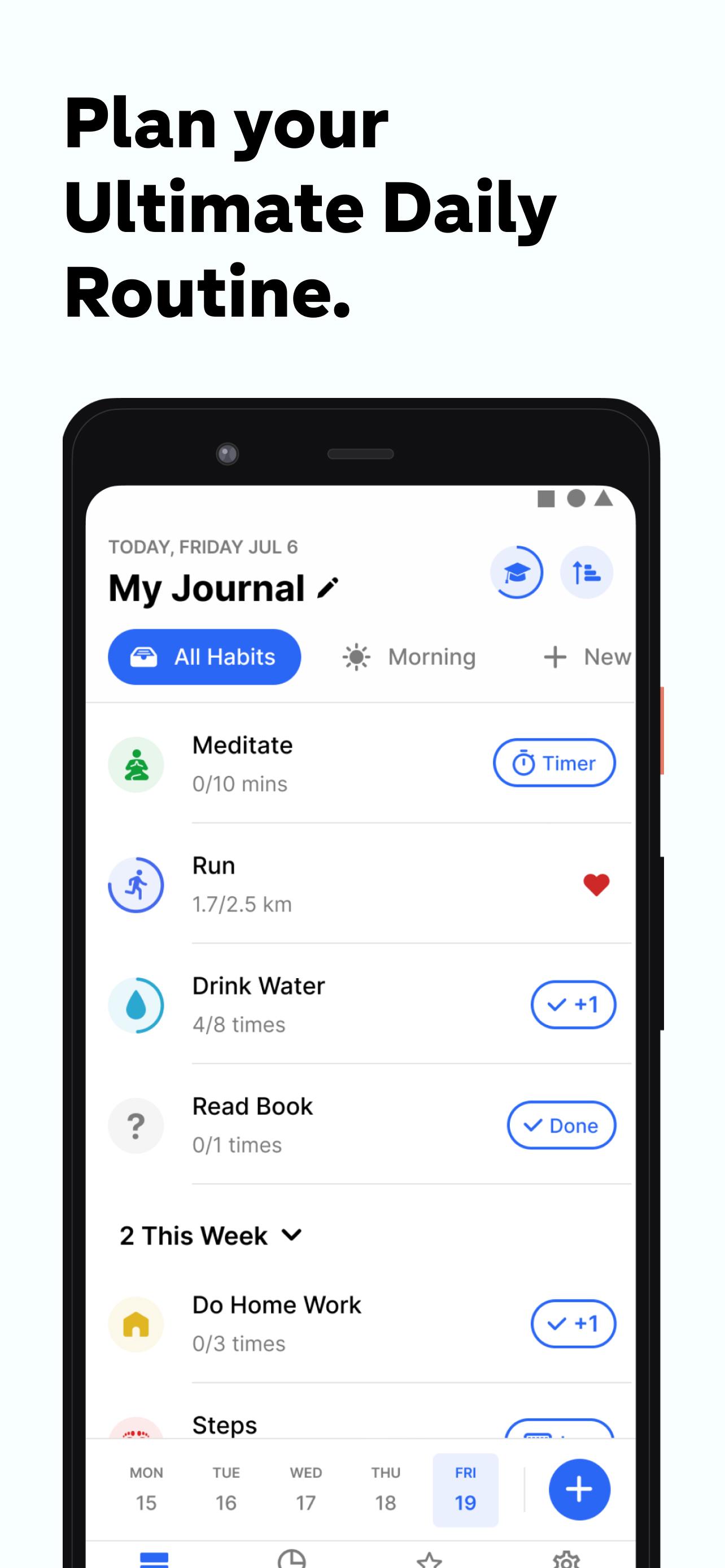
- Habitify isn’t just a daily checklist — it's a powerful system to track and manage every aspect of your life.
- Track habits, routines, and personal goals effortlessly.
-Connect with health apps like Google Fit to automatically track physical health habits such as steps, workouts, or sleep.
- Integrate with productivity tools like Google Calendar to align your habits with your daily schedule and stay organized.
- Track Your Website Usage: Habitify utilizes the AccessibilityService API to help you understand and manage your online habits. This allows you to automatically log your screen time on websites, providing valuable insights into your digital behavior. For habits you're looking to break, you can also optionally use this feature to block access to specific websites, empowering you to stay focused and build better Browse habits.
# Smart Reminders That Keep You on Track
- Never forget a habit again with Habitify’s robust reminder system.
- Time-based reminders for specific parts of your day
- Location-based reminders to trigger habits when you arrive somewhere
- Habit stacking: automatically cue the next habit once one is completed
These smart cues help you build habits that truly stick.
# Insights That Keep You Motivated
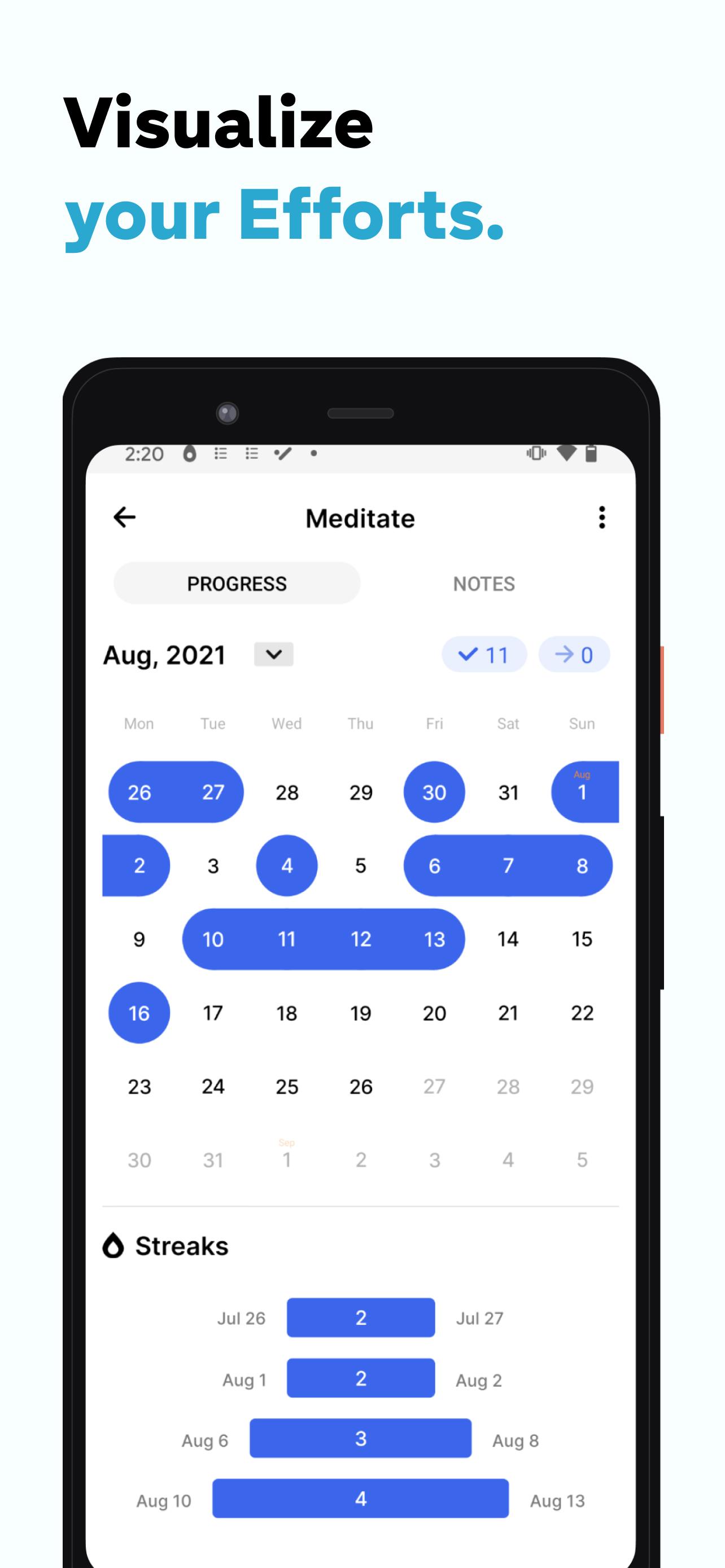
- Stay consistent and motivated by tracking your progress with detailed analytics:
- View progress for individual habits or your overall performance
- Discover patterns, strengths, and areas to improve
- Get visual feedback to reinforce positive behavior
Understanding your behavior is the first step toward mastering it.
# Organize Your Life, Your Way
- Habitify helps you stay on top of your day:
- Group habits by time of day (morning, afternoon, evening)
- Use folders to organize by goal, area of life, or routine
Always know what to do and when to do it
# Cross-Platform. Real-Time Sync.
- Access Habitify anywhere, anytime.
- Available on Android, iOS, Wear OS, desktop, and web
- Stay on Track with Wear OS: Glance at your habit data directly on your wrist with our Wear OS complications. Quickly see your progress and stay motivated without needing to pick up your phone.
- Your data syncs seamlessly in real-time across all your devices
Stay consistent, whether you’re on the go or at your desk
---
Start small. Stay consistent. See the change.
Download Habitify today and take the first step toward a better you.
---
# Contact & Support
- Website: https://www.habitify.me
- Privacy Policy: https://www.habitify.me/privacy-policy
- Terms of Use: https://www.habitify.me/terms-of-use
Preview
Tags
ProductivityInformation
Developer
Unstatic Ltd Co
Latest Version
28.0.2
Last Updated
2025-10-24
Category
Productivity
Available on
Google Play
Show More
How to play Habitify - Habit Tracker with GameLoop on PC
1. Download GameLoop from the official website, then run the exe file to install GameLoop
2. Open GameLoop and search for “Habitify - Habit Tracker” , find Habitify - Habit Tracker in the search results and click “Install”
3. Enjoy playing Habitify - Habit Tracker on GameLoop
Minimum requirements
OS
Windows 8.1 64-bit or Windows 10 64-bit
GPU
GTX 1050
CPU
i3-8300
Memory
8GB RAM
Storage
1GB available space
Recommended requirements
OS
Windows 8.1 64-bit or Windows 10 64-bit
GPU
GTX 1050
CPU
i3-9320
Memory
16GB RAM
Storage
1GB available space