
Geo4.me - personal coordinator PC
ГрадоСервис
Download Geo4.me - personal coordinator on PC With GameLoop Emulator
Geo4.me - personal coordinator sa PC
Ang Geo4.me - personal coordinator, na nagmumula sa developer na ГрадоСервис, ay tumatakbo sa Android systerm sa nakaraan.
Ngayon, maaari mong laruin ang Geo4.me - personal coordinator sa PC gamit ang GameLoop nang maayos.
I-download ito sa GameLoop library o mga resulta ng paghahanap. Hindi na tumitingin sa baterya o nakakadismaya na mga tawag sa maling oras.
I-enjoy lang ang Geo4.me - personal coordinator PC sa malaking screen nang libre!
Geo4.me - personal coordinator Panimula
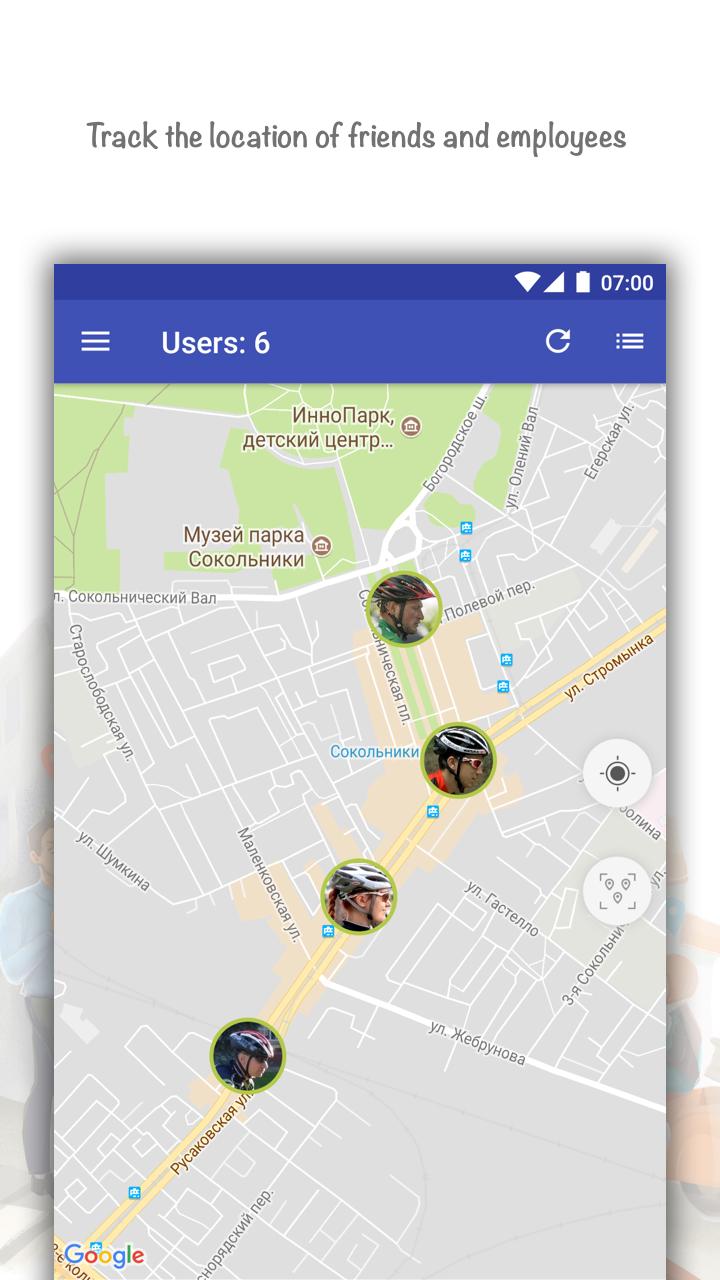
A service Geo4me was created for coordinating activities between the employees, relatives and friends. Mobile app helps to organize the team-work and monitor the whereabouts of each other. The app shows the users’ location online.
➣ FOR FAMILY AND FRIENDS. You can see where the members of your family are and get push notifications when they enter the definite zones. Users can download the current information from the field and share information with each other.
➣ FOR THE EMPLOYEES OF THE COMPANY.There is a list of tasks in the app. The dispatcher writes a description, sets deadlines, indicates the location of the task. The onsite employee may accept or reject the task. When work is finished, employee changes status of the task and starts performing another one. Dispatcher monitors the work progress and sets new tasks. Quick mission setting increases the efficiency of mobile teams.
↪ These are the questions the company executive asks, when the employees work out of office ↩
➣Where are my offsite workers?
➣How to organize field staff monitoring?
➣How to create a dispatch system?
Geo4me is ready to answer these questions.
➣ TASKS. Each employee knows what kind of task he is to perform: there is a task list in the app. The dispatcher writes a description, sets deadlines, and indicates the location of the task. The field worker may accept or reject the task. After the work is finished, the employee changes the status and starts another one. The dispatcher monitors the work progress and sets other tasks. Operative task setting increases the efficiency of the mobile teams.
➣ STAFF MONITORING. The app shows online where the staff is. As soon as the task appears, you can assign it to the nearest employee. This saves road time to the task place.
➣ ATTACHING PHOTOS AND DOCUMENTS. The dispatcher attaches photos and documents to the tasks. This excludes misunderstanding between the task originator and its performer. Photo describes the object of work better than words. There is no need to instruct anymore. Mobile workers spend less time on calls and adjustments.
➣ GATHERING INFORMATION ON THE GROUND. You can create the tasks in the field. Photos in the task get an accurate geolocation on the ground. So the worker can easily find the necessary object. You will not lose the latest information from the fields, as it is automatically stored on the server.
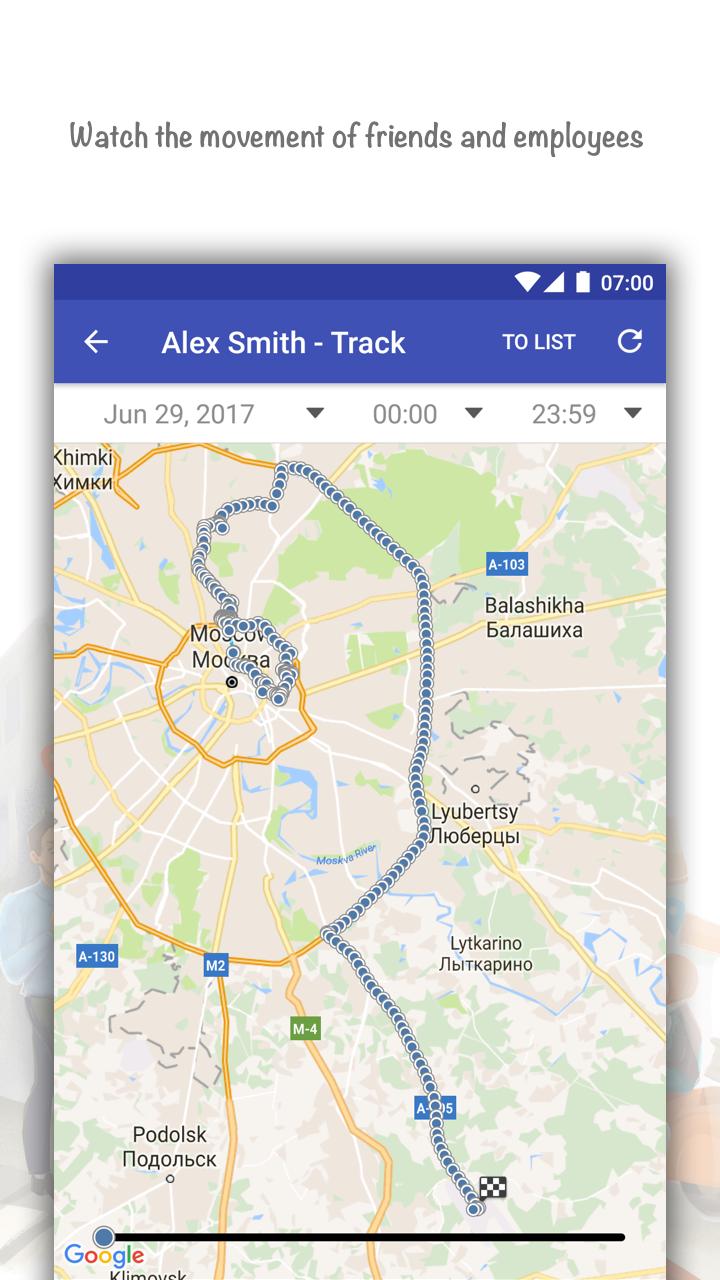
➣ TRACKS. The app records the routes of the workers. Movement history is available for the chiefs. This allows to prevent unscrupulous field staff deceits.
➣ DISPATCHING. Task setting is possible directly from the mobile application. The dispatchers in the office can assign tasks through the web interface of the service. You do not need to download files to work with the computer, simply click the link https://geo4.me/
The service is the only source of information for the task performers, dispatchers and headquarters. Task setting does not require any calls and adjustments. Tasks come to the addressee from any point and clearly explain the essence of the work.
1. Set the tasks and monitor their execution remotely
2. Track the movement of the field staff
3. Organize the information exchange within the company
4. Increase the productivity of the field staff
Attention:
- The app Geo4me uses your location data.
- Continued use of GPS running in the background can dramatically decrease the battery life.
- The app is on beta testing stage.
Send your questions: support@geo4.me
Preview
Tags
ProductivityInformation
Developer
ГрадоСервис
Latest Version
5.3
Last Updated
2018-03-05
Category
Productivity
Available on
Google Play
Show More
How to play Geo4.me - personal coordinator with GameLoop on PC
1. Download GameLoop from the official website, then run the exe file to install GameLoop
2. Open GameLoop and search for “Geo4.me - personal coordinator” , find Geo4.me - personal coordinator in the search results and click “Install”
3. Enjoy playing Geo4.me - personal coordinator on GameLoop
Minimum requirements
OS
Windows 8.1 64-bit or Windows 10 64-bit
GPU
GTX 1050
CPU
i3-8300
Memory
8GB RAM
Storage
1GB available space
Recommended requirements
OS
Windows 8.1 64-bit or Windows 10 64-bit
GPU
GTX 1050
CPU
i3-9320
Memory
16GB RAM
Storage
1GB available space