
EventBoard PC
Teem Technologies, Inc.
Download EventBoard on PC With GameLoop Emulator
EventBoard sa PC
Ang EventBoard, na nagmumula sa developer na Teem Technologies, Inc., ay tumatakbo sa Android systerm sa nakaraan.
Ngayon, maaari mong laruin ang EventBoard sa PC gamit ang GameLoop nang maayos.
I-download ito sa GameLoop library o mga resulta ng paghahanap. Hindi na tumitingin sa baterya o nakakadismaya na mga tawag sa maling oras.
I-enjoy lang ang EventBoard PC sa malaking screen nang libre!
EventBoard Panimula
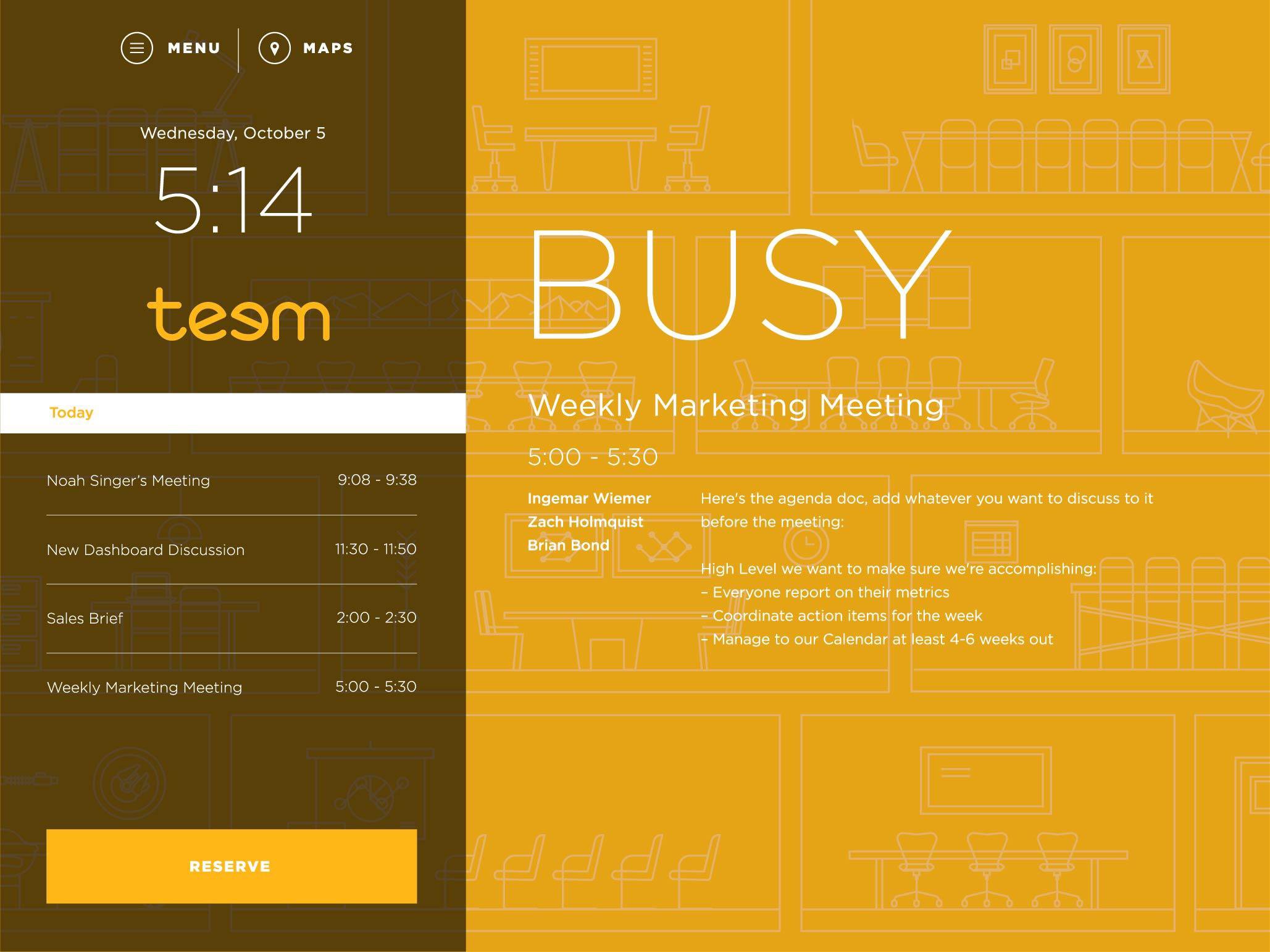
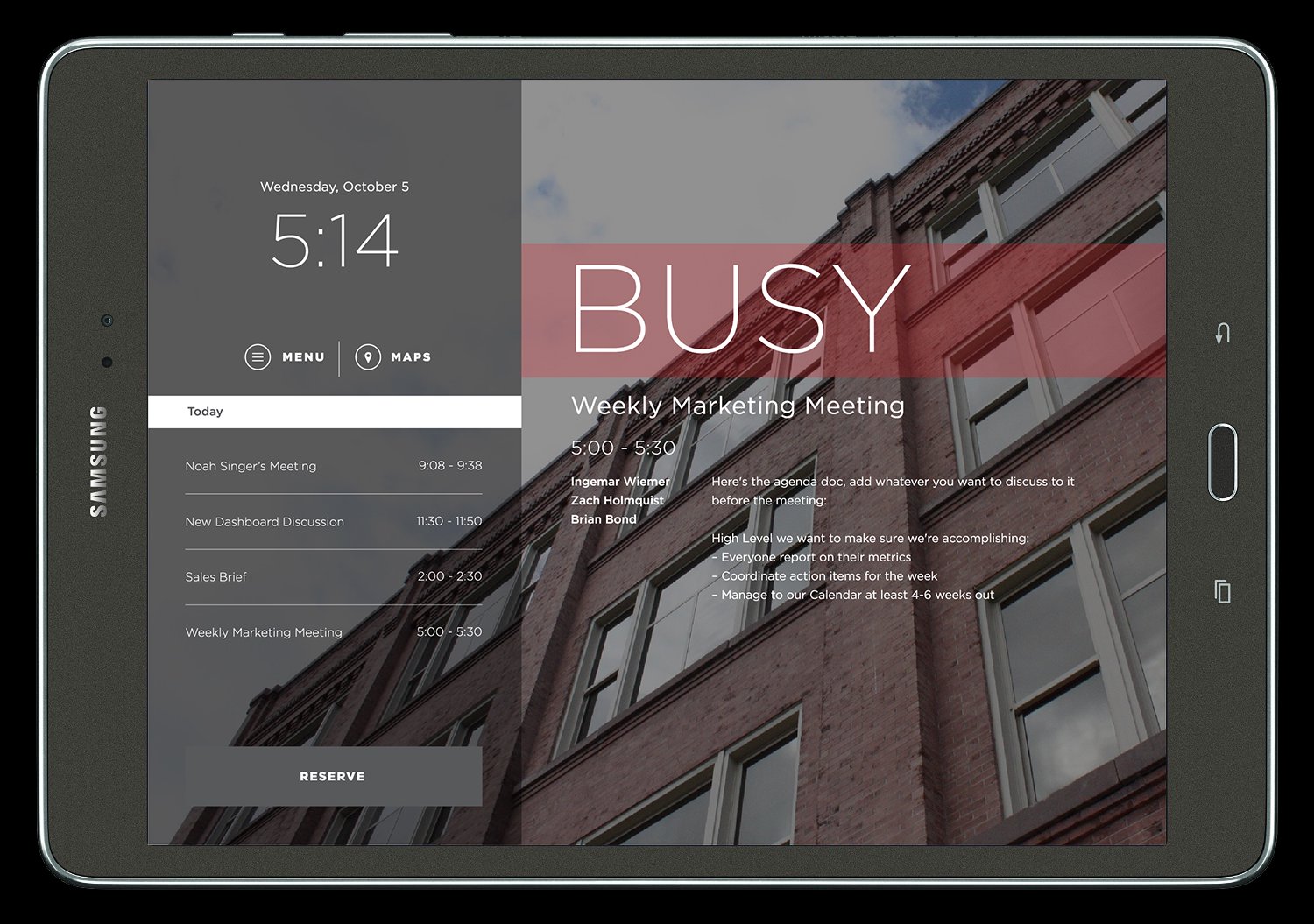
Download the demo version of the EventBoard conference room display app and see how easy it can be to manage meetings and meeting spaces. The intuitive interface shows employees when the room is booked, and lets them check in to pre-scheduled meetings or reserve a meeting room last-minute – all from a wall-mounted tablet. No more wondering which rooms are available, dealing with clunky scheduling solutions, or making a bad impression on guests because you can’t find a space to meet.
-Event check-in discourages late-start meetings
-The end event early feature frees up rooms for others to use
-Allow employees to book last-minute meetings from the display for maximum workplace flexibility
-Integrates with your existing calendars, including Google Calendar and Microsoft Exchange
-Easy to deploy across your entire organization and all locations; manage devices from a centralized dashboard
-Provides valuable data and insights about your company’s meeting behavior and space usage
-Report problems with meeting room tech and equipment, right from the display
NOTE: EventBoard is part of the Teem platform, which offers a variety of meeting tools and workplace analytics.
(What’s New)
-Work Requests: Is the projector broken, are all the dry erase markers dead, is the WiFi spotty? Employees can easily submit work requests directly from the EventBoard conference room display outside of the room, so issues can be addressed quickly.
-Find another room: This feature allows any employee standing outside an occupied conference room to use the room's display to quickly find the nearest available space to meet.
NOTICE: In order to provide a seamless kiosk-style experience, the EventBoard app will use the 'android.permission.BIND_DEVICE_ADMIN' permission in order to gain Device Owner privileges. This will allow the app to lock into a fullscreen view and allows your company's IT department to silently and remotely update EventBoard.
Preview
Tags
ProductivityInformation
Developer
Teem Technologies, Inc.
Latest Version
2.21.0-77217d06
Last Updated
2026-01-21
Category
Productivity
Available on
Google Play
Show More
How to play EventBoard with GameLoop on PC
1. Download GameLoop from the official website, then run the exe file to install GameLoop
2. Open GameLoop and search for “EventBoard” , find EventBoard in the search results and click “Install”
3. Enjoy playing EventBoard on GameLoop
Minimum requirements
OS
Windows 8.1 64-bit or Windows 10 64-bit
GPU
GTX 1050
CPU
i3-8300
Memory
8GB RAM
Storage
1GB available space
Recommended requirements
OS
Windows 8.1 64-bit or Windows 10 64-bit
GPU
GTX 1050
CPU
i3-9320
Memory
16GB RAM
Storage
1GB available space