
みんなの縦型カレンダー PC
Funeasy Soft
Download みんなの縦型カレンダー on PC With GameLoop Emulator
みんなの縦型カレンダー sa PC
Ang みんなの縦型カレンダー, na nagmumula sa developer na Funeasy Soft, ay tumatakbo sa Android systerm sa nakaraan.
Ngayon, maaari mong laruin ang みんなの縦型カレンダー sa PC gamit ang GameLoop nang maayos.
I-download ito sa GameLoop library o mga resulta ng paghahanap. Hindi na tumitingin sa baterya o nakakadismaya na mga tawag sa maling oras.
I-enjoy lang ang みんなの縦型カレンダー PC sa malaking screen nang libre!
みんなの縦型カレンダー Panimula
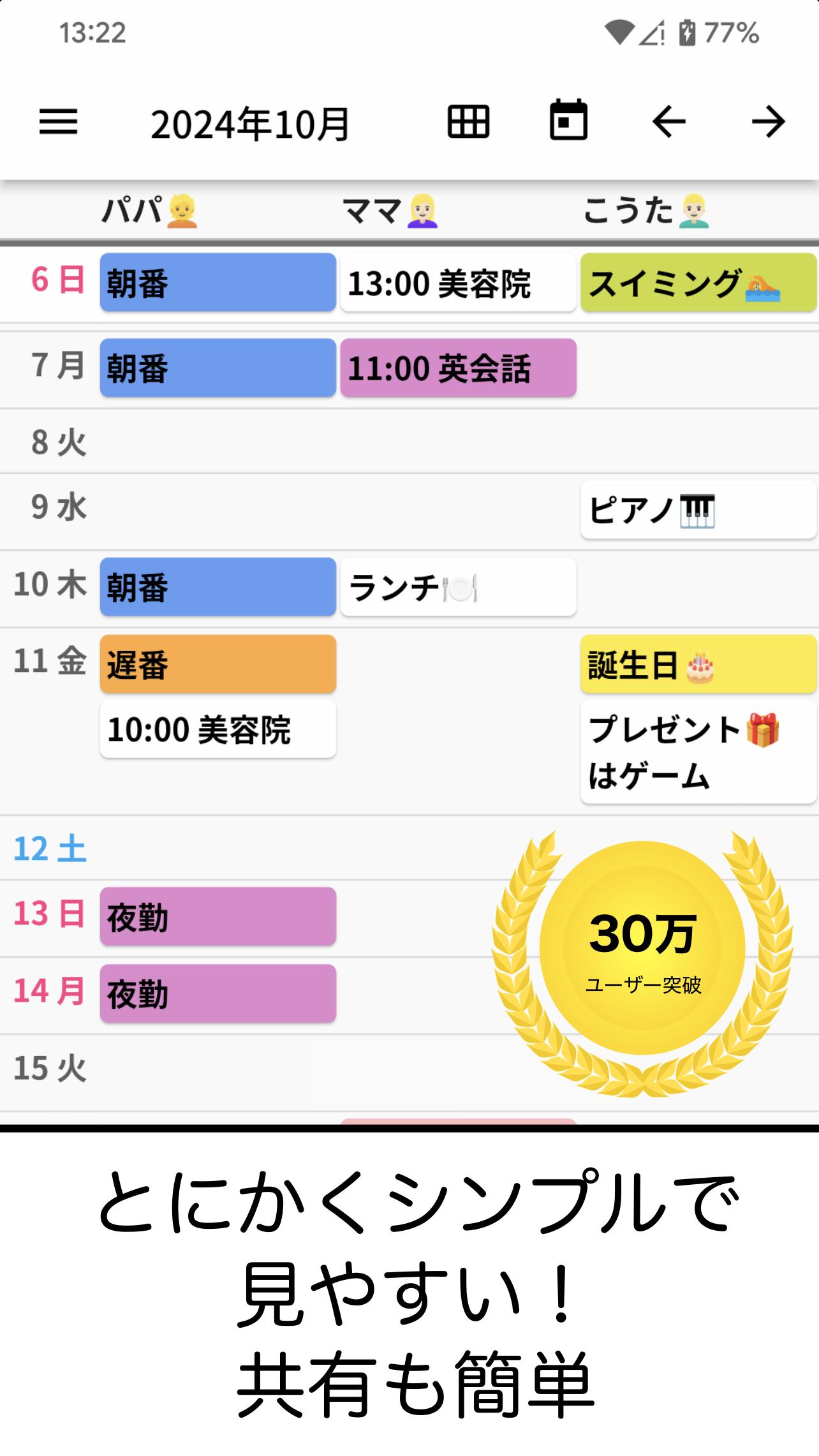
A simply made vertical calendar!
With family, friends, and groups! You can easily share your calendar. Never miss a change with push notifications and history features. Also, once you have entered a schedule, you can easily and quickly enter it from the history!
How to use
First, select "Edit Item" from the top left menu and register the people and items you want to manage. You can change the sorting by long-pressing an item. After registering and editing the item, click the save button in the upper right to complete editing the item.
On the calendar screen, click where the date and the item you want to schedule intersect to register the schedule. It will appear on the schedule entry screen, so register your schedule. You can also select a color by tapping ◯ on the left. Once registered, press Save on the top right. If you want to enter multiple entries in succession, tap the add icon below the save button. You can also delete a schedule from the delete icon or change the sorting order by long-pressing the schedule.
Additionally, you can easily enter the added schedule by pressing the input button from the history the next time you register.
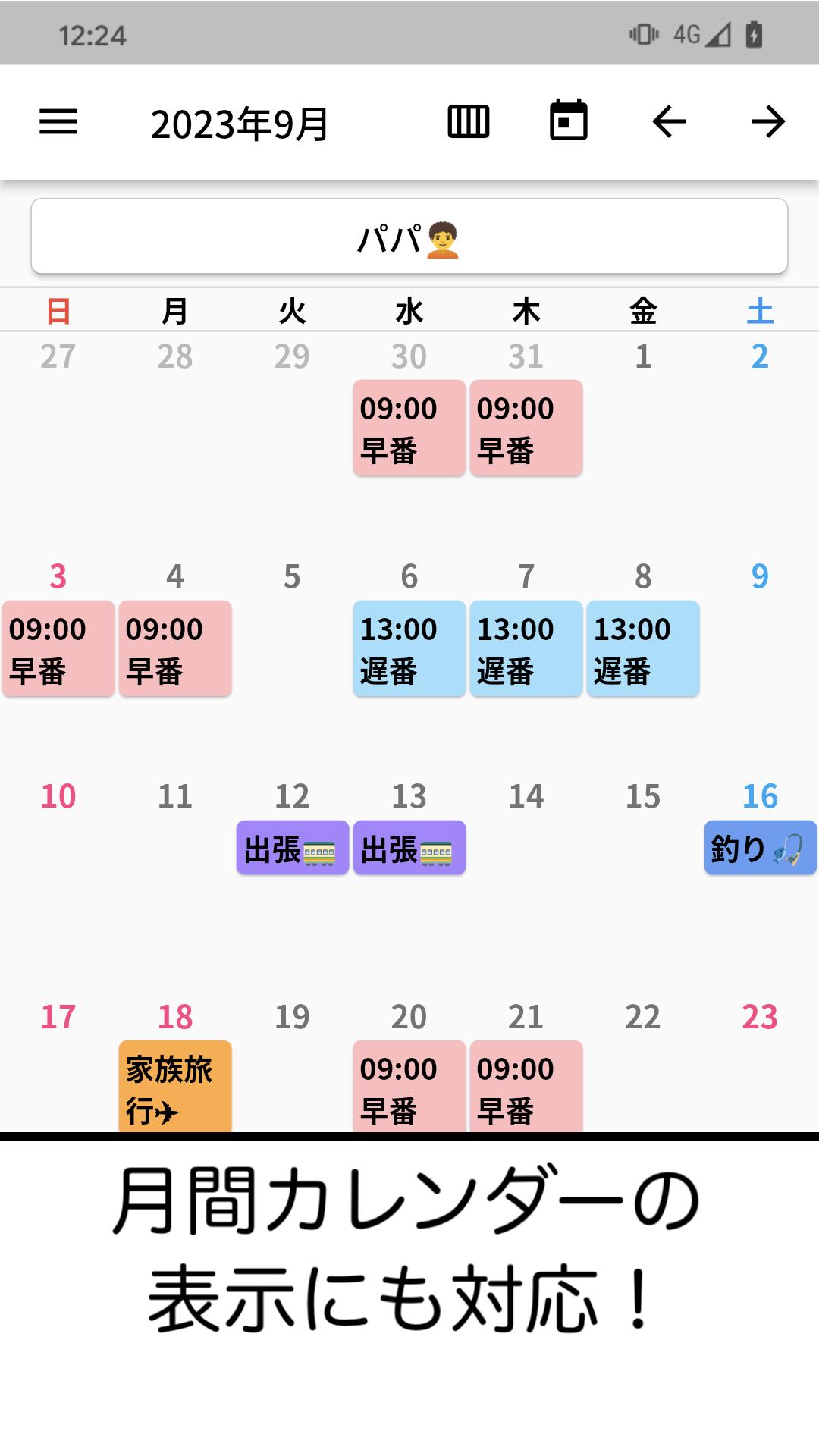
Once saved, it will be reflected on the schedule screen. You can change the month using the arrow button at the top right of the schedule screen. You can also tap the calendar icon to instantly jump to the current date.
You can check when schedules were entered, edited, or deleted by checking the edit history on the top left menu.
If you want to share the calendar you created with other users, select Share this calendar with others in the top left menu, copy the sharing code, and send it by email to the user you want to share it with.
Users who receive the shared code must first download Everyone's Vertical Calendar from the store. Open the app and share the calendar with someone who has the code by entering the code below the entry. If you are already using the vertical calendar, please click on the menu in the upper left corner and select "Enter share code" to share.
Users can view and share up to 5 calendars. You can switch, add, or delete calendars from the menu on the top left.
When a calendar is added, edited, or deleted, all users who shared it with it will be notified of the change via push notification. If you do not want to receive push notifications, go to iPhone settings, select Everyone's vertical calendar, and turn off push notifications.
If you want to set whether to receive push notifications for each calendar, tap the gear icon from the menu on the top left and select "Receive push notifications when shared by users when they register or edit" to ON or OFF.
Message function
The message function is a function that allows you to send messages to the users you are sharing with. When you enter your message and press the send button on the right, the message will be visible to all users and a push notification will be sent. You can also add color and register who the message is from.
Long press on a sent message to copy or delete it.
Memories function
You can add memories with photos or text by tapping the Memories tab and pressing the Add button.
Registration of photos
You can register up to 15 items per month. If you subscribe to Premium, you can register up to 50 items.
backup
This app is backed up on the server, so if you remember your account code, you can easily restore it even if you lose your device or change the model.
If the calendar has not been used for more than a year, only the photos may be deleted.
Please read the following terms of use and use only if you agree to them.
Everyone's Vertical Calendar saves the data entered by the user on the server in order to share the data with other users. Please be careful not to include personal information in the registered data.
Also, when sharing a calendar, all data in the calendar will be shared. Please manage the shared code carefully.
In the unlikely event that shared codes or data are leaked by a user, our company will not be responsible for any trouble or disadvantage caused by this.
Preview
Tags
ProductivityInformation
Developer
Funeasy Soft
Latest Version
4.1.8
Last Updated
2025-02-03
Category
Productivity
Available on
Google Play
Show More
How to play みんなの縦型カレンダー with GameLoop on PC
1. Download GameLoop from the official website, then run the exe file to install GameLoop
2. Open GameLoop and search for “みんなの縦型カレンダー” , find みんなの縦型カレンダー in the search results and click “Install”
3. Enjoy playing みんなの縦型カレンダー on GameLoop
Minimum requirements
OS
Windows 8.1 64-bit or Windows 10 64-bit
GPU
GTX 1050
CPU
i3-8300
Memory
8GB RAM
Storage
1GB available space
Recommended requirements
OS
Windows 8.1 64-bit or Windows 10 64-bit
GPU
GTX 1050
CPU
i3-9320
Memory
16GB RAM
Storage
1GB available space