FindWiz Text Search PC
ArdeeApps
Download FindWiz Text Search on PC With GameLoop Emulator
FindWiz Text Search sa PC
Ang FindWiz Text Search, na nagmumula sa developer na ArdeeApps, ay tumatakbo sa Android systerm sa nakaraan.
Ngayon, maaari mong laruin ang FindWiz Text Search sa PC gamit ang GameLoop nang maayos.
I-download ito sa GameLoop library o mga resulta ng paghahanap. Hindi na tumitingin sa baterya o nakakadismaya na mga tawag sa maling oras.
I-enjoy lang ang FindWiz Text Search PC sa malaking screen nang libre!
FindWiz Text Search Panimula
NOTES for FindWiz text search:
1) On the documentation for each screen, you may press the RED button at the top to copy the documentation to the clipboard. This can then be pasted into a translator app such as "Google Translate" to obtain a copy in your own language.
2) Android 11 and up is now enabled. When first installed on Android 11, you will be prompted for "All Files Access". Just click FindWiz in the list and turn on the switch to give it permission to read all files.
This short video explains the steps to give "All Files Access" to FindWiz during the Installation:
FindWiz "All Files Access" Tutorial: https://www.youtube.com/watch?v=7-yVuxBBegs
FindWiz is a Text Search program for commonly used MS Office, Open Office and other file formats.
Formats it can read are TXT, DOC, DOCX, XLS, XLSX, PPT, PPTX, RTF, HTML, ODT, ODS, PDF, EPUB, MOBI.
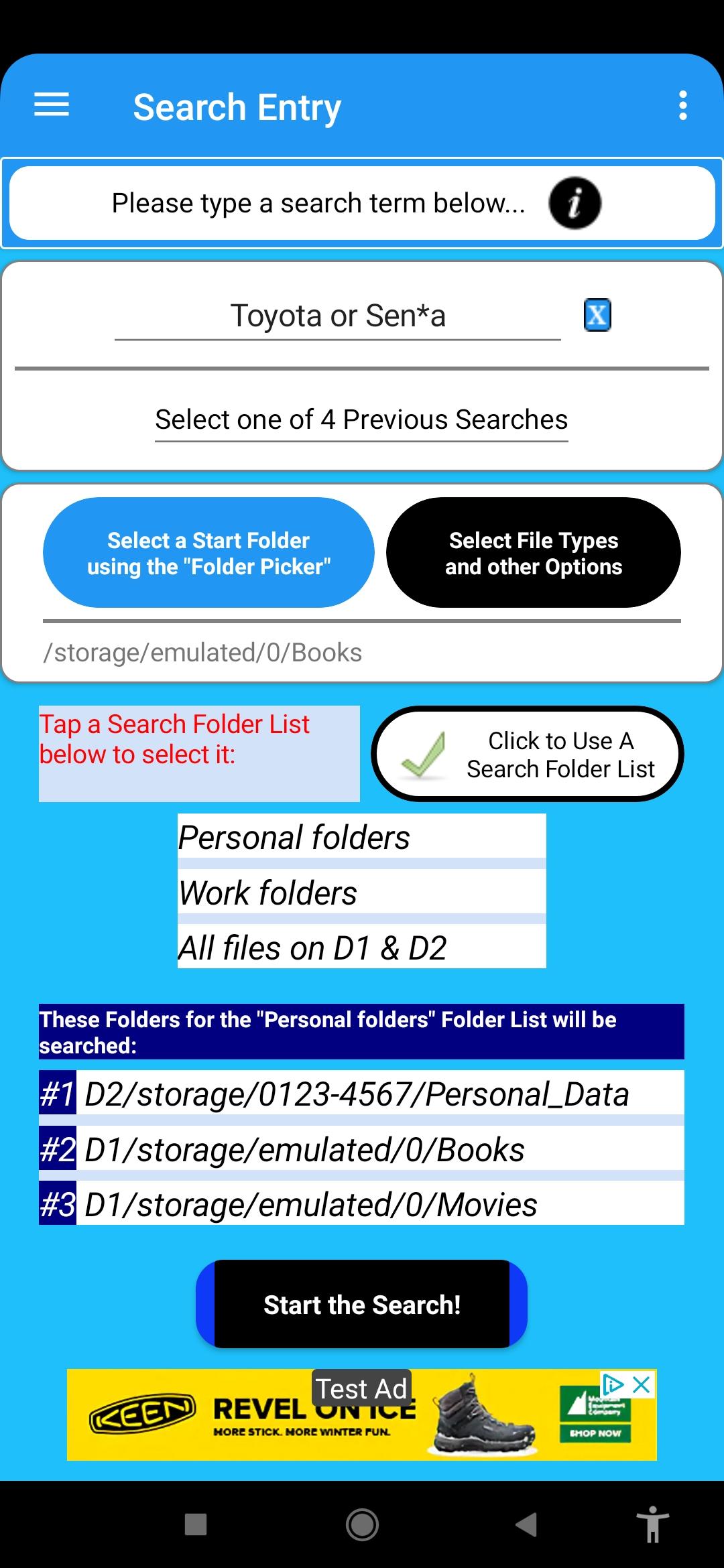
Wild card searches are supported. The program allows:
- Selecting file types to search
- Selecting which folder to start the search from (with the option to search subfolders)
- Case sensitive option, and other options used by the search logic.
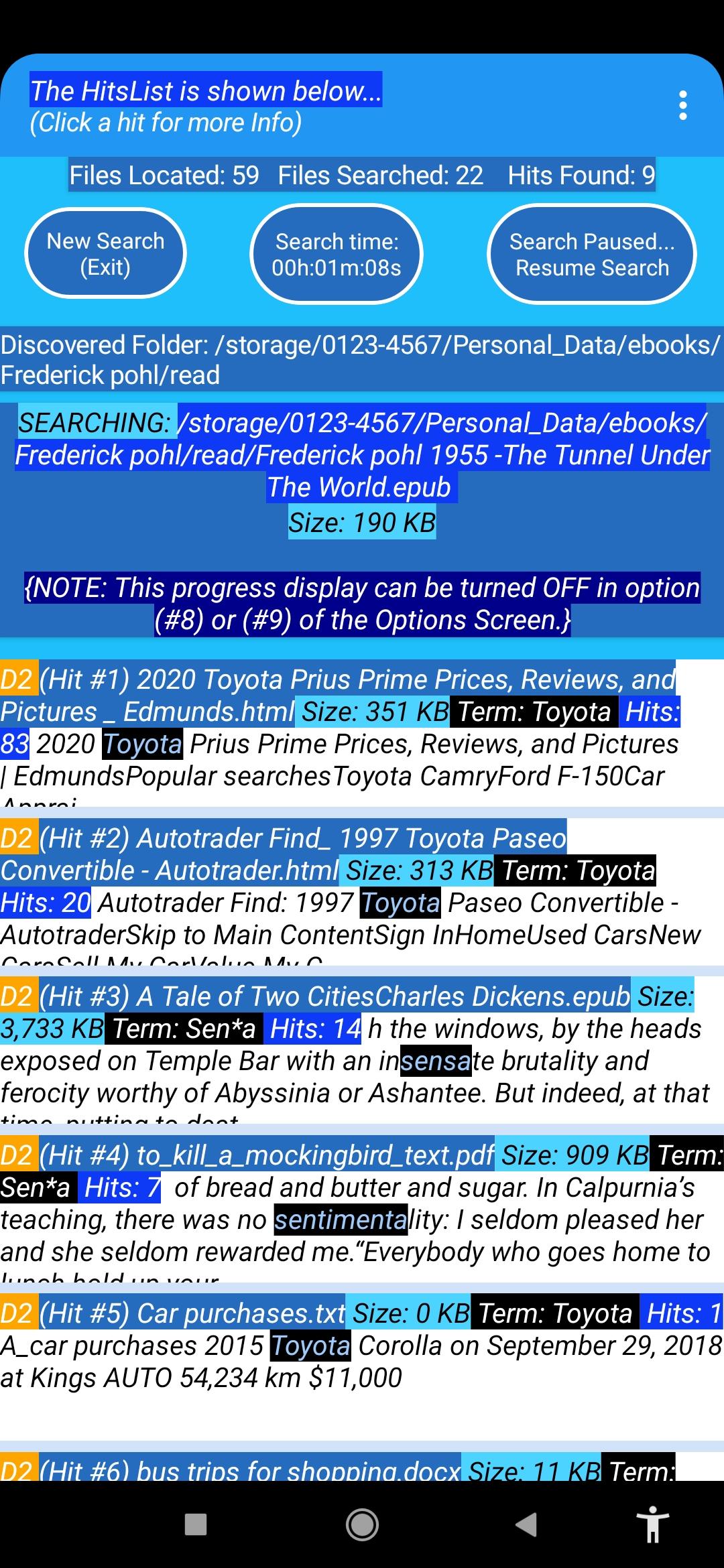
An ad-hoc search function can be performed for a particular file in which the original hit is found.
Running totals are displayed during the search.
The following two useful features were added to the program during November and December of 2022:
1) A screen was added to allow the user to specify that alternate TXT extensions should be searched by the program as text (that is, with no format conversion). Examples are ".log" and ".dict" extensions, which contain text information. The user can also specify that ALL extensions other than the ones selectable in the option screen should be searched as text. In any case, the program never searches media (.jpg, .mp4, .wav etc. ) or archive (.zip, .jar etc.) files.
{see "Select Alternate TXT extensions" on the main screen menu}
2) A screen was added to allow users to create one or more lists of folders on either drive that should be searched in a particular run of the program. The order that the user places the folders in the list is the order that they are searched during the run. The lists are setup using the "Manage Search Folder Lists" menu item on the main screen, and one of these lists is then selectable on the main screen prior to a search run.
Suggestion: If you wish to search files stored on a cloud drive with FindWiz, you can make a copy to one of the drives on your phone, which also gives you an off-line backup.
Comprehensive user guides are included in the app for each screen.
Preview
Tags
ProductivityToolsInformation
Developer
ArdeeApps
Latest Version
3.0
Last Updated
2023-03-26
Category
Productivity
Available on
Google Play
Show More
How to play FindWiz Text Search with GameLoop on PC
1. Download GameLoop from the official website, then run the exe file to install GameLoop
2. Open GameLoop and search for “FindWiz Text Search” , find FindWiz Text Search in the search results and click “Install”
3. Enjoy playing FindWiz Text Search on GameLoop
Minimum requirements
OS
Windows 8.1 64-bit or Windows 10 64-bit
GPU
GTX 1050
CPU
i3-8300
Memory
8GB RAM
Storage
1GB available space
Recommended requirements
OS
Windows 8.1 64-bit or Windows 10 64-bit
GPU
GTX 1050
CPU
i3-9320
Memory
16GB RAM
Storage
1GB available space