
Bills Reminder PC
Ascent24
Download Bills Reminder on PC With GameLoop Emulator
Bills Reminder sa PC
Ang Bills Reminder, na nagmumula sa developer na Ascent24, ay tumatakbo sa Android systerm sa nakaraan.
Ngayon, maaari mong laruin ang Bills Reminder sa PC gamit ang GameLoop nang maayos.
I-download ito sa GameLoop library o mga resulta ng paghahanap. Hindi na tumitingin sa baterya o nakakadismaya na mga tawag sa maling oras.
I-enjoy lang ang Bills Reminder PC sa malaking screen nang libre!
Bills Reminder Panimula
No.1 Bill Reminder App loved by 3,00,000 users.
Manages your Bills and reminds you before the due date. Completely free App, No Hidden Charges
For official upgraded version of the app with more features, download "Bills Reminder Plus"
https://play.google.com/store/apps/details?id=io.ascent24.billsreminder.plus
Features:
1. Manage all bills
2. Friendly notifications with paid/payment action
3. Ease of access
4. Customization
4. Backup and restore
5. Full Features are free. Not a Demo / Trial App
It's not fun when you realize you've missed paying a bill by its due date, after all, they come with late payment fees. Even with the best of intentions, forgetting to pay that bill could happen more than once in a year. That's some serious money you're blowing on late payment fees. If you are trying to save money, the first thing to do is stop allowing this to happen by using our app Bills Reminder.
1. Bills Reminder is the leading app that lets you manage and organize your bills in one place. You can manage all of your utility bills etc.,
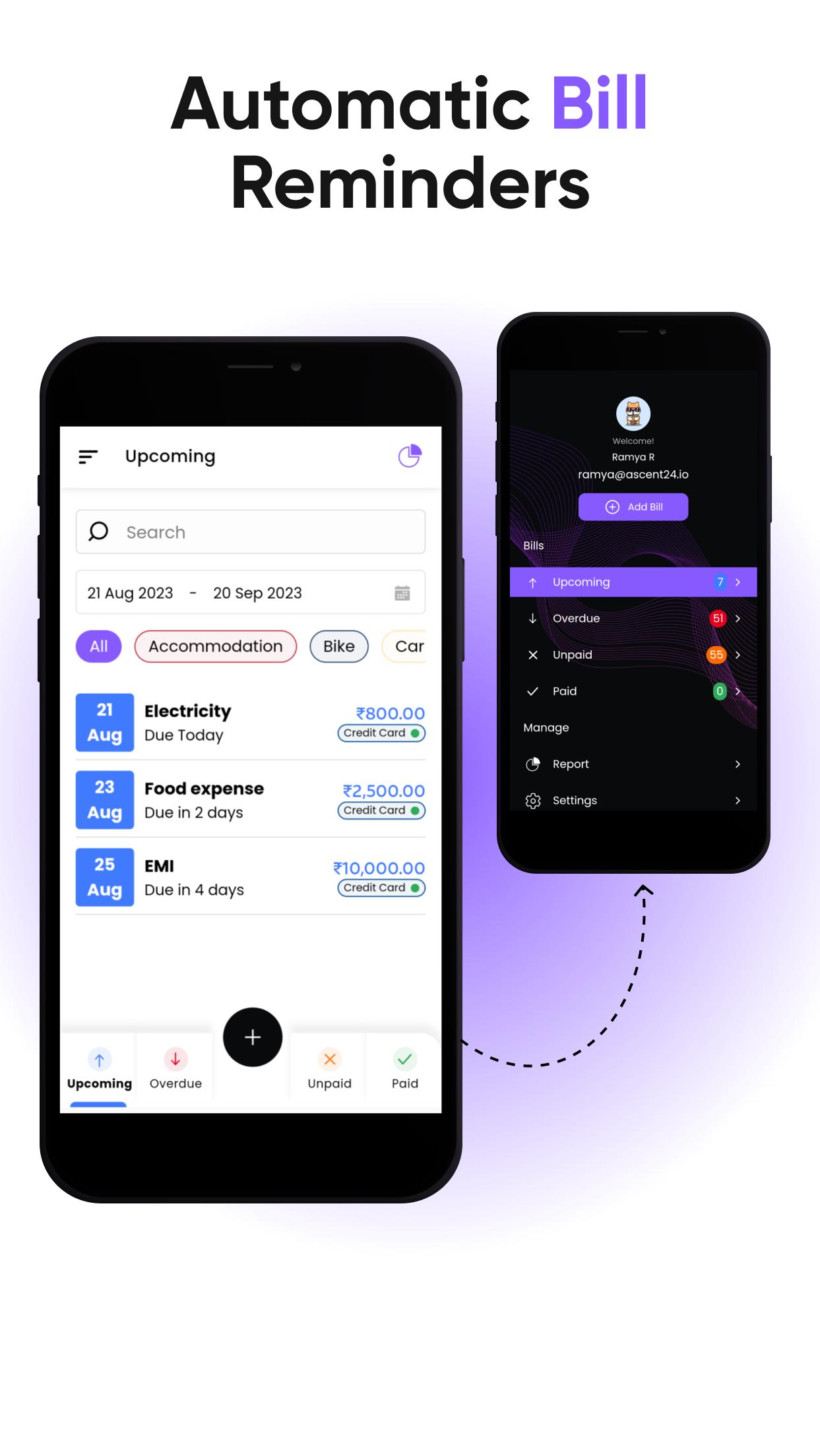
2. This app automatically posts reminders of all of your bills with simple payment action, making bill management easy and stress-free.
3. This app can organize your bills as Upcoming, Overdue, Paid, and Unpaid based on the due date. It allows you to access all your bills in an easy manner.
4. It allows you to customize the default options. (Currency, Reminder time, etc )as your wish. And you can create recurring bills to any date range.
5. This is a full version, not a Trial/Demo app
Working scenarios:
You can add new bills, by touch the '+' icon on the top right corner. Then fill in the friendly form details such as bill name, payment amount and the due date, etc. You can also create a recurring bill in a very flexible manner.
Want to change the default setting such as Currency, Reminder Time, etc.,? You can change the default setting at any time in the Settings menu.
It is easy to create recurring bills. Repeating period is more flexible, Set any date range (Example: every 3 days, every 2 weeks, every 2 months, etc.,)
Stay tuned with us on Facebook at:
The app requires certain permissions to give you the best experience.
AUTOMATICALLY START AT BOOT
→ Required to configure the alarm timer when you boot the device.
FULL INTERNET ACCESS
→ Required to get a crash report for improving the app quality. & Display ads
Chart library license: Get a copy of the Chart library License at http://www.apache.org/licenses/LICENSE-2.0
Preview
Tags
ProductivityInformation
Developer
Ascent24
Latest Version
3.0.5
Last Updated
2025-04-03
Category
Productivity
Available on
Google Play
Show More
How to play Bills Reminder with GameLoop on PC
1. Download GameLoop from the official website, then run the exe file to install GameLoop
2. Open GameLoop and search for “Bills Reminder” , find Bills Reminder in the search results and click “Install”
3. Enjoy playing Bills Reminder on GameLoop
Minimum requirements
OS
Windows 8.1 64-bit or Windows 10 64-bit
GPU
GTX 1050
CPU
i3-8300
Memory
8GB RAM
Storage
1GB available space
Recommended requirements
OS
Windows 8.1 64-bit or Windows 10 64-bit
GPU
GTX 1050
CPU
i3-9320
Memory
16GB RAM
Storage
1GB available space