Bills Reminder PC
Handy Apps
Download Bills Reminder on PC With GameLoop Emulator
Bills Reminder sa PC
Ang Bills Reminder, na nagmumula sa developer na Handy Apps, ay tumatakbo sa Android systerm sa nakaraan.
Ngayon, maaari mong laruin ang Bills Reminder sa PC gamit ang GameLoop nang maayos.
I-download ito sa GameLoop library o mga resulta ng paghahanap. Hindi na tumitingin sa baterya o nakakadismaya na mga tawag sa maling oras.
I-enjoy lang ang Bills Reminder PC sa malaking screen nang libre!
Bills Reminder Panimula
Keep getting those nasty late payment fees? Download this mobile bill organizer into your Android smartphone now and get daily reminders to pay your bills on time every time! No more easy money for the banks!
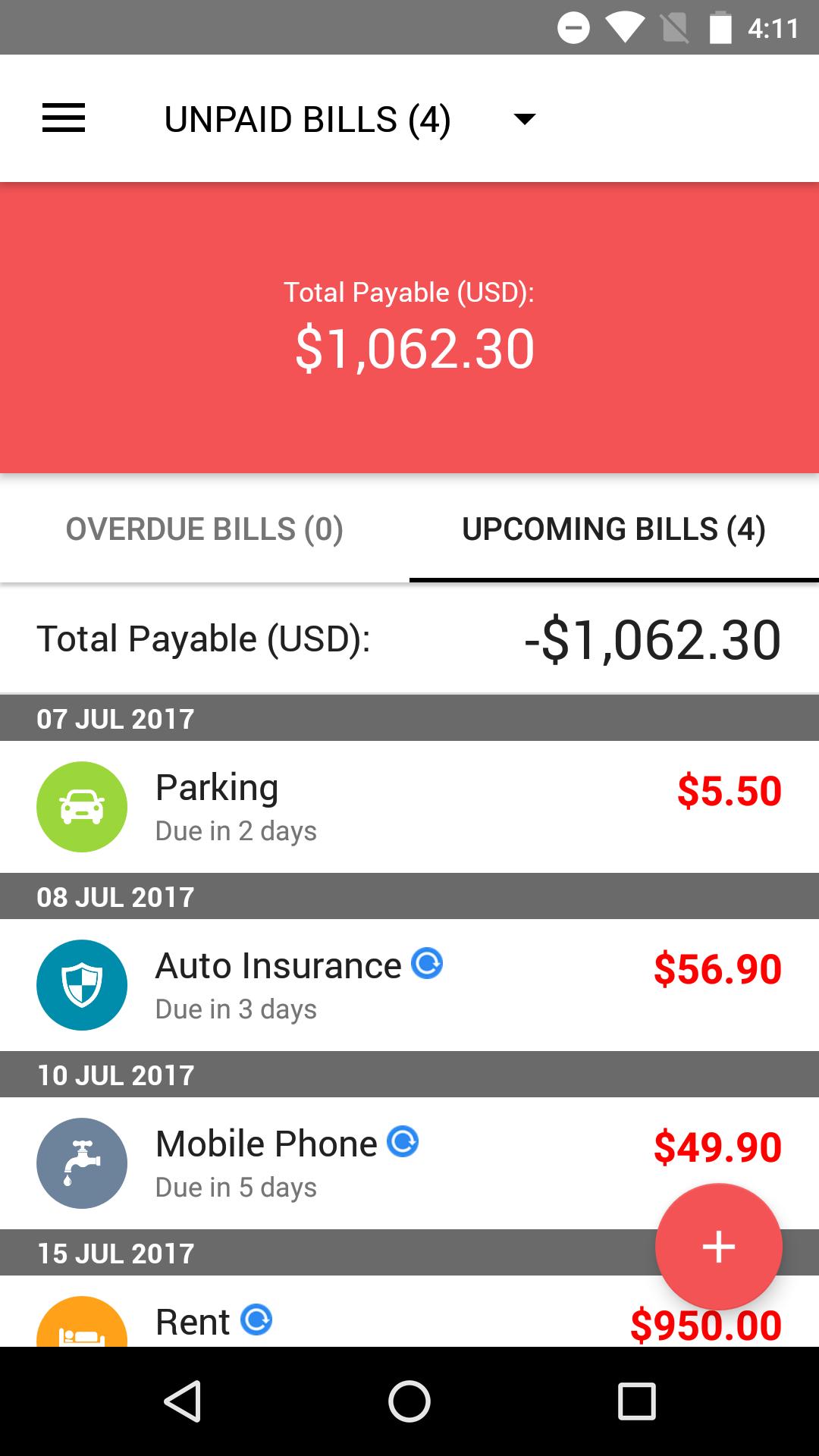
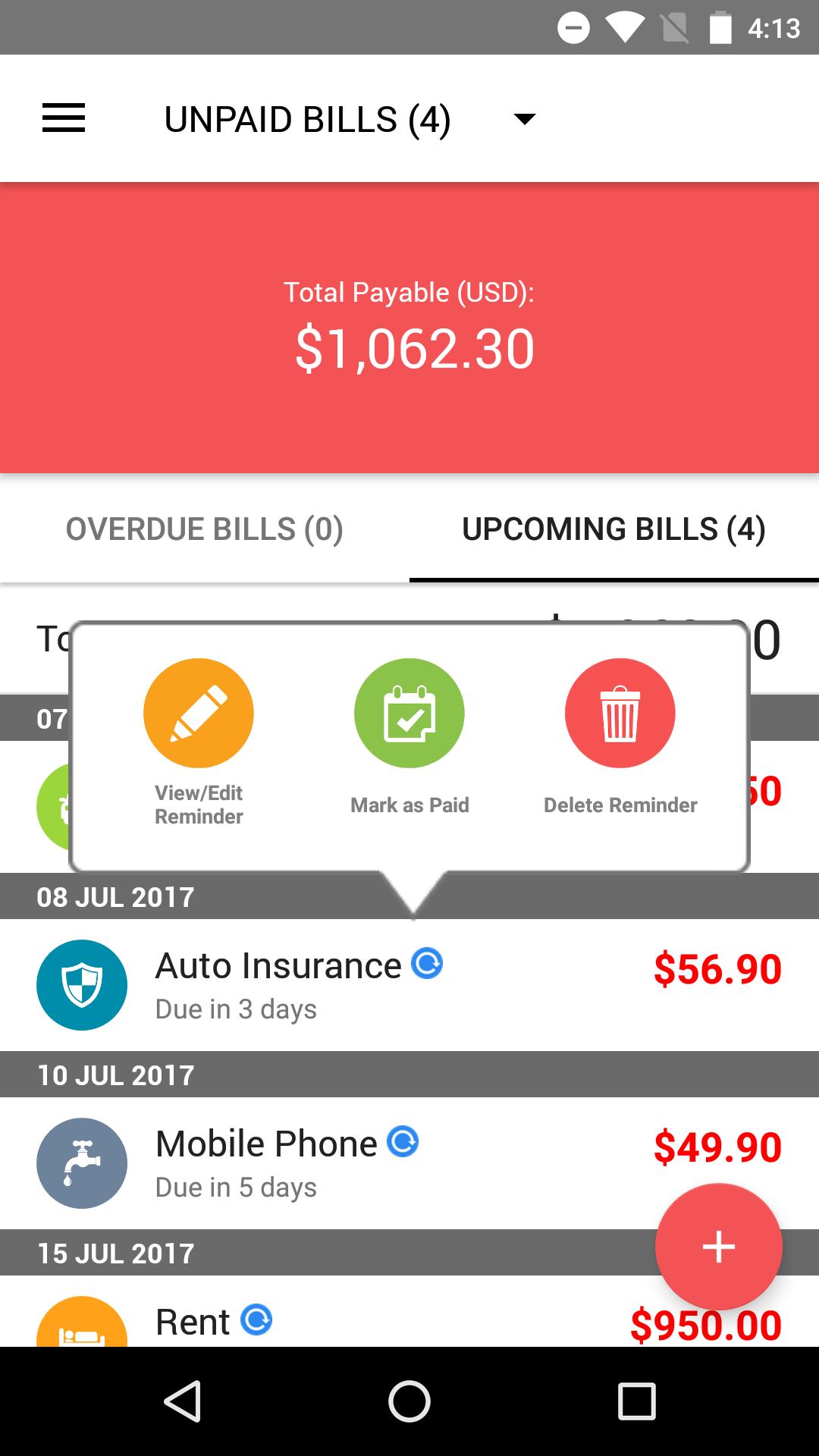
Simply key in your payment amount and due date and this bill tracker app will notify you in advance when your bill payment is coming due. With this handy mobile payment tracker with you at all times, now you don't have to worry about forgetting to pay your bills while you go about your busy schedule!
How Bills Reminder works:
-Enter your bill payment amount and the due date via an intuitive user interface.
-By default, Bills Reminder will start to remind you of the payment 5 days before the due date. The number of days in advance can be customized for each bill but the default is set to 5 days. (You can change the default setting as well)
-Bill Reminders will fire off reminder notifications every day at a preset time (default is 8:00am) until you have paid your bill. Your device LED will also flash a distinct orange color to indicate that a bill payment is coming due.
-Unlike other bill tracking apps, Bills Reminders will always fire off when the bill payment is coming due, no matter whether you have opened the app or not or whether you have rebooted your device.
-You can also setup recurring bill reminders. The repeating period is extremely flexible, you can set bill reminders to repeat every X days,weeks,months or year. (Eg. every 2 weeks, every 6 days, every 1 month etc.)
-You can also capture or attach photos of bills, invoices, receipts alongside each bill reminder you created. This is helpful when it comes to actually making the payment. All the information is already stored in the app, so there is no need to go and find that paper bill statement.
-Paid Bills/Invoices/receipts can be kept for future reference
With all those late fees saved, this bill tracking app will pay for itself in no time!
This app is brought to you by Handy Apps!
Connect with us on Facebook at: https://www.facebook.com/HandyAppsInc
Preview
Tags
ProductivityInformation
Developer
Handy Apps
Latest Version
3.0.1
Last Updated
2023-06-18
Category
Productivity
Available on
Google Play
Show More
How to play Bills Reminder with GameLoop on PC
1. Download GameLoop from the official website, then run the exe file to install GameLoop
2. Open GameLoop and search for “Bills Reminder” , find Bills Reminder in the search results and click “Install”
3. Enjoy playing Bills Reminder on GameLoop
Minimum requirements
OS
Windows 8.1 64-bit or Windows 10 64-bit
GPU
GTX 1050
CPU
i3-8300
Memory
8GB RAM
Storage
1GB available space
Recommended requirements
OS
Windows 8.1 64-bit or Windows 10 64-bit
GPU
GTX 1050
CPU
i3-9320
Memory
16GB RAM
Storage
1GB available space