
Alarms: Notes & Task List PC
Fulmine Software
Download Alarms: Notes & Task List on PC With GameLoop Emulator
Alarms: Notes & Task List sa PC
Ang Alarms: Notes & Task List, na nagmumula sa developer na Fulmine Software, ay tumatakbo sa Android systerm sa nakaraan.
Ngayon, maaari mong laruin ang Alarms: Notes & Task List sa PC gamit ang GameLoop nang maayos.
I-download ito sa GameLoop library o mga resulta ng paghahanap. Hindi na tumitingin sa baterya o nakakadismaya na mga tawag sa maling oras.
I-enjoy lang ang Alarms: Notes & Task List PC sa malaking screen nang libre!
Alarms: Notes & Task List Panimula
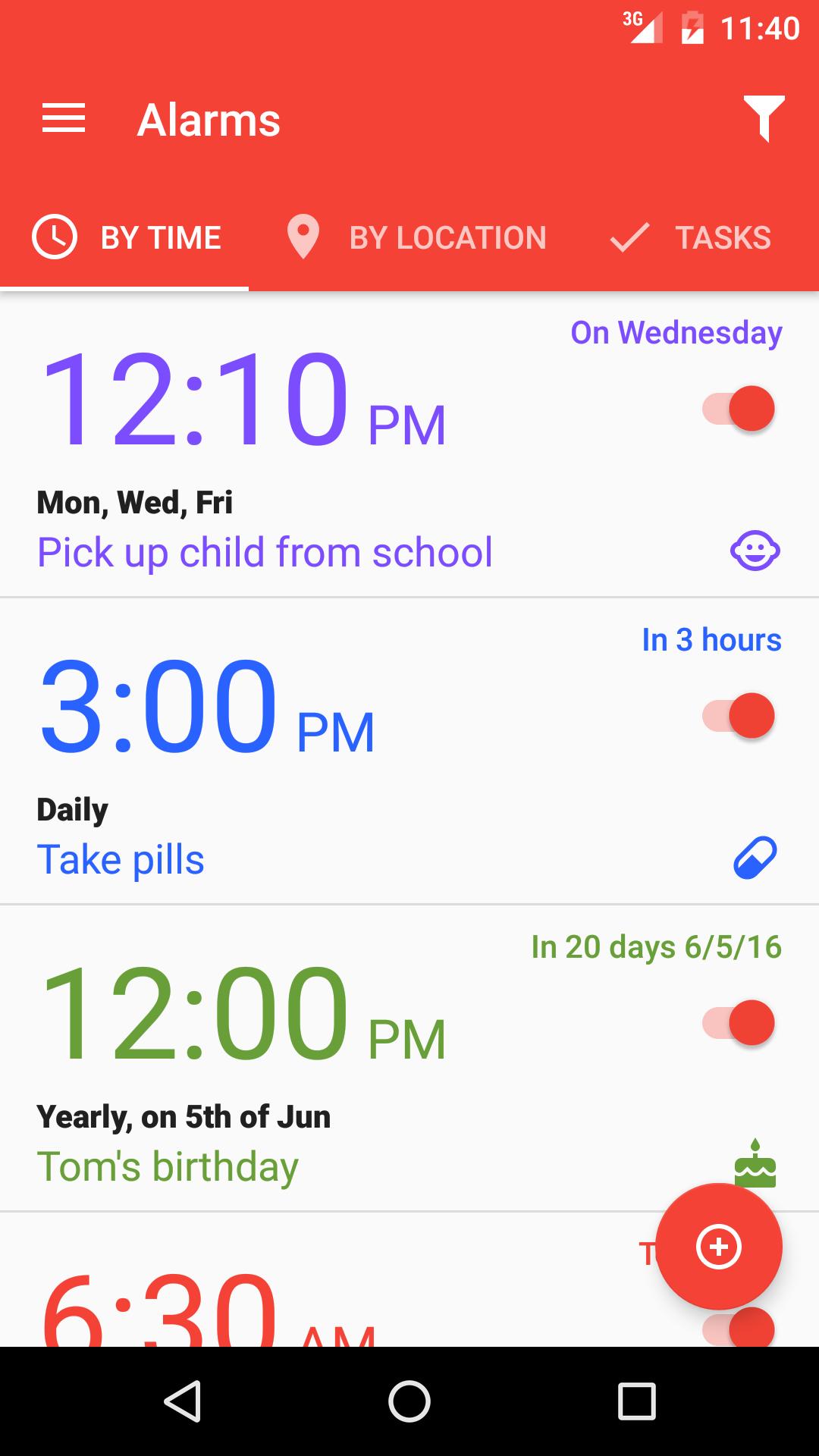
This app is an unusual alarm clock that can remind you about anything you want at the appropriate time or place. Make notes and assign alarms to them or just write notes without any notification. Create To Do lists with tasks that you check or uncheck when appropriate. Everything is presented in an easy to use, simple and beautiful Material Design styled user interface which behind it's simplicity hides lots of advanced options.
Alarms by time
• Ring at a specific time.
• Many scheduling options available.
• Will remind you of frequent actions like waking up, taking pills, pick up your kid from school or rare events like birthdays, name days, car reviews, travels etc.
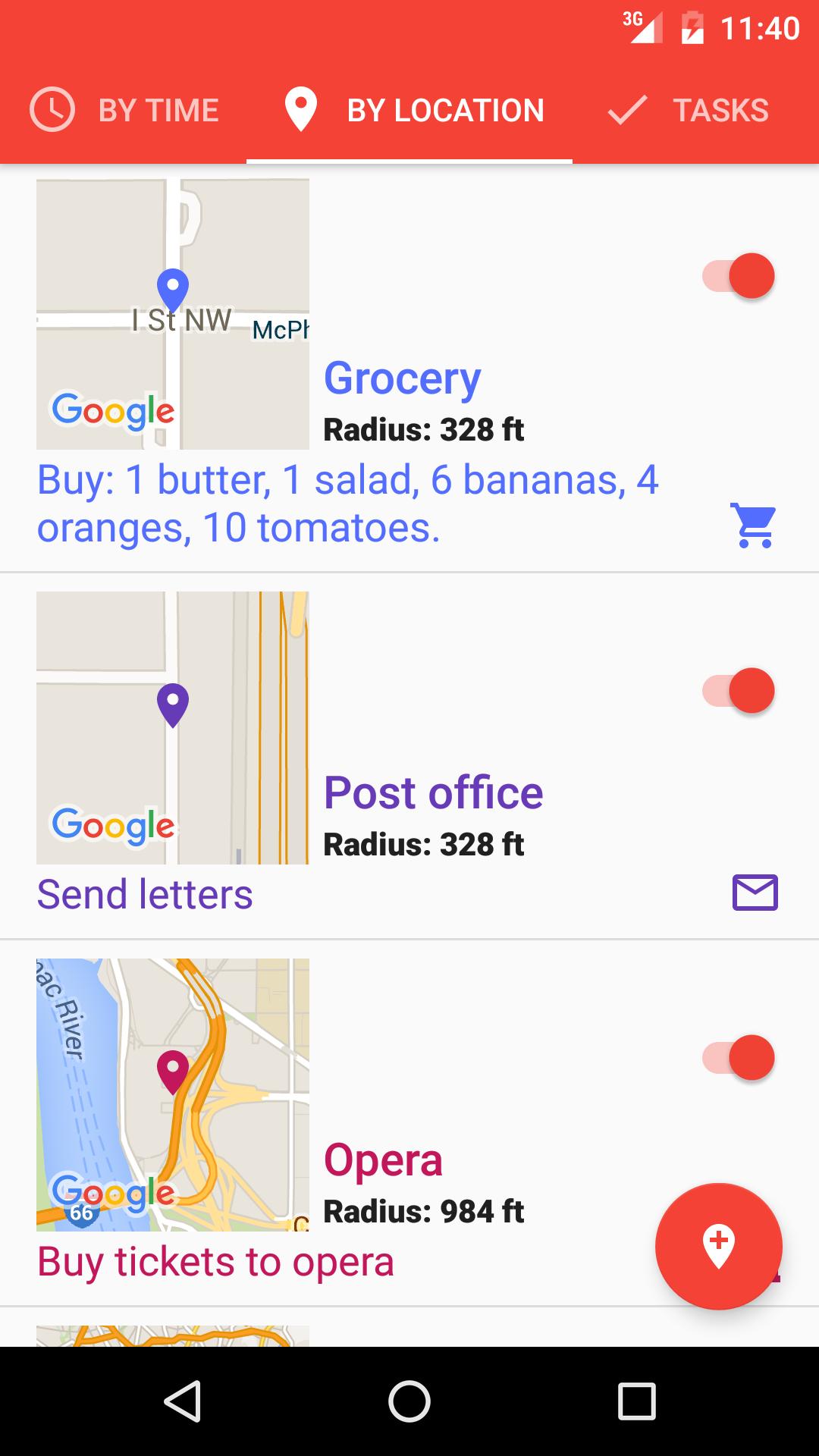
Alarms by location
• Can ring and show your note when you approach a specific place!
• No urgent need for shopping? Don't forget to buy what you need when you get near - or are inside - the store. Remember to ask your spouse to warm up dinner when you get closer to home.
• Don't worry. It depends on your device, but usually location is determined based on cellular networks or Wi-Fi or both. Usually, GPS is not used so you should see no excessive battery consumption.
• When using cellular networks or Wi-Fi to get your location it works indoors too!
Tasks and notes
• Create checkable task lists or just make notes with a few taps.
Customization
• About 40 colors and over 150 icons to assign will make your particular alarm, task or note unique.
• Define your own or use one of over 30 predefined categories to filter content and quickly assign icons, colors, ringtone and other properties to alarms and notes.
• Make your app personal by setting one of many available colorful app themes.
Preview
Tags
ProductivityInformation
Developer
Fulmine Software
Latest Version
1.2.1
Last Updated
2023-06-22
Category
Productivity
Available on
Google Play
Show More
How to play Alarms: Notes & Task List with GameLoop on PC
1. Download GameLoop from the official website, then run the exe file to install GameLoop
2. Open GameLoop and search for “Alarms: Notes & Task List” , find Alarms: Notes & Task List in the search results and click “Install”
3. Enjoy playing Alarms: Notes & Task List on GameLoop
Minimum requirements
OS
Windows 8.1 64-bit or Windows 10 64-bit
GPU
GTX 1050
CPU
i3-8300
Memory
8GB RAM
Storage
1GB available space
Recommended requirements
OS
Windows 8.1 64-bit or Windows 10 64-bit
GPU
GTX 1050
CPU
i3-9320
Memory
16GB RAM
Storage
1GB available space