
ActiveMap Mobile GS PC
ГрадоСервис
Download ActiveMap Mobile GS on PC With GameLoop Emulator
ActiveMap Mobile GS sa PC
Ang ActiveMap Mobile GS, na nagmumula sa developer na ГрадоСервис, ay tumatakbo sa Android systerm sa nakaraan.
Ngayon, maaari mong laruin ang ActiveMap Mobile GS sa PC gamit ang GameLoop nang maayos.
I-download ito sa GameLoop library o mga resulta ng paghahanap. Hindi na tumitingin sa baterya o nakakadismaya na mga tawag sa maling oras.
I-enjoy lang ang ActiveMap Mobile GS PC sa malaking screen nang libre!
ActiveMap Mobile GS Panimula
A mobile tool for the ActiveMap GS system. It is used to gather information, to obtain tasks remotely, and to view the reports. The app helps to improve the efficiency of mobile workers. It is a coordinator between the office and the onsite staff.
Data collection in the real time mode. The workers send photos and video from the work scene to the dispatcher. The files are georeferenced and show where the shot was made.
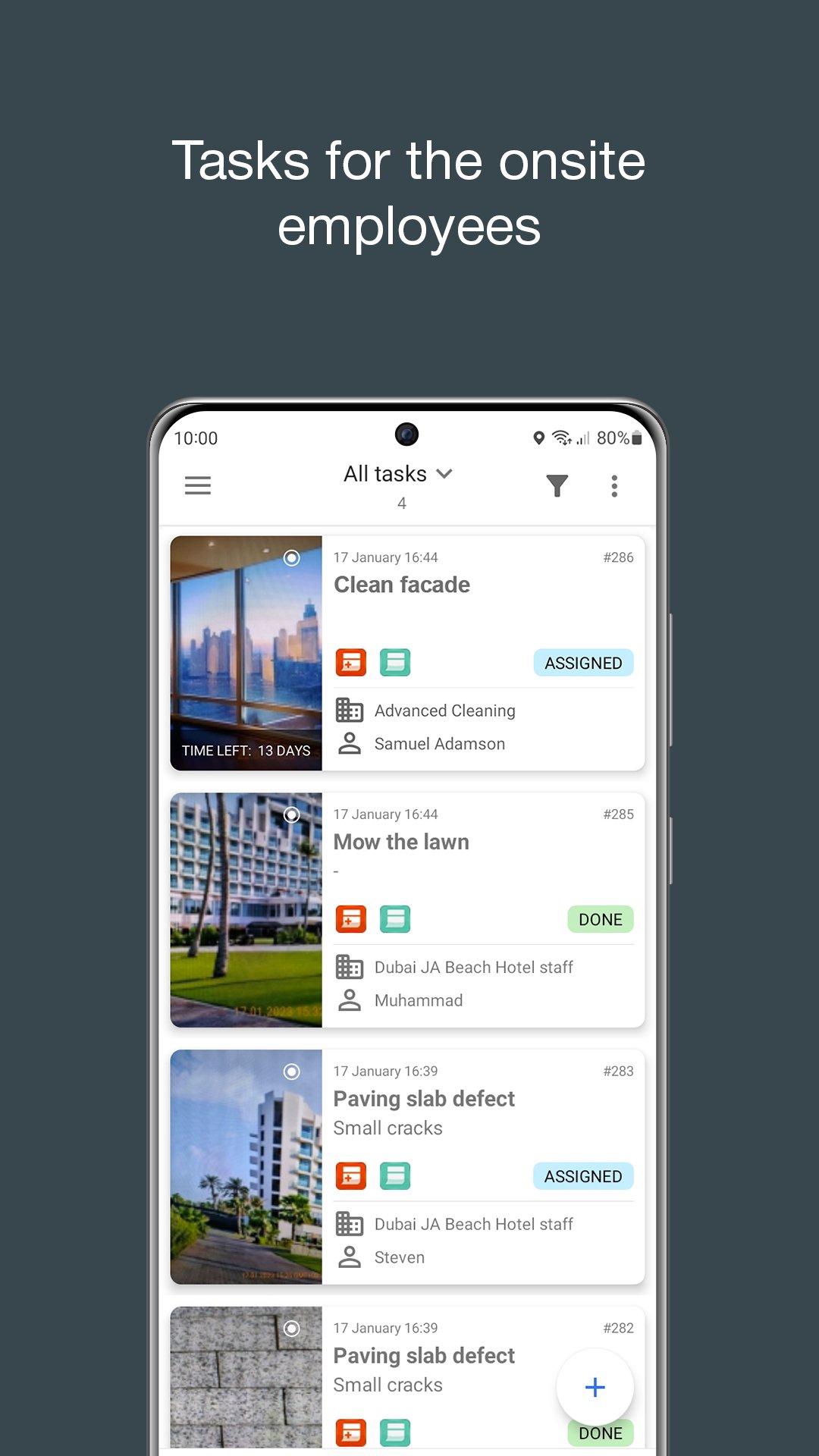
Tasks. The mobile workers receive the tasks through the program. The dispatcher sends the tasks and monitors the work process. Prompt task setting increases the mobile team efficiency.
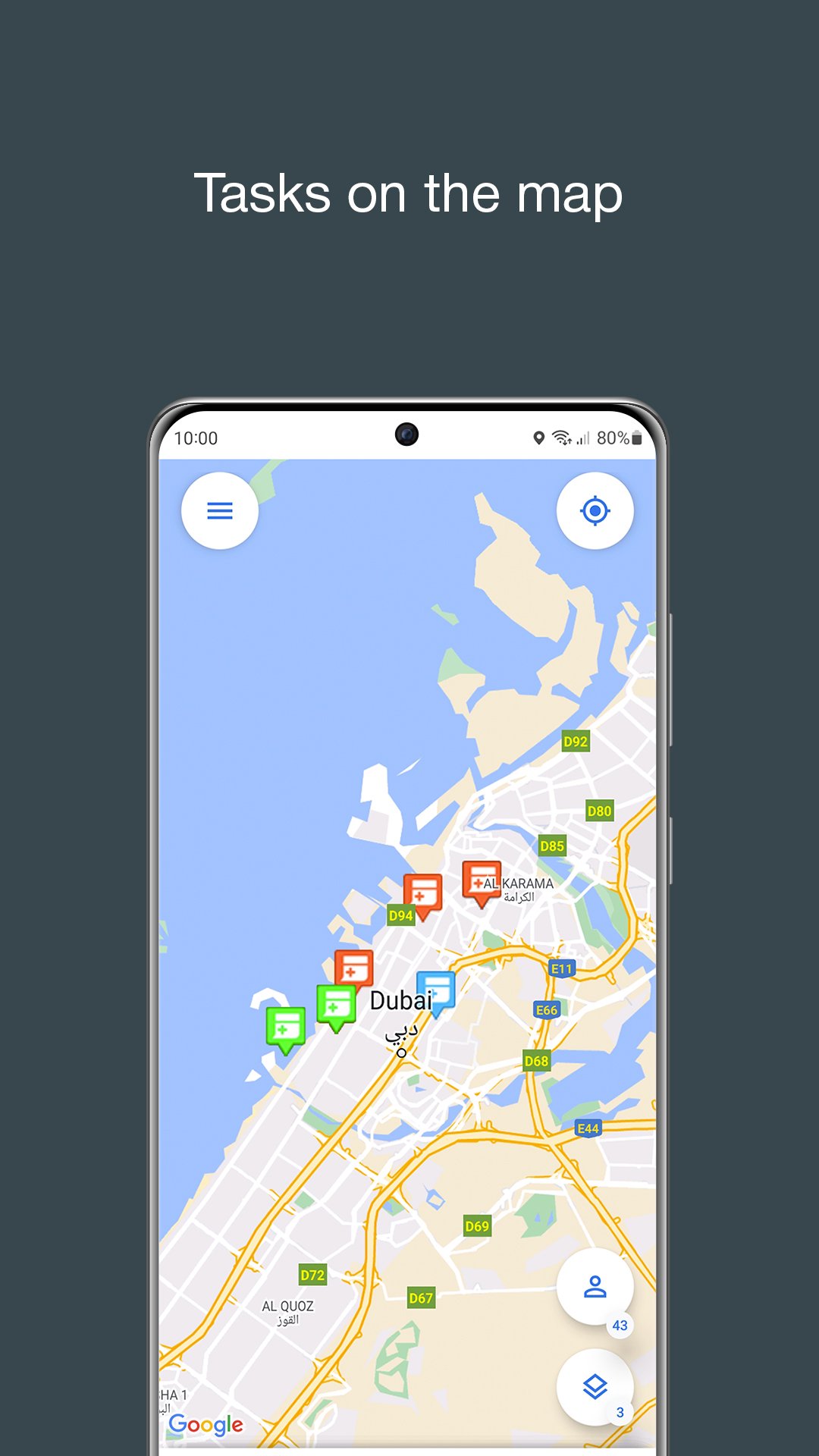
Interactive maps. ActiveMap Mobile GS gives access to the corporate maps. The app works with information layers. Layers – are the geo-referenced data arrays. The companies tag their property items, clients, communication, etc on the map.
Offline maps and information layers. Map of Russia always available, just download your region. Information layers also work without the Internet. MapMobile GS is ready to work at regions where is no connection.
Attention:
The application works if you have the access to the ActiveMap GS program. To receive the access follow the link: http://gradoservice.ru/activemap
Send your questions and suggestions on our mail support@gradoservice.ru
Preview
Tags
ProductivityInformation
Developer
ГрадоСервис
Latest Version
21.14
Last Updated
2025-08-22
Category
Productivity
Available on
Google Play
Show More
How to play ActiveMap Mobile GS with GameLoop on PC
1. Download GameLoop from the official website, then run the exe file to install GameLoop
2. Open GameLoop and search for “ActiveMap Mobile GS” , find ActiveMap Mobile GS in the search results and click “Install”
3. Enjoy playing ActiveMap Mobile GS on GameLoop
Minimum requirements
OS
Windows 8.1 64-bit or Windows 10 64-bit
GPU
GTX 1050
CPU
i3-8300
Memory
8GB RAM
Storage
1GB available space
Recommended requirements
OS
Windows 8.1 64-bit or Windows 10 64-bit
GPU
GTX 1050
CPU
i3-9320
Memory
16GB RAM
Storage
1GB available space