
1&1 Control-Center PC
1&1 Telecom GmbH
Download 1&1 Control-Center on PC With GameLoop Emulator
1&1 Control-Center sa PC
Ang 1&1 Control-Center, na nagmumula sa developer na 1&1 Telecom GmbH, ay tumatakbo sa Android systerm sa nakaraan.
Ngayon, maaari mong laruin ang 1&1 Control-Center sa PC gamit ang GameLoop nang maayos.
I-download ito sa GameLoop library o mga resulta ng paghahanap. Hindi na tumitingin sa baterya o nakakadismaya na mga tawag sa maling oras.
I-enjoy lang ang 1&1 Control-Center PC sa malaking screen nang libre!
1&1 Control-Center Panimula
Your 1&1 Control Center
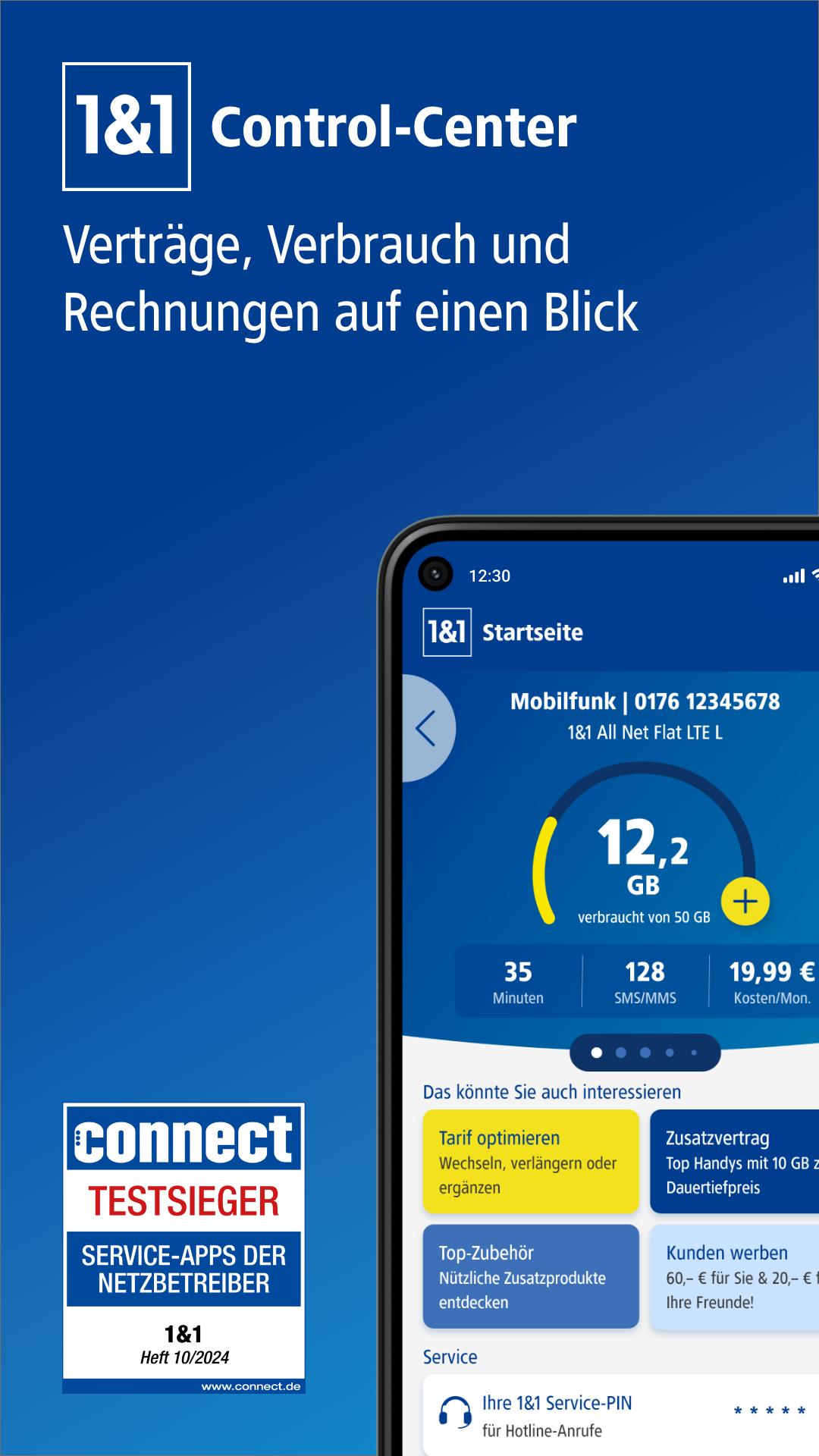
With the 1&1 Control Center app, you can use all the advantages of your personal customer area on your smartphone or tablet - anywhere you have internet access. Always keep an eye on your data consumption, your call minutes and the costs incurred. For example, view your customer data and invoices, extend your contract, instruct us to port your phone number or move your internet connection. Helpful instructions and answers to frequently asked questions will support you with your contract and all 1&1 products!
Important functions at a glance:
■ Keep customer data up to date
View your customer details and change your username, password or bank details.
■ Call up invoices
View your invoices with itemized details.
■ Check consumption
Keep an eye on your mobile data volume and consumption costs at all times.
■ Manage contracts
Find out about your contracts and booked options. Extend your contract or switch to a new tariff.
■ Set up 1&1 email addresses
Change your email password or set up new email addresses and email forwarding.
■ Settings for SIM cards and roaming
Activate, block, unlock or exchange your 1&1 SIM card. If necessary, change your roaming settings.
■ Forward phone numbers
Activate your answering machine or redirect your phone numbers while you are away.
■ Take your phone number with you and move your internet connection
Instruct us to take your phone number with you or move your internet connection when you move location.
■ Improve WiFi connection and WiFi reception
Connect conveniently to WiFi and optimize your home network.
■ Receive important notifications
Read our news about order status, your orders and invoices.
■ Enable push notifications
Don't miss any news from 1&1! Decide whether you want to use the push notification function.
■ Solve Internet problems
Use the app feature to check your internet connection and find possible disruptions. We support you until you find a solution.
■ Help and contact
Get quick answers to your questions thanks to the new search function, integrated 1&1 help center and direct contact with 1&1 customer service.
Please note our instructions:
• The data displayed is sometimes delayed and may differ from the actual status.
• Consumption is usually updated daily, less frequently abroad.
• The costs shown are for overview purposes. Your original invoice applies, which you can find in your messages.
• The invoice amounts include services at home and abroad.
How do you like the 1&1 Control Center app?
Your satisfaction is very important to us! We are always open to new ideas and suggestions for further development. Simply write to us at: apps@1und1.de
Preview
Tags
ProductivityInformation
Developer
1&1 Telecom GmbH
Latest Version
6.18
Last Updated
2025-06-17
Category
Productivity
Available on
Google Play
Show More
How to play 1&1 Control-Center with GameLoop on PC
1. Download GameLoop from the official website, then run the exe file to install GameLoop
2. Open GameLoop and search for “1&1 Control-Center” , find 1&1 Control-Center in the search results and click “Install”
3. Enjoy playing 1&1 Control-Center on GameLoop
Minimum requirements
OS
Windows 8.1 64-bit or Windows 10 64-bit
GPU
GTX 1050
CPU
i3-8300
Memory
8GB RAM
Storage
1GB available space
Recommended requirements
OS
Windows 8.1 64-bit or Windows 10 64-bit
GPU
GTX 1050
CPU
i3-9320
Memory
16GB RAM
Storage
1GB available space