Zoom Camera PC
Moula Software
Download Zoom Camera on PC With GameLoop Emulator
Zoom Camera sa PC
Ang Zoom Camera, na nagmumula sa developer na Moula Software, ay tumatakbo sa Android systerm sa nakaraan.
Ngayon, maaari mong laruin ang Zoom Camera sa PC gamit ang GameLoop nang maayos.
I-download ito sa GameLoop library o mga resulta ng paghahanap. Hindi na tumitingin sa baterya o nakakadismaya na mga tawag sa maling oras.
I-enjoy lang ang Zoom Camera PC sa malaking screen nang libre!
Zoom Camera Panimula
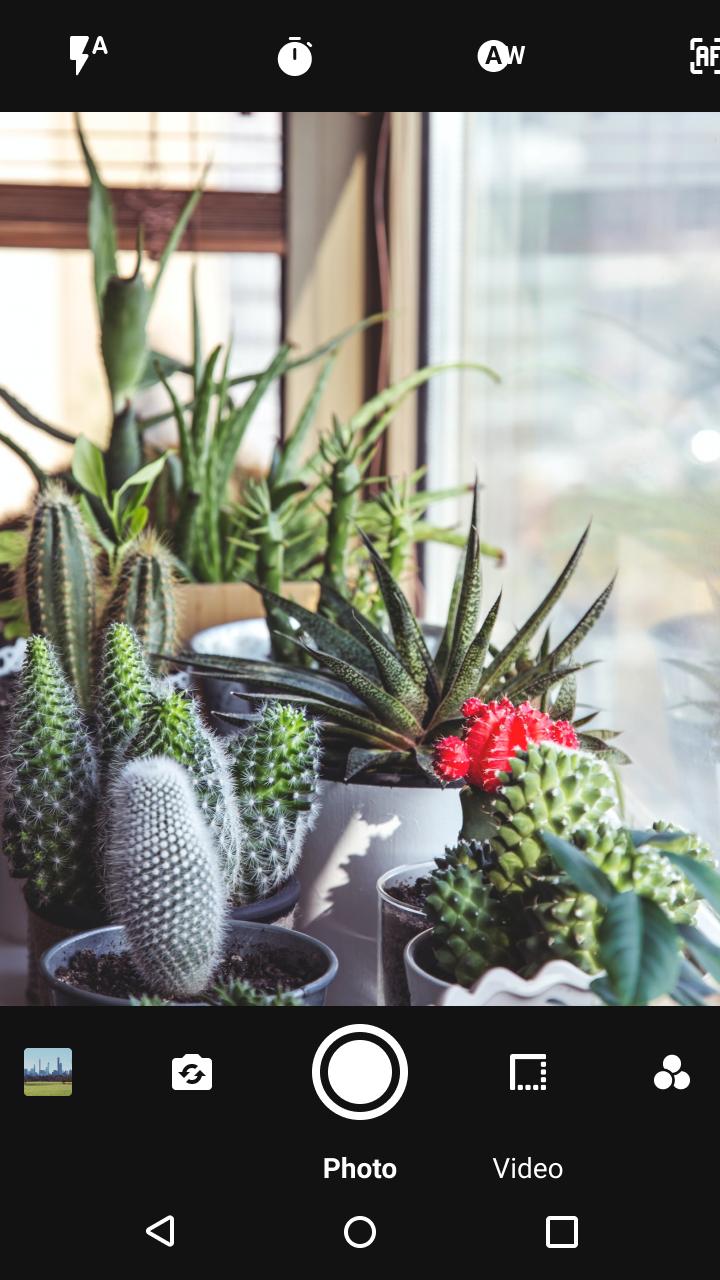
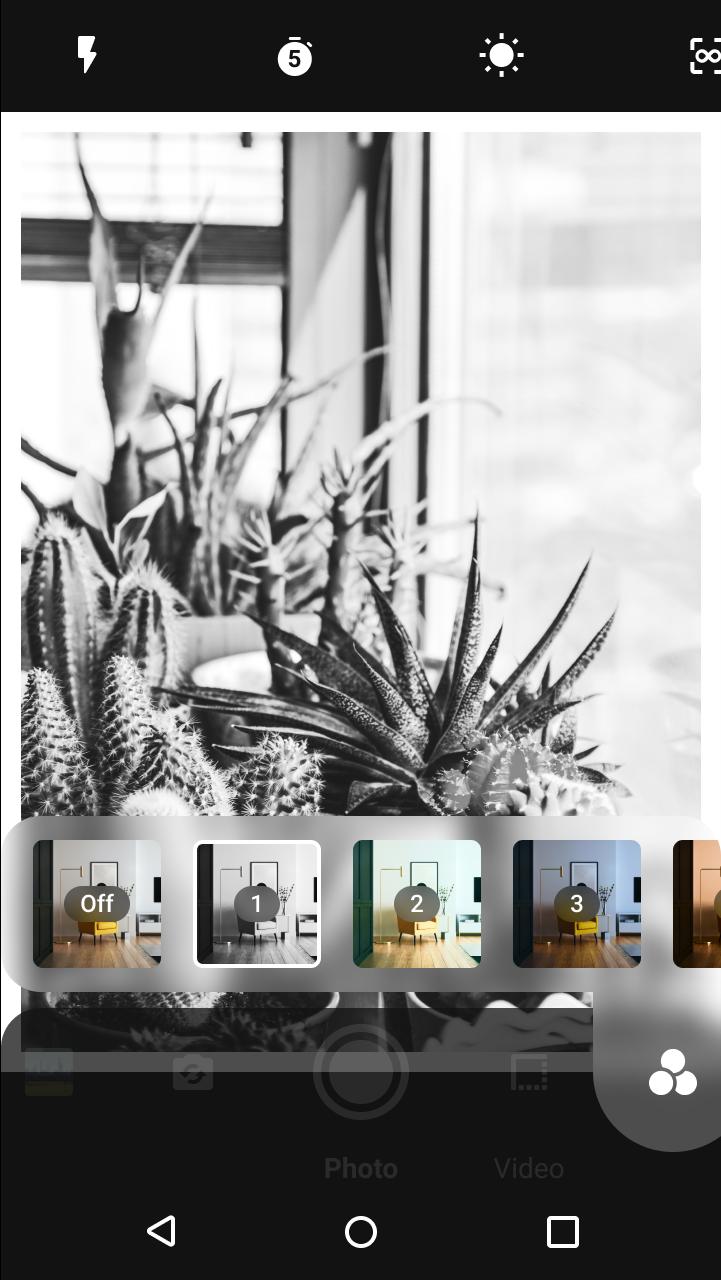
Zoom Camera will let you take the best photographs and videos, taking maximum advantage of your cellphone or tablet. With Zoom Camera you can choose between 27 real time filters and effects, 9 border decorations and 4 flash modes including torch.
With Zoom Camera you have 243 ways to make your photos look better and professional.
Zoom Camera also has a modern gallery which groups your photos by month, and lets you easily share all your photos and videos.
We also support scanning QR codes and barcodes instantly to quickly access restaurant menus or any website, search for products information and prices online, etc.
MAIN FEATURES:
● Digital Zoom up to 700%.
● Support for selfies and main camera pictures and videos.
● 27 filters and effects (Grayscale, Sepia, Red, Green, Yellow, Blue and Purple filters, Red Light filter, Negative, Monochrome, Hue shift, Over saturation, Desaturation, Haze, Sharpness, High Contrast, Posterize, Vignette, Sketch, Cartoon, Edges, Laplacian edges, Emboss, Crosshatch, Glass Sphere, Swirl, Halftone).
● 4 flash modes (Automatic, Always, Torch, Off).
● Auto focus and manual tap to focus supported.
● 9 borders (white, dashed white, black, dashed black, red, green, blue, thick black, thick white)
● QR and barcode scanning to access menus, websites or search for products.
● Video recording.
● Countdown timer (2, 5 or 10 seconds) for both photos and videos.
● Choose picture quality
● Silent shutter sound (optional).
● Images and videos gallery with gestures support, tabs for images and videos, grouped by months.
● Rotating images.
● Share your photos and videos online on any app.
● Available in English, Spanish, Italian, Francaise, German, Russian, Polish and Chinese.
● Small application size for fast downloads!
● It's free!
REVIEWS:
"A Highly Rated Camera App That Nearly Everyone Can Enjoy", Appeggs.com
YOU LIKED ZOOM CAMERA?
Please rate it with 5 stars!
NOTE:
Some Zoom Camera features depends on your phone or tablet capabilities and might not be available on your device.
Preview
Tags
PhotographyInformation
Developer
Moula Software
Latest Version
8.1.1
Last Updated
2021-10-17
Category
Photography
Available on
Google Play
Show More
How to play Zoom Camera with GameLoop on PC
1. Download GameLoop from the official website, then run the exe file to install GameLoop
2. Open GameLoop and search for “Zoom Camera” , find Zoom Camera in the search results and click “Install”
3. Enjoy playing Zoom Camera on GameLoop
Minimum requirements
OS
Windows 8.1 64-bit or Windows 10 64-bit
GPU
GTX 1050
CPU
i3-8300
Memory
8GB RAM
Storage
1GB available space
Recommended requirements
OS
Windows 8.1 64-bit or Windows 10 64-bit
GPU
GTX 1050
CPU
i3-9320
Memory
16GB RAM
Storage
1GB available space