
Photos and Files Renamer PC
Fabio Crovatto
Download Photos and Files Renamer on PC With GameLoop Emulator
Photos and Files Renamer sa PC
Ang Photos and Files Renamer, na nagmumula sa developer na Fabio Crovatto, ay tumatakbo sa Android systerm sa nakaraan.
Ngayon, maaari mong laruin ang Photos and Files Renamer sa PC gamit ang GameLoop nang maayos.
I-download ito sa GameLoop library o mga resulta ng paghahanap. Hindi na tumitingin sa baterya o nakakadismaya na mga tawag sa maling oras.
I-enjoy lang ang Photos and Files Renamer PC sa malaking screen nang libre!
Photos and Files Renamer Panimula
Rename your photos and files easily and quickly!
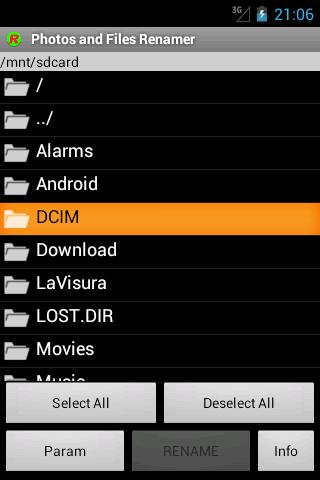
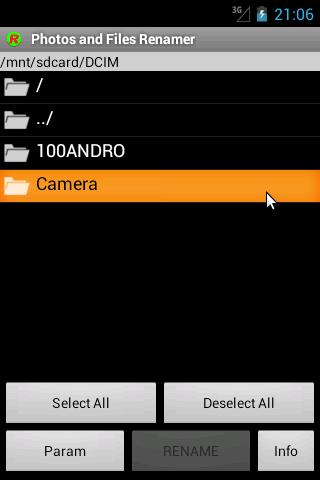
The app "Rename photos and files", also called "JcRename", is an easy APP to rename a series of photos or files, is batch rename tool for rename files in the directory.
JcRename is very useful if you want to rename your photos in order to classify and identify them by a name "expressively defined" instead of a generic sequential number or a date.
Have you visited Venice? Rename your photos as "Venice" so that you can recall them immediately!
Remember that this app can't rename the file extension, if you need this please buy the professional edition.
Try the new Photo and Files Renamer, professional edition compared to this free version were introduced the following:
- no advertising;
- the visual aspect and the menu organisation;
- pictures and videos preview was included;
- immediate update of Android Gallery was included;
- the possibility to rename also file extension was included;
- function which allows the to restore the previous files names;
- hidden files and folders management option was included;
- We added the translation in German and Russian;
- We added the automatical numbering in free position;
JcRename is also available for desktop computers at the JavaHouse site http://www.javahouse.altervista.org/crovatto/jcrename_en.html
Preview
Tags
PhotographyInformation
Developer
Fabio Crovatto
Latest Version
4.6
Last Updated
2024-09-27
Category
Photography
Available on
Google Play
Show More
How to play Photos and Files Renamer with GameLoop on PC
1. Download GameLoop from the official website, then run the exe file to install GameLoop
2. Open GameLoop and search for “Photos and Files Renamer” , find Photos and Files Renamer in the search results and click “Install”
3. Enjoy playing Photos and Files Renamer on GameLoop
Minimum requirements
OS
Windows 8.1 64-bit or Windows 10 64-bit
GPU
GTX 1050
CPU
i3-8300
Memory
8GB RAM
Storage
1GB available space
Recommended requirements
OS
Windows 8.1 64-bit or Windows 10 64-bit
GPU
GTX 1050
CPU
i3-9320
Memory
16GB RAM
Storage
1GB available space