
Garden Photo Frames & Editor PC
RamkumarApps
Download Garden Photo Frames & Editor on PC With GameLoop Emulator
Garden Photo Frames & Editor sa PC
Ang Garden Photo Frames & Editor, na nagmumula sa developer na RamkumarApps, ay tumatakbo sa Android systerm sa nakaraan.
Ngayon, maaari mong laruin ang Garden Photo Frames & Editor sa PC gamit ang GameLoop nang maayos.
I-download ito sa GameLoop library o mga resulta ng paghahanap. Hindi na tumitingin sa baterya o nakakadismaya na mga tawag sa maling oras.
I-enjoy lang ang Garden Photo Frames & Editor PC sa malaking screen nang libre!
Garden Photo Frames & Editor Panimula
🌼 Garden Photo Editor App 🌿
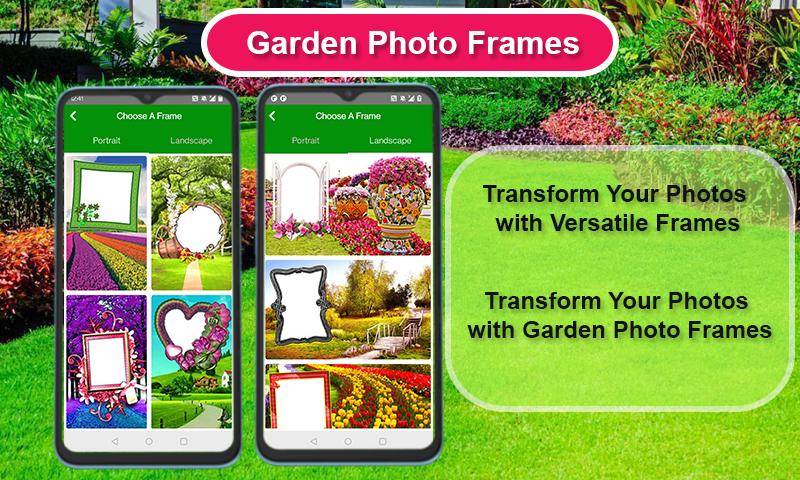
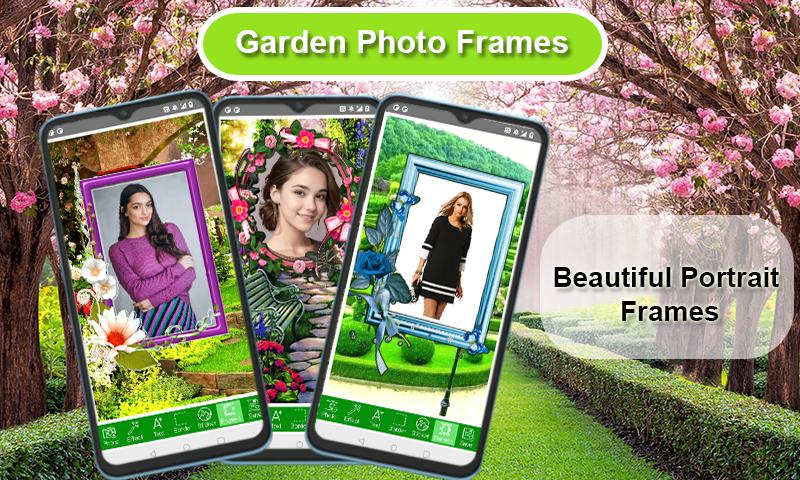
Garden Photo Frames — Decorate Your Photos with Beautiful Nature & Floral Frames! 🌸🌿
Want to make your photos stand out with fresh garden vibes? "Garden Photo Frames" is the perfect app for nature lovers! Choose from a wide variety of beautiful garden, flower, and nature-themed frames to make your pictures more vibrant and memorable.
✨ Key Features:
✅ Over 100+ stunning garden and floral photo frames
✅ Easy-to-use photo editor with natural backgrounds
✅ Add text, stickers, and creative filters to personalize your photos
✅ Save your creations in high resolution and share instantly on social media
✅ Perfect for selfies, family photos, and special occasions
Bring a touch of nature to your memories! Whether you love lush greenery, blooming flowers or serene garden views — this app has it all.
🌷 Why choose Garden Photo Frames?
✔️ Easy to use, no editing skills required
✔️ Wide collection of free frames
✔️ Regular updates with new seasonal and trending frames
✔️ Lightweight and fast
Download "Garden Photo Frames" today and turn your ordinary photos into extraordinary garden-inspired masterpieces. Share your creativity with friends and family and make every moment bloom!
Preview
Tags
PhotographyInformation
Developer
RamkumarApps
Latest Version
7.2.4
Last Updated
2025-10-13
Category
Photography
Available on
Google Play
Show More
How to play Garden Photo Frames & Editor with GameLoop on PC
1. Download GameLoop from the official website, then run the exe file to install GameLoop
2. Open GameLoop and search for “Garden Photo Frames & Editor” , find Garden Photo Frames & Editor in the search results and click “Install”
3. Enjoy playing Garden Photo Frames & Editor on GameLoop
Minimum requirements
OS
Windows 8.1 64-bit or Windows 10 64-bit
GPU
GTX 1050
CPU
i3-8300
Memory
8GB RAM
Storage
1GB available space
Recommended requirements
OS
Windows 8.1 64-bit or Windows 10 64-bit
GPU
GTX 1050
CPU
i3-9320
Memory
16GB RAM
Storage
1GB available space