Color Grab (color detection) PC
Loomatix
Download Color Grab (color detection) on PC With GameLoop Emulator
Color Grab (color detection) sa PC
Ang Color Grab (color detection), na nagmumula sa developer na Loomatix, ay tumatakbo sa Android systerm sa nakaraan.
Ngayon, maaari mong laruin ang Color Grab (color detection) sa PC gamit ang GameLoop nang maayos.
I-download ito sa GameLoop library o mga resulta ng paghahanap. Hindi na tumitingin sa baterya o nakakadismaya na mga tawag sa maling oras.
I-enjoy lang ang Color Grab (color detection) PC sa malaking screen nang libre!
Color Grab (color detection) Panimula
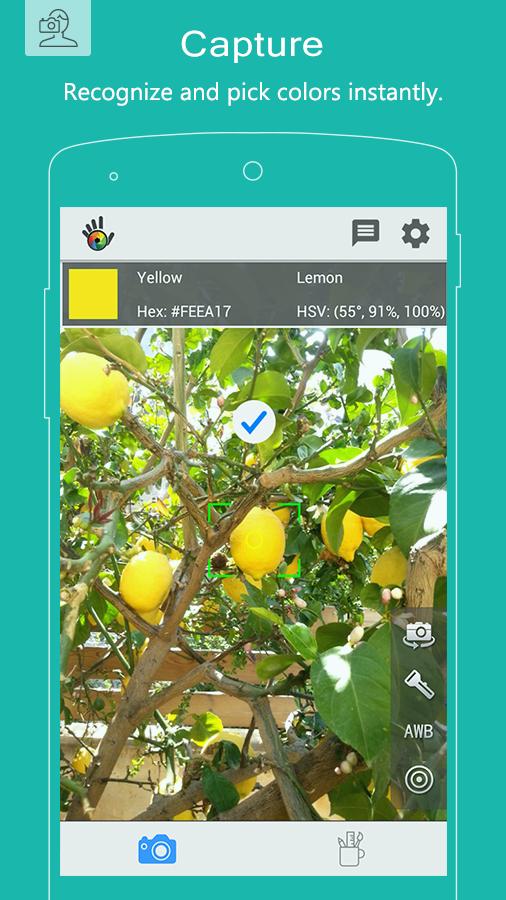
Color Grab is the ultimate on-the-go color tool. Pick, capture and recognize colors simply by pointing the camera.
Leading and worldwide used by designers, artists, professionals, developers, scientists and color-blinds.
#1 MUST HAVE APP FOR DESIGNERS & ARTISTS. FREE!
KEY FEATURES:
● Real-time color measurement (color metering)
● Color Palette Generator.
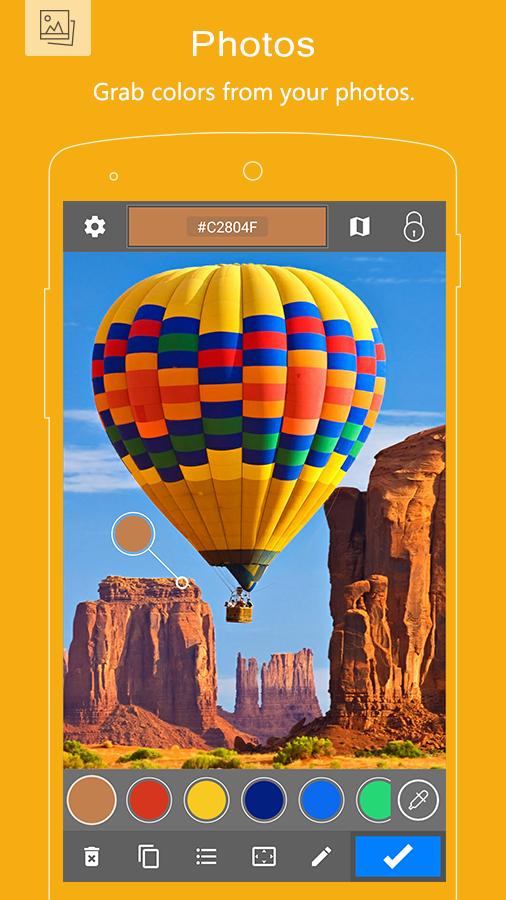
● Extract colors and maps from your photos.
● Color recognition (color-2-name).
● Real-time calibration mode - use reference white object.
● Custom white balance.
● Color palettes and harmonies themes generation tool.
● Colors blending tool - mix colors.
● Tune tool - refine your colors.
● Find the perfect color combinations.
● Discover and reveal matching colors.
● Color locking indication.
● "Instant Picking" - tap-2-capture.
● Viewfinder smart processing.
● Supports most-common color models (RGB, HEX, HSV, LAB, see below).
● After-shot color analysis.
● Export to popular applications such as Photoshop, Illustrator, Excel, CSV, PaintShop, Gimp, Inkscape, AutoCAD, Datasheets, etc.
● Color conversions.
● Accessibility; hear the color by pressing the volume buttons.
● Copy color to clipboard.
● Share and post color cards as image or text.
● Paint your wallpaper background with a solid color.
ADDITIONAL CONTROLS:
● Turn flash light in low-light conditions.
● Smart color stabilizer.
● Smart color locking mechanism.
● Motion-sensed auto-focus.
● Zoom control.
● White-balance control.
● Camera switching (use rear or front).
SUPPORTED COLOR PALETTES:
● Analogous, Monochromatic, Triad, Triad Pro, Complementary, Compound, Pentagram, Tetrad, Tetrad Pro, Shades, Hues, Inca, Gaudi, Butterfly, Europa.
SUPPORTED COLOR REFERENCES:
● RAL Classic
● RAL Design
● RAL Effect
● NCS® 1950
● Federal Std. 595C
● Australian AS2700
SUPPORTED COLOR MODELS:
● RGB & Hex
● HSV / HSB
● HSL
● Lab
● Greyscale, Lightness & Darkness
● Web-Safe
● CMYK
● CIE XYZ
● CIE xyY
● Hunter-Lab
● LUV
● LCH(uv)
● LCH(ab)
● YIQ
● YUV SD & HD
● YCbCr SD & HD
● YPbPr SD & HD
Just grab it,
- Loomatix Team.
Preview
Tags
PhotographyInformation
Developer
Loomatix
Latest Version
3.9.2
Last Updated
2021-02-09
Category
Photography
Available on
Google Play
Show More
How to play Color Grab (color detection) with GameLoop on PC
1. Download GameLoop from the official website, then run the exe file to install GameLoop
2. Open GameLoop and search for “Color Grab (color detection)” , find Color Grab (color detection) in the search results and click “Install”
3. Enjoy playing Color Grab (color detection) on GameLoop
Minimum requirements
OS
Windows 8.1 64-bit or Windows 10 64-bit
GPU
GTX 1050
CPU
i3-8300
Memory
8GB RAM
Storage
1GB available space
Recommended requirements
OS
Windows 8.1 64-bit or Windows 10 64-bit
GPU
GTX 1050
CPU
i3-9320
Memory
16GB RAM
Storage
1GB available space