Camera Go–Quick Video Recorder PC
NeroX
Download Camera Go–Quick Video Recorder on PC With GameLoop Emulator
Camera Go–Quick Video Recorder sa PC
Ang Camera Go–Quick Video Recorder, na nagmumula sa developer na NeroX, ay tumatakbo sa Android systerm sa nakaraan.
Ngayon, maaari mong laruin ang Camera Go–Quick Video Recorder sa PC gamit ang GameLoop nang maayos.
I-download ito sa GameLoop library o mga resulta ng paghahanap. Hindi na tumitingin sa baterya o nakakadismaya na mga tawag sa maling oras.
I-enjoy lang ang Camera Go–Quick Video Recorder PC sa malaking screen nang libre!
Camera Go–Quick Video Recorder Panimula
Camera Go – Instant Video Recorder
Never miss the moment. Camera Go launches quickly and lets you start recording in seconds, making it easy to capture life’s unexpected moments without unnecessary delays.
Whether you're recording an interview, creating content, documenting an event, or filming a tutorial, Camera Go is built to be fast, simple, and reliable.
🎥 Instant Video Recording
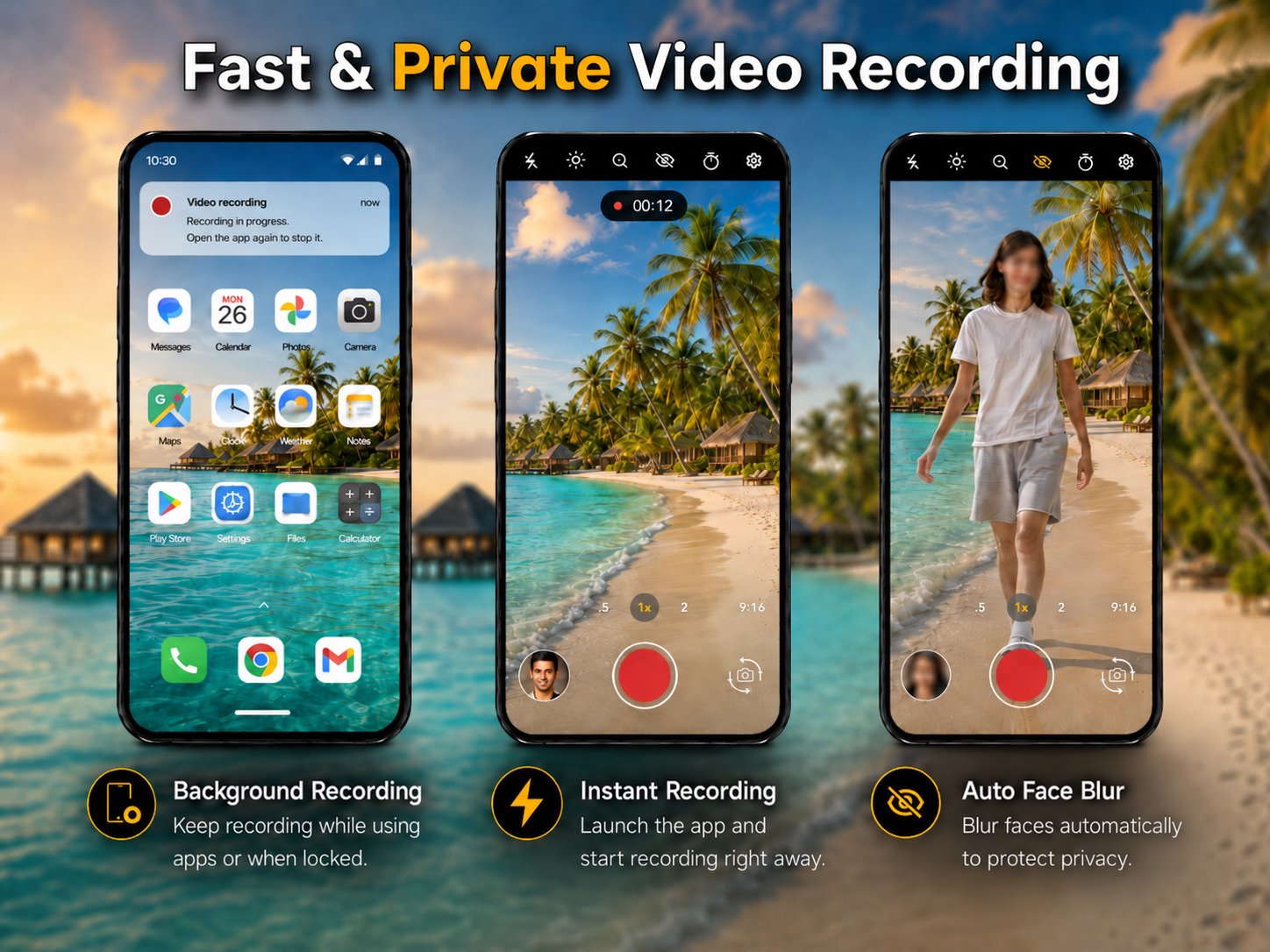
Open Camera Go and start recording almost immediately. No complicated setup or extra steps — just fast video capture whenever you need it.
📷 Camera & Lens Selection
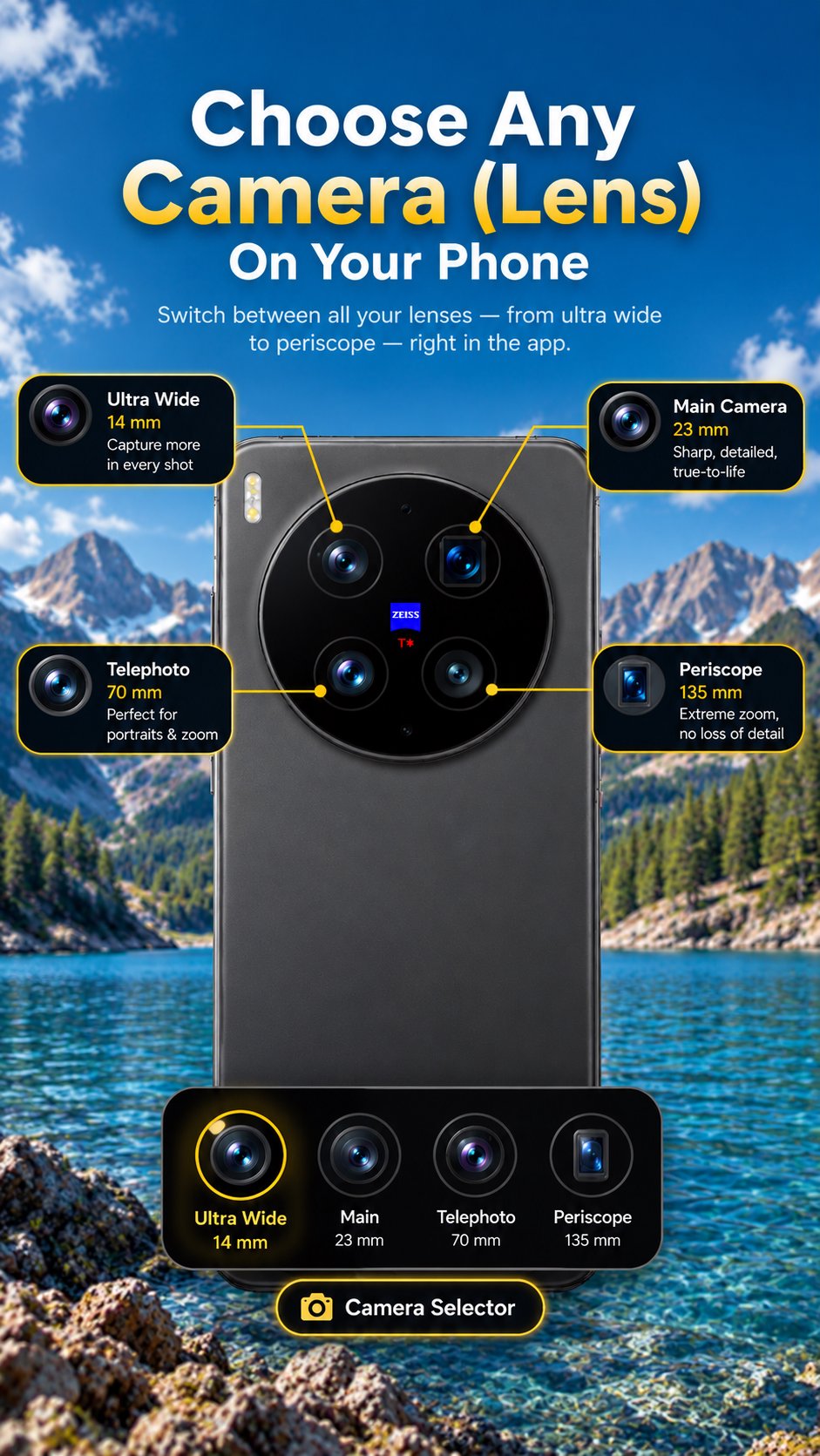
Choose from available cameras and lenses directly inside Camera Go. On supported devices, easily switch between options such as ultra-wide, main, telephoto, and other camera lenses made available by your device.
Available camera and lens options vary by device and depend on your phone’s hardware and Android camera support.
⚡ Auto Recording (Auto Video Recorder)
Start recording automatically when the app opens. Perfect for quick reactions, fast content creation, or one-tap video workflows using an automatic video recording experience.
🎯 Focus Mode (Ghost Mode)
A clean, distraction-free interface that keeps unnecessary on-screen controls out of the way. Great for interviews, tutorials, hands-free recording, and situations where you prefer a minimal recording interface.
🔒 Background Recording (Background Video Recorder)
Keep recording while the app is minimized or the screen is off. Camera Go displays an ongoing notification while background recording is active, so recording status remains visible.
Ideal when you need a convenient and reliable background video recorder.
🤲 Video Stabilizer
Get steadier handheld video. On supported devices, the Stabilizer turns on your phone's own video stabilization to reduce shaky footage. It may slightly crop the image; results vary by device.
😶 Automatic Face Blur
Help protect privacy with automatic face blur. Useful when preparing videos for social media, public sharing, or situations where you want to obscure people's faces.
✂️ Built-in Video Editor
Trim, cut, and make quick edits without leaving the app. Prepare your recordings directly inside Camera Go without needing a separate video editor for basic edits.
🚀 Lightweight & Fast
Camera Go is designed for speed and efficiency:
• Fast startup
• Lightweight installation
• Battery-friendly performance
• No annoying ads
• No unnecessary permissions
📌 Quick Access
Launch Camera Go even faster by assigning it to supported lock-screen shortcuts or hardware buttons on compatible devices.
Perfect For
• Quick video recording ⚡
• Background video recording 👻
• Hands-free recording 🙌
• Steadier handheld video 🤲
• Interviews & tutorials 🎤
• Content creation 🎬
• Instant video capture 👆
• Switching between available cameras and lenses 📷
• Privacy-focused videos with face blur 🫥
• Minimal, distraction-free recording
Why Choose Camera Go?
✓ Fast video recording
✓ Choose from available cameras and lenses
✓ Auto Recording for one-tap workflows
✓ Background recording support
✓ Focus Mode + Ghost Mode
✓ Video stabilizer (supported devices)
✓ Automatic face blur
✓ Built-in video editing
✓ Lightweight and efficient
✓ No annoying ads
✓ Simple, reliable experience
🌍 Available in 11 Languages
English, Arabic, Chinese, French, German, Hindi, Italian, Japanese, Portuguese, Russian, and Spanish.
ℹ️ Important
Auto Recording and Focus Mode cannot be enabled at the same time. Enabling one will automatically disable the other to help maintain reliable operation.
Camera and lens availability varies by device. Camera Go can only provide access to cameras and lenses made available by the device and Android camera system.
⚠️ Privacy & Responsible Use
Background recording displays an ongoing Android notification while recording is active.
Please respect the privacy of others and use Camera Go responsibly and in accordance with applicable laws and regulations in your location.
Preview
Tags
PhotographyToolsInformation
Developer
NeroX
Latest Version
3.2.3
Last Updated
2026-10-05
Category
Photography
Available on
Google Play
Show More
How to play Camera Go–Quick Video Recorder with GameLoop on PC
1. Download GameLoop from the official website, then run the exe file to install GameLoop
2. Open GameLoop and search for “Camera Go–Quick Video Recorder” , find Camera Go–Quick Video Recorder in the search results and click “Install”
3. Enjoy playing Camera Go–Quick Video Recorder on GameLoop
Minimum requirements
OS
Windows 8.1 64-bit or Windows 10 64-bit
GPU
GTX 1050
CPU
i3-8300
Memory
8GB RAM
Storage
1GB available space
Recommended requirements
OS
Windows 8.1 64-bit or Windows 10 64-bit
GPU
GTX 1050
CPU
i3-9320
Memory
16GB RAM
Storage
1GB available space